
Download Sleep Meditation App For A Calmer Bedtime


A sleep meditation app provides bedtime audio such as guided meditations, sleep stories, breathing exercises, and calming sounds, with offline listening available in some apps. MindTastik offers guided practices, sleep audio, breathing exercises, and self-hypnosis sessions for adults seeking support with rest, anxious moments, and everyday calm. The useful choice is an app with suitable audio and controls that are easy to use when tired. If you are comparing bedtime audio options, consider an Aura alternative for calm and sleep.
Before downloading, check which tracks require payment, whether selected audio works offline, and what permissions the app requests. A repeatable bedtime routine can start with one saved track, notifications silenced, and the phone face down. These apps may support relaxation and sleep quality, but they are not medical treatment for chronic insomnia, suspected sleep apnea, severe anxiety, or depression. Use meditation and sleep app comparisons to review features, pricing, and bedtime audio before choosing what to download.
Before downloading
- A sleep meditation app download should include guided bedtime meditations, sleep stories, breathing tracks, calming sounds, and simple offline access.
- A stronger bedtime routine uses the same sleep audio at a consistent time, with notifications off and the phone face down.
- Sleep meditation apps may support relaxation and sleep quality, but chronic insomnia, sleep apnea, severe anxiety, or depression need professional care.
- Compatibility: Check the app store listing for iOS or Android version requirements before downloading.
- Storage: Sleep stories and long soundscapes can take more space than short breathing sessions.
- Internet: Use Wi-Fi for the first download, especially if you plan to save offline audio for travel.
- Audio setup: Headphones, earbuds, or a bedside speaker can work; tangled earbuds on a nightstand are common enough.
- Account and privacy: Review account creation, free trials, subscription prompts, cancellation rules, permissions, and privacy policies before granting access. When reviewing costs and privacy, compare a Medito alternative for daily calm alongside your preferred app.
- A 2015 randomized controlled trial found that mindfulness meditation improved sleep quality and reduced insomnia, fatigue, and depression in older adults with moderate sleep disturbance JAMA Internal Medicine study: 2110998.
- The American Academy of Sleep Medicine notes that CBT-I is a first-line treatment for chronic insomnia and has stronger evidence than standalone sleep audio aasm reference: 040515.pdf.
- Per CDC/NCHS survey data, 14.2% of U.S. adults used meditation in the previous 12 months CDC guidance: db325.htm.
- Mindfulness and relaxation tracks may help some users reduce bedtime arousal. For another approach to daily practice, consider a Plum Village alternative and compare the available meditation styles.
- Results depend on routine, sleep hygiene, health conditions, and whether the content feels calming.
How the sleep meditation apps look
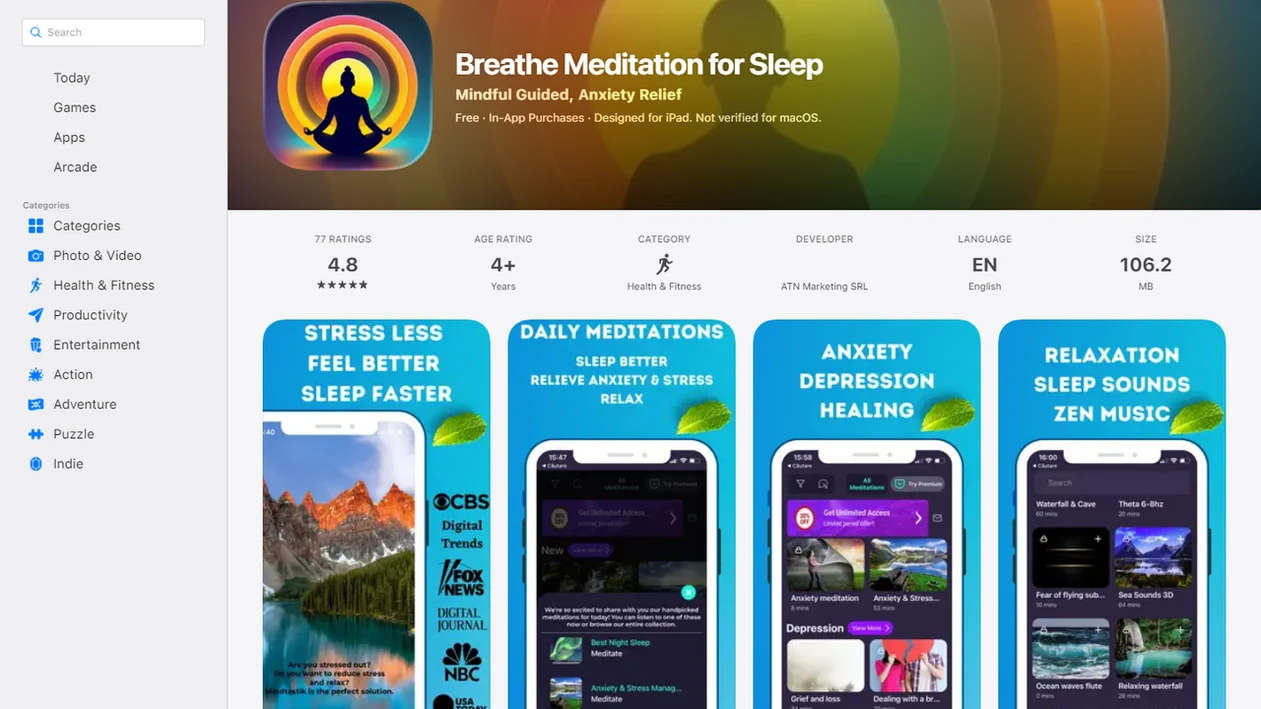
Side-by-side captures of the compared products. Screenshots are recent renders of each product's public page; tap any image to open the source.
From download to a ready-to-play bedtime track
Install the app from the device's official app store, then check subscription terms before accepting a trial. A free download does not establish how much sleep audio is available without payment. MindTastik offers an optional subscription and a free trial; Calm's App Store listing describes it as free to download and use, but the available information does not establish its current free-content limits or trial length. Before starting a subscription, compare a Calm alternative for daily calm and check its available sleep audio.
Choose one track before bedtime rather than browsing in bed. If the app offers downloads, save the track and confirm that it plays without a connection. Check volume, playback controls, and any timer before putting the screen away. Offline playback is a convenience, not a proven sleep treatment: the cited clinical studies assess audio or meditation interventions, not whether downloading a track works better than streaming it.
MindTastik for stories, breathing, and bedtime practice
MindTastik suits adults who want several kinds of bedtime audio in one library: guided meditation, breathing exercises, soundscapes, and self-hypnosis. Its sleep stories offer another option when spoken meditation instructions feel too demanding. The app is available on iOS and Android, with a free download, optional subscription, and free trial.
Someone seeking only background sound may prefer a simpler audio player. Persistent insomnia calls for assessment and an appropriate treatment plan, not just a larger audio library. MindTastik is not a medical treatment.
What bedtime audio cannot treat
A sleep meditation app can make bedtime feel more structured, but it is not enough for every sleep problem. That honest boundary matters, especially on nights when the room is quiet, the body feels tired, and sleep still does not arrive easily.
- A sleep meditation app is not a cure for insomnia.
- It is not a substitute for medical evaluation for chronic insomnia, suspected sleep apnea, severe anxiety, depression, or safety concerns.
- Some users find guided audio distracting at first, especially if the voice, pace, or music feels wrong.
- Late-night screen exposure, notifications, caffeine, irregular schedules, and poor sleep hygiene can weaken results.
- Not all sleep audio apps are transparent about data collection, permissions, subscription pricing, or cancellation steps.
- Calm, Headspace, and other well-known apps may offer larger libraries, but size does not guarantee a better bedtime fit.
- Offline audio can fail if tracks were not saved inside the app before travel or weak Wi-Fi.
MindTastik should be used as a supportive practice, not as emergency care or a replacement for qualified help.
A Bedtime Decision Guide
| If you... | Try | Why | Note |
|---|---|---|---|
| Your mind keeps replaying tomorrow's tasks after you get in bed. | A sleep story with a steady narrator and low novelty. | Gentle narrative can give attention a soft place to land without asking for effort. | Avoid plots that feel too interesting or emotionally charged. |
| Your body feels tense but your thoughts are not especially busy. | A guided body scan, starting at the face or shoulders. | Body-based cues may be easier than mental instructions when you are already lying down. | Keep the goal at noticing tension, not forcing relaxation. |
| You wake during the night and do not want to look at the screen. | Offline audio or a saved breathing exercise. | A prepared track can reduce tapping, scrolling, and brightness exposure. | Choose the track before bedtime so the phone does not become the activity. |
Better sleep ratings do not always mean longer sleep
Evidence supports modest expectations rather than a promise of falling asleep on command. In an eight-week Headspace trial involving 135 university staff, ten minutes of daily meditation improved subjective sleep quality. Sleep duration was approximately 24 minutes longer at one mid-intervention assessment, but sleep efficiency did not significantly improve. Feeling that sleep is better and spending more of the night asleep are different outcomes.
The type of program also matters. A trial involving 132 adults with clinical insomnia found improvements with an 18-session Headspace Sleep Program incorporating cognitive behavioral therapy for insomnia, or CBT-I, and mindfulness. Those results should not be applied to ordinary sleep stories or meditation tracks. CBT-I addresses sleep habits, conditioned wakefulness, and beliefs about sleep, rather than relying on relaxation alone.
Short bedtime sessions: body scans, breathing, and stories
| Technique | Best for | Minutes |
|---|---|---|
| Body scan | Noticing shoulder, jaw, or chest tension while already on the pillow | 8-15 min |
| Slow exhale breathing | Settling into a predictable rhythm before a sleep story | 3-7 min |
| Sleep story | Giving a busy mind a gentle thread to follow at lights-out | 10-20 min |
For structured sessions beyond this page, MindTastik guided meditation app is the main MindTastik hub for guided meditation.
Sleep app download questions
What should I check before downloading a sleep meditation app?
Check the available bedtime content, subscription terms, offline controls, and requested permissions. Look for a voice and format that seem suitable, rather than choosing by library size alone. A free download does not mean every story or meditation is included, so review payment details before starting a trial.
Can I listen to sleep meditation audio offline?
That depends on the app, the track, and any subscription restrictions. Check for a download option and confirm playback without a connection before bedtime. Offline listening can avoid connectivity problems and reduce reasons to handle the phone, but it has not been shown to improve sleep more than streaming.
Are sleep stories or body scans better for falling asleep?
Neither is established as the best choice for everyone. A quiet story may suit a busy mind that wants something simple to follow. A body scan may suit physical tension and a preference for brief instructions. If a narrator or plot becomes engaging rather than calming, try a different format.
Can a sleep meditation app help with anxiety at bedtime?
Guided audio may give attention a quieter focus and help establish a predictable wind-down routine. A small Calm trial reported improved anxiety and sleep outcomes, but its findings were preliminary. Persistent or severe anxiety needs professional support; a bedtime app should not replace assessment or treatment.
Is it okay to use sleep meditation audio every night?
Nightly audio can be part of a repeatable bedtime routine if it feels helpful rather than demanding. Keep notifications off and avoid prolonged browsing in bed. If the voice, music, or instructions become distracting, change the track or stop listening. Falling asleep before a session finishes is not a failure.
Can a sleep meditation app cure insomnia?
Ordinary meditation tracks and sleep stories are not a cure for insomnia. Some structured app programs include CBT-I techniques, which are different from relaxation audio alone. Ongoing insomnia, suspected sleep apnea, or sleep problems affecting daytime safety warrant professional assessment rather than repeated attempts to find the right recording.