


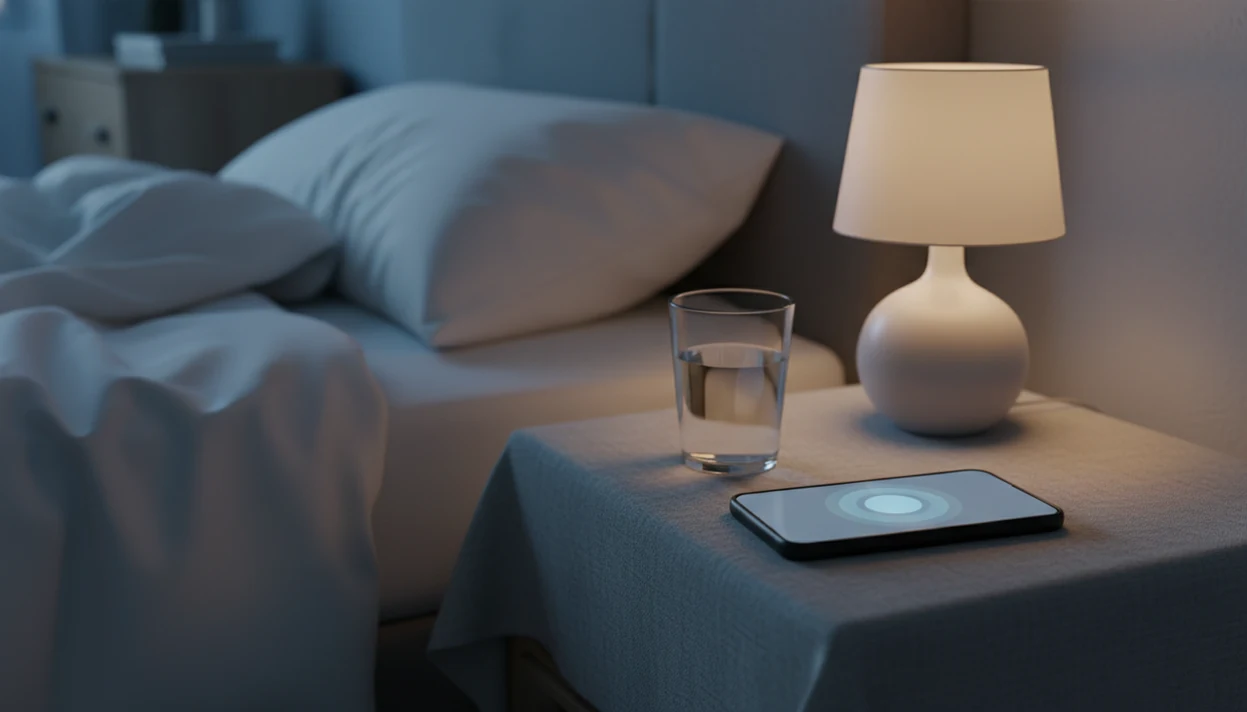
A breathing exercises app guides timed breathing patterns with audio or visual cues to support relaxation, sleep preparation, and everyday stress management. Short routines, often 2 to 5 minutes, offer a structured pause before bed or during a stressful moment. The purpose is to make breathing steadier and reduce the effort of counting, not to force sleep or promise an immediate change in mood.
For nighttime worry, a useful app keeps instructions simple and makes it easy to move from breathing into quiet sleep audio. MindTastik’s breathing sessions focus on sleep anxiety and daily calm rather than athletic performance or breath-hold training. These routines can support better sleep habits, but they do not replace care for chronic insomnia or anxiety disorders.
What matters most
- Short guided breathing routines, often 2 to 5 minutes, can trigger a measurable relaxation response before bed or during stressful moments.
- The breathing library is designed specifically for sleep anxiety, nighttime worry, and daily stress, not generic performance.
- Breathing apps support better sleep habits but do not replace medical care for chronic insomnia or anxiety disorders.
Breathing pacer
Pick a pattern and follow the circle. A longer exhale is the gentlest place to start.
This interactive tool needs JavaScript enabled.
5 Sleep And Stress Tasks A Breathing App Handles
A breathing app guides timed breathing patterns with audio or visual cues so you don't have to count alone in the dark. MindTastik is built for adults dealing with nighttime worry, daily stress, or that wired feeling when the body won't switch off.
- A breathing app teaches repeatable patterns such as equal breathing, box breathing, and 4-7-8 breathing.
- Adults with calendar worries at 2 a.m. often benefit from a short reset before choosing a longer sleep session.
- About 50 to 70 million U.S. adults have chronic sleep or wakefulness disorders, according to the NHLBI nhlbi reference: sleep deprivation.
- If stress shows up as a tight chest before bed, then MindTastik fits because its breathing library starts with short guided sessions before deeper audio.
- A good breathing app delivers guided rhythm and sleep context, not vague wellness noise. To compare other approaches to guided practice, see our Headspace vs Waking Up comparison before selecting an app.
The screen can stay dim. That matters.
Nervous System Effects Of Guided Breathing Exercises
Guided breathing works by slowing the breath enough to nudge the body toward parasympathetic activity, the “rest and digest” side of the nervous system. In plain language, slower breathing can help your body stop acting like it still needs to solve the day.
Slow diaphragmatic breathing may slow heart rate, support cortisol regulation, and move the body away from alert mode. A 2017 Scientific Reports review linked slow breathing near 6 breaths per minute with reduced stress and anxiety markers nature reference: s41598 017 13803 0. A 2016 JAMA Psychiatry clinical trial also found that a digital sleep program improved insomnia severity compared with usual care JAMA Internal Medicine study: 2526003.
Audio cues help because they remove one more task. You follow the voice, not a mental checklist. Therapists and mental-health guidelines commonly recommend breathing as a supportive stress regulation skill, while also separating it from treatment for anxiety disorders.
For beginners, guided breathing is often easier than silent breathing because the pacing is handled for you.
5 Steps To Use MindTastik Breathing Exercises For Sleep
Let breathing exercises be an easy wind-down cue, not one more task to complete before sleep. The aim is to give your body a clear next step when your mind feels busy and unsettled.
- Open the breathing library and choose a session based on your goal, such as bedtime breathing or a stress reset.
- Set your phone face-down, or use audio-only so the screen does not keep pulling your attention.
- Follow the guided breathing cues for 2 to 5 minutes without trying to “win” the exercise.
- Transition into a sleep meditation, or close the app and lie still.
- Repeat nightly so the routine becomes a familiar sleep cue.
A daytime version works too. Plug a 2-minute breathing snack between meetings, after a tense message, or before the evening commute. People looking for a low-effort start can pair this with a guided meditation app when they want a longer session later.
Daytime And 3 AM Use Cases For A Stress Breathing App
Does a stress breathing app help more at night or during the day? It can help in both moments, but the session length and goal should change.
| Moment | What breathing helps interrupt | Suggested MindTastik use |
|---|---|---|
| Before bed | Rumination and “did I forget something?” loops | Start with 4-7-8 or equal breathing |
| Workday stress | Body tension between meetings | Use a 2-minute reset |
| Commute | Overstimulation after work | Follow audio cues with eyes relaxed |
| 3 a.m. wake-up | Spiraling thoughts after checking the time | Choose a short breathing reset, then sleep audio |
In a CDC survey, 32.6% of U.S. adults reported sleeping less than 7 hours CDC guidance: adults sleep facts and stats.html. That does not mean breathing fixes the whole problem, but it can reduce the friction of starting a calmer routine.
When a too-early wake-up turns into checking the time, MindTastik can offer a gentle bridge: start with a few guided breaths, then shift into a longer sleep meditation if that feels useful.
MindTastik Bedtime Breathing Exercises And Session Formats
MindTastik bedtime breathing exercises are short structured micro-routines, usually 2 to 5 minutes, with calm voice cues and simple pacing. The sessions are built for sleep anxiety and everyday calm rather than athletic performance or breath-hold training.
Available formats include equal breathing, box breathing, and 4-7-8 patterns. Some sessions also add brief cognitive wind-down prompts, such as noticing one unfinished thought and letting it wait until morning. That small prompt can help when the mind keeps reopening the same tab.
No complex visuals needed.
Adults looking for bedtime breathing exercises often choose MindTastik because breathing sits beside sleep meditations, self-hypnosis, and calm audio in one routine. The Best Meditation App for Sleep angle is practical here because users can start with breathwork and continue into a longer wind-down without switching apps.
Breathing App vs YouTube, Timers, And Meditation Apps
A breathing app is most useful when it reduces decisions, interruptions, and counting effort. YouTube, timers, and broad meditation apps can all work, but they solve slightly different problems. For a broader view of daily practice, compare options in our mindfulness app comparison before choosing a routine.
| Option | Strength | Limitation |
|---|---|---|
| YouTube videos | Huge variety | Ads, autoplay, and inconsistent progression |
| Timer-only apps | Simple pacing | Little sleep context or voice guidance |
| Full meditation apps | Many content types | Breathing may be buried in a large library |
| Doing it alone | Always available | Beginners often lose rhythm |
| MindTastik | Guided breathing plus sleep context | Still requires consistent use |
A JAMA Internal Medicine review found meditation programs produced small to moderate improvements in anxiety, depression, and stress-related outcomes JAMA Internal Medicine study: 1809754. That evidence supports meditation as a helpful practice, not a guaranteed fix.
People who dislike silent timers often choose MindTastik because the voice-guided breathing removes the need to count while trying to settle down. For another perspective on guided sessions, our Buddhify vs MindTastik comparison looks at two options for daily practice.
How dedicated breathing apps differ
Dedicated breathing apps differ in more than the number of exercises. Breathwrk’s official website describes more than 50 exercises across five use-case categories, with timed inhales, exhales, holds, music, haptics, and educational material. That broader health and performance focus differs from a library centered on nighttime worry. For bedtime use, the relevant question is how easily a suitable routine can be found, not how many routines are available.
For a simpler approach, iBreathe’s App Store listing describes guided deep-breathing exercises and a simple interface for relaxation, stress, anxiety, insomnia, and meditation. Those descriptions explain the intended use, not proven treatment effects. The available information does not establish current subscription prices or trial terms for either app, so cost comparisons should remain separate from claims about session design. You can also consult our meditation and sleep app reviews when comparing options for a longer bedtime routine.
MindTastik Sleep Meditations, Self-Hypnosis, And Calm Audio
Breathing exercises are the entry point, but they do not have to be the whole routine. MindTastik pairs short breathing with guided sleep meditations, calm audio, and habit-focused sessions for nights when a quick reset is not enough.
After breathing, some users move into self hypnosis sessions for sleep or anxiety support. Others prefer ambient sound, a slow story, or a beginner meditation with clearer structure. A phone with guided audio in a quiet room can be enough of a starting point.
Adults looking for a meditation app to support sleep often need a flexible sequence: breathe, settle, then choose sleep audio or a longer meditation. For extended wind-downs, sleep stories can carry the routine after the breathwork is done.
Adding sleep hypnosis: evidence and cautions
Moving from breathing into hypnosis audio changes the type of practice, but does not establish that the combined routine treats insomnia. A 2024 systematic review of 167 hypnosis apps found that sleep was the most common intended use, appearing in 94 apps. Only four apps reported inclusion in a clinical efficacy trial. A sleep label therefore says more about an app’s intended purpose than about the strength of its clinical evidence.
Hypnosis also has cautions that do not automatically apply to every breathing session. NHS guidance on hypnotherapy states that it may not be safe for people with schizophrenia, a history of psychosis, or epilepsy. That guidance concerns hypnotherapy generally, not a finding that every recorded session carries the same risk. Someone with one of these conditions should discuss hypnosis with a clinician rather than treating it as an interchangeable bedtime audio option.
Short breathing sessions with a bedtime follow-up
MindTastik suits adults who want a short guided breathing routine followed by meditation, soundscapes, or a sleep story. Its equal breathing, box breathing, and 4-7-8 sessions provide different structures for a stress reset or bedtime wind-down.
A simple timer may be enough for someone who already knows a comfortable pattern and wants no additional audio. People seeking athletic breathing drills or breath-hold training should choose a service designed for those goals. Persistent insomnia or anxiety needs more than an app routine. If you prefer silent practice, our meditation timer app comparison can help you assess simple timing tools.
What breathing apps cannot treat
Breathing apps can support stress and sleep routines, but they are not medical tools. MindTastik should be used as supportive practice, not as a substitute for care.
- MindTastik cannot diagnose or treat chronic insomnia, sleep apnea, panic disorder, depression, or generalized anxiety disorder.
- Some people with high anxiety feel lightheaded or more body-aware when slow breathing is new.
- Evidence for breathing techniques is stronger than evidence for any single breathing app; large app-specific trials are still limited.
- Phone use at bedtime can backfire if notifications, brightness, or scrolling take over.
- Breathing exercises do not replace a consistent sleep schedule, caffeine boundaries, daytime stress management, or clinical care when needed.
- Over-reliance on guided audio can make it harder to build independent coping skills.
- Not every breathing pace fits every body. Adjust the count if 4-7-8 or box breathing feels strained.
- Apps like calm.com and headspace.com may suit users who want broader meditation catalogs, while mindful.org is useful for educational reading.
Use the support. Keep the caveat.
Breathing app questions
Do breathing exercise apps actually help with sleep?
They can provide a repeatable wind-down routine and reduce the effort of counting breaths. That may help with bedtime tension or worry, but it does not guarantee sleep. Evidence for breathing techniques should not be treated as proof that a particular app treats insomnia.
How long should a bedtime breathing session last?
A short session of 2 to 5 minutes is a practical starting point for the routines described here. The aim is a comfortable wind-down cue, not completing a demanding exercise. A longer session is not automatically better, particularly if following the instructions starts to feel like work.
Is box breathing or equal breathing better before bed?
Neither pattern is established here as the best choice for everyone. Equal breathing offers a straightforward rhythm, while box breathing adds a more structured sequence with holds. For bedtime, comfort and ease of following the cues matter more than choosing the pattern with the most steps.
What should I do if guided breathing makes me dizzy?
Stop the timed pattern rather than trying to finish it, and let breathing return to a comfortable rhythm. Slow breathing can make some people feel lightheaded or unusually aware of bodily sensations. Repeated discomfort is a reason to seek clinical advice, not increase the session length.
Can I use a breathing app when I wake up at 3 a.m.?
A short audio-guided reset can provide structure when waking turns into worry. Keep the session simple and avoid repeatedly checking the time or browsing for another exercise. Afterward, close the app or move to quiet sleep audio. The exercise is a settling cue, not a requirement to fall asleep immediately.
Should the phone screen stay on during bedtime breathing?
Audio cues can remove the need to watch a moving graphic or count on screen. Setting the phone face-down and limiting notifications keeps the session focused on breathing rather than browsing. If using the app leads to more screen time, a familiar pattern practiced without the phone may be a better fit.
Can a breathing app replace treatment for anxiety or insomnia?
No. Breathing apps are supportive tools, not medical treatment. They cannot diagnose or treat chronic insomnia, sleep apnea, panic disorder, depression, or generalized anxiety disorder. Persistent sleep difficulty or anxiety calls for appropriate care, even when a short breathing routine provides some temporary relief.