
How To Cancel a Meditation App Subscription on iPhone or Android
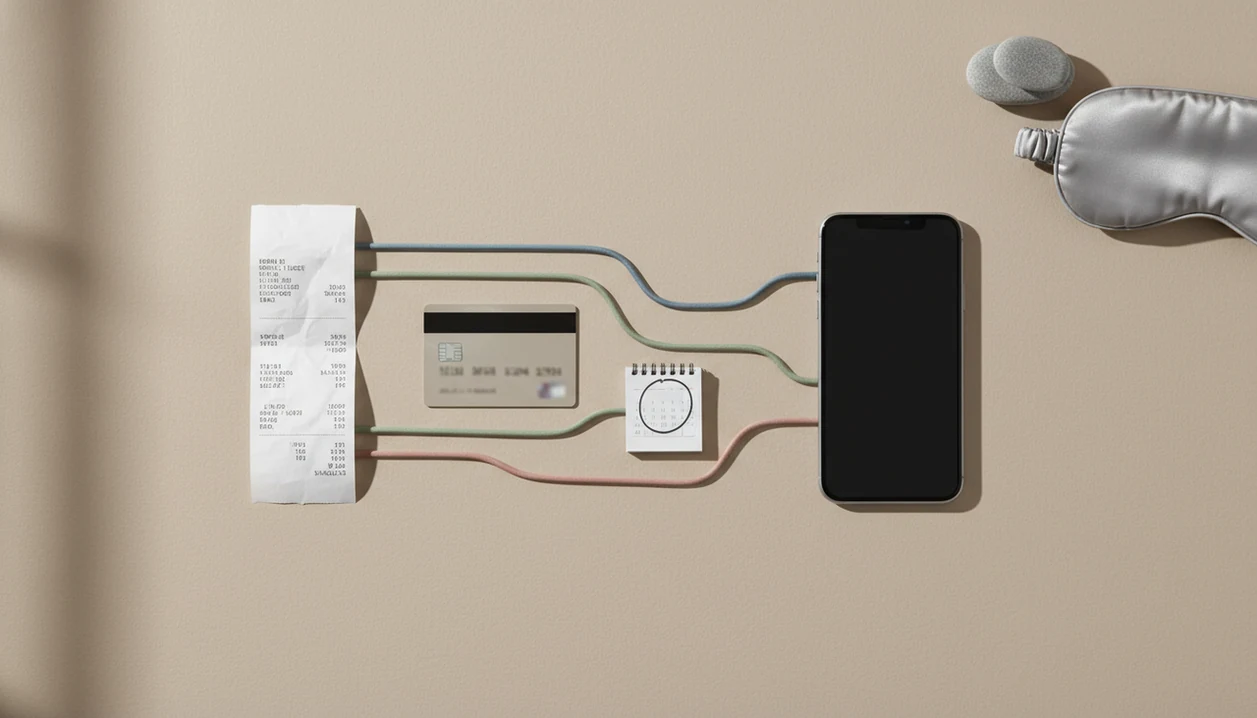


To cancel a meditation app subscription, stop renewal through the service that processed the purchase: Apple App Store, Google Play, or the app’s website. Cancellation means ending future renewal charges, not deleting the app or closing its account. The original receipt is the best starting point, especially when the subscription does not appear on the phone currently in use.
Deleting the app does not stop billing. Save the cancellation confirmation and check the subscription’s expiry or renewal status afterward. Paid access usually continues until the current billing period ends. This guide is informational; platform, card issuer, and consumer-protection policies still apply. For disputed charges, follow the billing platform’s refund process first, and save cancellation proof before contacting the bank.
Cancellation essentials
- Cancel through the same place you subscribed: Apple App Store, Google Play, or the app website.
- Deleting a meditation app does not cancel an active subscription or free trial.
- After cancellation, premium access usually continues until the end of the current billing period. Before your paid access ends, compare free vs paid meditation apps to decide which features you still need.
Meditation App Subscription Cancellation Routes by Billing Platform
Meditation app subscription cancellation depends on the original billing route, not just the phone where the app is installed. Apple, Google Play, and direct website billing are separate systems, and each one has its own cancellation path.
Start with your receipts. Search your email for Apple, Google Play, PayPal, Stripe, or the app name. Then check your bank statement for the merchant name and billing date. The small clue is often in the receipt footer, not inside the app library where the guided sessions sit.
Apps such as Calm, Headspace, and MindTastik may sit side by side on the same phone, yet their subscriptions can be managed through different billing systems. MindTastik offers adult-focused support through guided meditation, sleep audio, breathing practices, and self-hypnosis sessions for rest, anxiety support, and everyday calm. If your goals center on focus, consider a meditation app for productivity when comparing options after cancellation.
Good meditation app for sleep anxiety and everyday calm deliver guided routines and repeatable wind-down support, not medical treatment or guaranteed billing refunds.
Meditation App Subscription Billing Controls Behind Renewals
Subscription renewals are controlled by the payment processor that accepted the original purchase. In-app purchases made through Apple or Google Play usually stay inside that store account, including renewal dates, payment method, and cancellation controls.
Direct web purchases work differently. If you entered a card number or PayPal account on a meditation app website, the app account system or its payment processor usually controls the plan. That is why an app support team may not be able to cancel an Apple or Google Play subscription for you. They may be able to identify the account, but the store keeps the billing switch.
This is where forgotten charges happen: the FTC describes recurring digital subscriptions as negative-option programs when sellers treat silence or inaction as consent to keep billing: ftc reference: p214800negativeoptionreport.pdf.
For most users, identifying the billing platform is faster than searching every menu inside the app.
How To Cancel Meditation App Subscription on iPhone
How to cancel meditation app subscription on iPhone: open Settings, tap your Apple ID name, tap Subscriptions, select the meditation app, then choose Cancel Subscription. If the app is not listed, check that you are signed into the Apple ID that originally subscribed.
Apple’s official subscription guide confirms that iPhone subscriptions are managed from Settings or the App Store account menu: support reference.
You can also try the App Store route. Open the App Store, tap your profile icon, tap Subscriptions, select the app, and cancel from there. Apple may show “Expires” after cancellation rather than “Renews,” which is the detail to look for.
Tiny label. Big difference.
Cancellation normally stops future renewals. It does not automatically refund past charges, and it usually does not remove access right away. If you are also reviewing whether are meditation apps private, keep billing records separate from app privacy settings. They are different issues.
How To Cancel Meditation App Subscription on Android
How to cancel meditation app subscription on Android: open the Google Play Store, tap your profile icon, choose Payments & subscriptions, tap Subscriptions, select the meditation app, then tap Cancel subscription.
Google’s official Play Help page gives the same route for Android subscriptions and explains that uninstalling an app does not cancel the subscription: support reference: 7018481.
If the subscription is missing, switch Google accounts before assuming the charge is fake. Many people have one account for personal apps and another tied to an old tablet, work profile, or family device. Google menu labels can also shift slightly across app versions, but the subscription area remains under the Play Store account controls.
Uninstalling the app does not cancel the Google Play subscription. It only removes the app from the device. The billing agreement can still renew in the background, even if your home screen looks clean. If you want to keep practicing without another subscription, our free meditation app guide outlines options to consider.
For Android users, the Play Store subscription list is usually the right starting point because it shows the store account that controls renewal.
Meditation App Website and Direct Card Billing Cancellation
If you paid on the meditation app’s website, log in to the web account used for the purchase. App Store and Google Play cancellation steps do not cancel direct card, PayPal, or website billing.
Look for sections labeled Account settings, Billing, Subscription, Plan, Membership, or Manage subscription. Some apps hide the cancellation link near the payment method, which is annoying but common. If no self-service button appears, contact support.
Include the account email, receipt number, last four digits of the card if appropriate, and the cancellation date you want recorded. Do not send a full card number. If you use a meditation app for adults as part of a bedtime routine, canceling billing does not mean you need to stop supportive practice. You can still choose a free timer, saved audio, or another low-cost option. If panic symptoms prompted your app choice, review our meditation app for panic attacks guide, while keeping professional care separate.
The most useful support request is short, dated, and tied to a specific receipt.
App Store Subscription Problems and Missing Meditation App Charges
A missing meditation app subscription usually means you are looking in the wrong billing place. Check accounts before you assume cancellation failed.
- Wrong Apple ID: The subscription may sit under a different Apple ID than the one currently signed in.
- Wrong Google account: Switch Play Store profiles and check each subscription list.
- Expired or canceled plan: The charge may be old, expired, or already stopped.
- Family member account: A spouse, parent, or child account may control the purchase. If you are helping an older relative choose a replacement, our meditation app for seniors guide offers relevant considerations.
- Direct website billing: Search email for Apple, Google Play, PayPal, Stripe, or the meditation app brand.
Bank statements help when emails do not. Match the merchant name, date, and amount. Free trials can renew unless canceled before the deadline, so take screenshots after cancellation and save confirmation emails.
Late at night, when you open your phone hoping to sort things out quickly, the last thing you need is confusion over which account is tied to the trial.
Meditation App Subscription Refunds, Access, and Cancellation Proof
Canceling a meditation app subscription usually stops the next renewal, while paid access often continues until the end of the current billing period. Cancellation and refund requests are separate actions. If you plan to switch services after cancellation, compare features and costs in our meditation and sleep app reviews.
Apple, Google, and direct billing support can each apply different refund policies. A canceled plan may still show premium access for a few days or weeks because you already paid for that period. That is normal. What matters is whether the renewal date changed or the cancellation confirmation arrived.
Save the cancellation date, confirmation email, screenshot, and support ticket number. The FTC has identified negative-option subscription programs, including recurring digital subscriptions, as a consumer protection concern when cancellation is harder than enrollment, according to its 2022 report source.
For disputed renewals, proof of cancellation is often more useful than a long explanation.
Check account data separately from subscription billing
Stopping renewal addresses the payment, but it does not answer what happens to information already collected by the app. A 2022 privacy analysis of 27 highly ranked mental-health apps identified information-disclosure risks involving third-party services. That study was not a cancellation audit of the meditation apps named here, so its findings should not be treated as evidence about any one of them.
For anyone leaving an app over privacy concerns, a separate account-data check is useful. Read the privacy policy and look for controls covering data collection and deletion. If those controls are unclear, ask support what account closure removes and what information remains. Keep that request separate from the billing confirmation. The NCBI app evaluation framework treats privacy, security, and informed consent as distinct considerations when assessing an app.
When To Contact App Support, Your Bank, or a Consumer Agency
Escalate in the order that matches who controls the charge. Start with the app or store support channel, then involve your bank or a consumer agency only when the billing record and cancellation trail are clear.
- Contact app support when you paid on the app website and cannot find a working cancellation button in the account, billing, or plan settings. Send the account email, receipt ID, charge date, and the result you want.
- Use Apple or Google support when the subscription appears in App Store or Google Play billing. The app team may recognize your account, but the store usually controls the renewal switch and refund request.
- Save proof before calling your bank. Keep screenshots, cancellation confirmations, ticket numbers, and support replies. A card dispute is stronger when it shows that you tried the proper billing path first.
- Report misleading cancellation flows to a consumer-protection agency when the process appears deceptive, blocks cancellation, or keeps charging after documented cancellation.
Keep support messages brief and safe. Share the last four card digits if needed, but never send full card numbers, passwords, or one-time login codes.
What cancellation can and cannot stop
Cancellation guides can reduce confusion, but they cannot override platform billing rules. Keep these limits in mind before contacting app support or your bank.
- Apple and Google Play subscriptions generally cannot be canceled by MindTastik or another app on the user’s behalf.
- Refunds are not guaranteed and often require a separate request after cancellation.
- Menu names and cancellation flows can change as Apple or Google updates their interfaces.
- A subscription may be hidden under a different Apple ID, Google account, family account, or website login.
- Direct website billing may require support contact and may not be instant.
- Deleting the app, logging out, or turning off notifications does not cancel the subscription.
- Bank chargebacks can affect account access, so try the billing platform or support route first when possible.
If your concern is broader than billing, such as whether can meditation app replace therapy, treat that as a separate decision from cancellation.
Meditation app cancellation questions
Does deleting a meditation app cancel the subscription?
No. Deleting the app removes it from the device, but the subscription remains with Apple, Google Play, or the website that processed the payment. Cancel through that billing service, then save the confirmation and check that the plan no longer shows an upcoming renewal.
How do I cancel a meditation app subscription on iPhone?
Open Settings, tap the Apple ID name, choose Subscriptions, select the meditation app, and tap Cancel Subscription. The App Store profile menu also provides access to subscriptions. If the plan is missing, check the Apple ID on the receipt and consider whether the purchase was made on the app’s website.
How do I cancel a meditation app subscription on Android?
Open Google Play, tap the profile icon, select Payments & subscriptions, then Subscriptions. Choose the meditation app and tap Cancel subscription. If it is not listed, check other Google accounts used for purchases. A subscription bought directly on the app’s website must be canceled through that website instead.
Why is my meditation app subscription not showing up?
The most common explanation is a different billing account or purchase route. Check the Apple ID or Google account named on the receipt, including any family member’s account. Search email for the app name and payment receipt. Website purchases will not appear in Apple or Google subscription lists.
How do I cancel a meditation app free trial before it charges me?
Find the trial in the billing service used at sign-up and cancel before its renewal date. Use Apple Subscriptions, Google Play Subscriptions, or the app’s website, depending on the purchase route. Save the confirmation and check the displayed status. Deleting the app does not cancel the trial.
Will I get a refund when I cancel my meditation app subscription?
Cancellation usually stops the next renewal; it does not automatically refund an earlier charge. Request a refund separately through Apple, Google Play, or the direct billing provider. Their policies can differ, and refunds are not guaranteed. Keep the receipt, charge date, and cancellation confirmation with the request.
Can the meditation app’s support team cancel my subscription?
Support may be able to handle subscriptions purchased directly through the app’s website. Apple and Google Play purchases generally remain under the store’s billing controls, so app support may only help identify the account or purchase route. Send the receipt ID and account email, not a full card number.
When does premium access end after I cancel?
Paid access usually remains available until the end of the current billing period. Continued access alone does not mean cancellation failed. Check the expiry date, renewal status, and confirmation instead. Trial access and other arrangements can differ, so use the terms and status shown by the billing provider.