
Digital Fatigue Burnout Mindfulness Guide
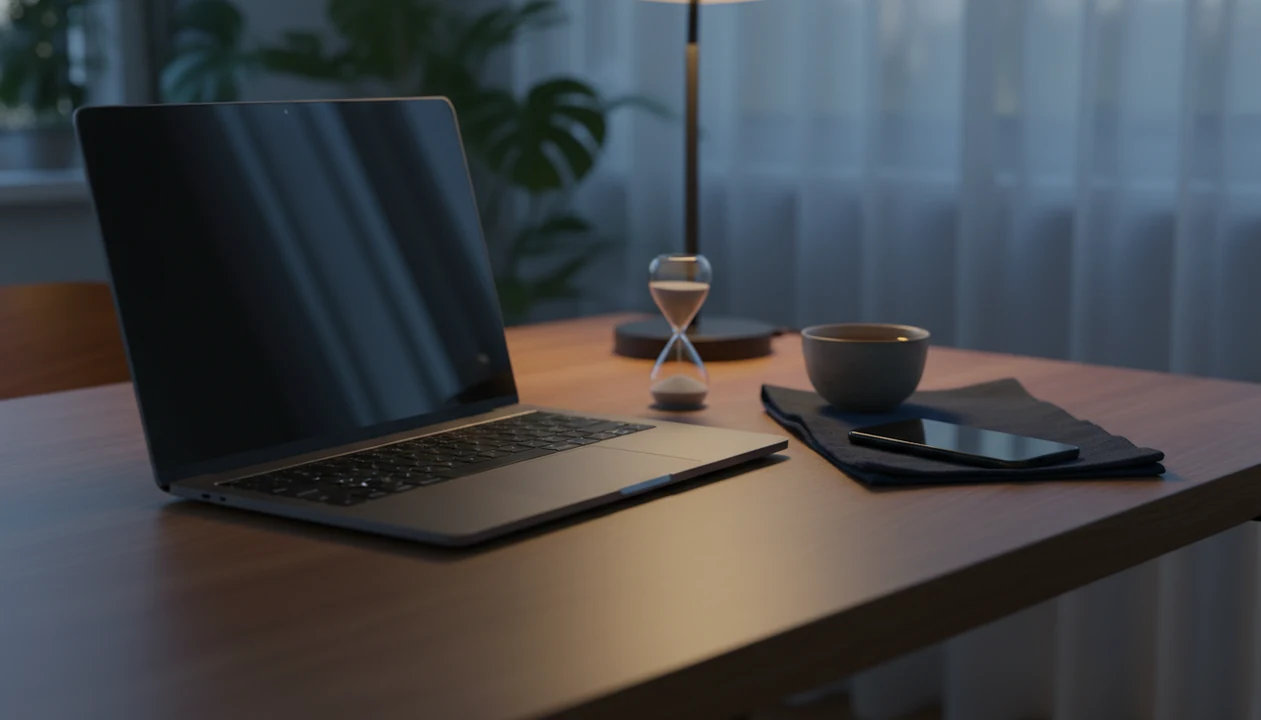


Mindfulness for digital fatigue and burnout combines present-moment awareness, intentional technology habits, and brief breathing or meditation practices to support recovery after screen-heavy work. Digital fatigue can build around constant notifications, virtual meetings, rapid task switching, and work messages that continue into the evening. The aim is not to quit technology, but to make room for attention, physical rest, and a clearer end to the workday.
A practical starting point is 5 to 10 minutes of daily practice, with screen-free pauses between work blocks. Breathing exercises, body scans, and guided sleep routines offer different ways to settle after a demanding day. These practices can support stress management, but they cannot resolve excessive workloads, inadequate staffing, or persistent pressure to stay available.
What matters most
- Digital fatigue comes from constant screens, notifications, virtual meetings, and blurred work-life boundaries.
- Brief digital mindfulness programs have been shown in employee trials to reduce global and job-related stress.
- Guided audio can fit as a gentle bridge for breathing, sleep routines, anxiety support, and everyday calm when silent practice feels too vague.
Digital Fatigue Burnout Mindfulness Quick Definition for Screen Overload
Digital fatigue burnout mindfulness is the use of mindful attention and healthier technology habits to recover from screen-related stress. It does not mean quitting technology; it means using it with more choice.
Digital fatigue often shows up after hours of screens, alerts, video meetings, chat pings, and work that follows you into the evening. The mind feels fried. Focus thins out. Sleep gets lighter, and the jaw can stay tight against the pillow long after the laptop closes.
Mindfulness adds a simple reset: notice what is happening now, without judging it immediately. That might be one minute of breathing, a short body scan, or pausing before opening another app. The goal is intentional technology use, not a dramatic digital detox you can't maintain by Tuesday. For desk-based routines, mindfulness at the office offers practical ways to build pauses into screen-heavy days.
Five Digital Fatigue Burnout Mindfulness Facts Workers Should Know
- Screen-heavy work can strain attention and sleep. Constant task switching, late messages, and blurred home-work boundaries are commonly linked with stress, reduced focus, and restless nights.
- Digital mindfulness has workplace evidence. In a 2024 randomized clinical trial of 1,458 employees, a brief digital mindfulness program reduced perceived global and job-related stress after 8 weeks compared with a wait-list group (source: PubMed research).
- Small daily practice matters. In the same employee research, people who completed at least 5 minutes of meditation per day saw greater stress reduction than lower-adherence participants.
- Outer habits support inner calm. Breaks, posture changes, eye rest, notification limits, and tech-free bedtime space make breathing and meditation easier to repeat.
- Mindfulness cannot fix a harmful workplace alone. It can support coping and recovery, but unfair workload, understaffing, harassment, or bad culture need organizational action too. Creating mindful workplaces also requires organizational choices that support reasonable demands, rest, and respectful communication.
In high-pressure roles, meditation for managers can help with personal stress regulation, but workload and workplace conditions still need attention. Teams can also consider mindfulness in leadership when reviewing how managers respond to pressure and employee needs.
Less stress does not necessarily mean less burnout
Stress relief and burnout improvement are different research outcomes. A 2019 meta-analysis of 23 workplace mindfulness trials found improvements in stress, anxiety, psychological distress, well-being, and sleep. However, the authors found insufficient pooled evidence to draw conclusions about burnout or work performance. A calmer evening is a useful result, but it is not evidence that an unsustainable job has become manageable. The benefits of mindful leadership offer another perspective on how awareness can shape management habits, without replacing organizational change.
A 2024 review of 49 randomized controlled trials found that 67% reported a significant benefit on at least one burnout indicator, with emotional exhaustion showing the clearest improvement. That percentage describes trials, not the proportion of people who recovered. Healthcare professionals made up 64% of participants, which also limits how directly the findings apply to screen-heavy roles in consulting, law, or startups.
Digital Fatigue Burnout Mindfulness Mechanisms in the Nervous System
Digital fatigue works through attention loops and stress arousal. Notifications, rapid task switching, and back-to-back video calls keep the brain scanning for the next demand. In plain language, your attention never gets to land.
Mindful breathing and body awareness interrupt that loop. Slower breathing can shift attention away from threat monitoring and toward felt sensation, such as the ribs moving or feet touching the floor. That pause creates a small choice point before you answer, scroll, or keep working. For leaders, this pause can help reveal ego as an obstacle to mindful leadership before defensiveness shapes a response.
A guided app can help because it gives a cue, a short session, and a repeatable routine. Tools like MindTastik, Calm, and Headspace can provide guided meditation, sleep audio, breathing exercises, and everyday calm support when silent practice feels too vague.
A 2024 employee randomized trial and 2025 physician digital mindfulness research both support digital mindfulness as a promising stress and burnout support, though outcomes vary by adherence, workload, and baseline distress (employee trial: source; physician research: PubMed research).
How to Use Digital Fatigue Burnout Mindfulness on Screen-Heavy Workdays
Use digital fatigue burnout mindfulness by pairing small tech boundaries with short body-based resets. The routine should be simple enough to do on a packed workday, not saved for an ideal quiet morning. For other work situations, explore mindfulness at work practices that fit different roles, pressures, and daily schedules.
- Set screen and notification boundaries. Silence nonessential alerts, close extra tabs, and choose two or three communication windows instead of reacting all day.
- Breathe for 2 minutes between meetings. Keep both feet down, lengthen the exhale, and let the next call begin after one full reset.
- Scan your body after long work blocks. Notice eyes, shoulders, jaw, hands, and lower back before starting another task.
- Schedule tech-free pre-sleep time. Dim the phone screen, move work apps out of reach, and choose audio before the 2:13 a.m. lock-screen check happens.
- Review weekly triggers and habits. Notice which meetings, apps, or time slots drain you most, then adjust one boundary at a time.
For founders and operators, this overlaps with meditation for founders, where the hard part is often stopping work from filling every quiet gap.
4 Digital Fatigue Burnout Mindfulness Routines for Sleep, Anxiety, and Focus
The most usable routine is the one tied to a real trigger. For screen-heavy workers, guided audio often works better than “just sit quietly” because it gives the mind something steady to follow.
| Use case | Trigger | Practice | Duration | Best time |
|---|---|---|---|---|
| Pre-sleep wind-down | Work thoughts keep running in bed | Sleep meditation or body scan | 10-20 minutes | Last 30 minutes before sleep |
| Between-Zoom reset | One call ends and another starts | Slow breathing with shoulder release | 2-5 minutes | Between meetings |
| Post-work digital shutoff | You keep checking work apps | Closing ritual plus short grounding | 5-10 minutes | End of workday |
| Morning focus | Email pulls you in too early | Focus meditation before opening inbox | 5-10 minutes | Before first work app |
MindTastik can fit here as a guided bridge for breathing exercises, sleep audio, meditation, and self-hypnosis sessions. The practical decision is often tiny: choosing between a 5-minute breathing exercise and a 20-minute body scan in the app library.
Digital Fatigue Burnout Mindfulness Tips for Notifications and Tech Boundaries
Digital fatigue improves faster when your environment stops fighting your practice. Keep the changes small, visible, and repeatable.
- Notification batching: Turn off nonessential alerts, then check email or chat at set times. A silent lock screen reduces the reflex to reach.
- Break cues: Put a sticky note near the monitor, set a soft timer, or press your palms against a desk edge before standing up. Simple cue. Real break.
- Body and eye resets: Look away from the screen, change posture, and release the shoulders after long work blocks. Ergonomics will not create calm, but discomfort makes calm harder.
- Shutdown ritual: Write tomorrow’s first task, close work tabs, and say out loud, “Work is parked.” It sounds odd. It helps some people stop reopening the laptop.
- Night boundary: Use night mode and avoid work apps before bed, without treating that as a cure for sleep problems.
Remote employees may also need space cues; our guide to meditation for remote workers covers that home-work blur in more detail.
Digital Fatigue Burnout Mindfulness Fit for Screen-Heavy Workers
Digital fatigue burnout mindfulness fits adults who feel screen-drained, distracted, anxious after work, or too wired to sleep after online-heavy days. It is especially useful for beginners who prefer guided sessions over silent meditation.
| Fit | Good match | Poor match |
|---|---|---|
| Daily symptoms | Fried, scattered, tense, unable to switch off | Severe symptoms needing clinical care |
| Practice style | Guided breathing, body scans, short sessions | Forced app use that feels irritating |
| Work context | Manageable workload with some room for boundaries | Harmful culture, harassment, chronic understaffing |
| Goal | Support recovery and clearer choices | Replace therapy, medical care, or workplace reform |
Best for screen-heavy workers
This approach is best for people who want a clear audio cue when work stress starts crowding their attention. Beginners, executives, and desk workers often benefit from audio-led practice because the next step is easy to follow. Some readers may also compare routines for meditation for high performers when work pressure keeps overriding rest.
Not for severe or structural burnout
Mindfulness is not enough when workload, staffing, harassment, panic symptoms, depression, trauma symptoms, or unsafe working conditions are the main issue. App-based routines may also feel boring or hard to maintain for some people.
Digital Fatigue Burnout Mindfulness Mistakes With Phones and Bedtime
Does digital mindfulness mean quitting technology? No. It means using technology briefly and intentionally, then stepping away before it turns into another loop.
One common mistake is treating meditation apps as less valid than in-person practice. Digital programs have shown stress and burnout benefits in workplace studies, especially when people actually use them. A brief session after closing the laptop, with cooling coffee still on the desk, can still support a real wind-down routine.
Another mistake is expecting mindfulness to fix unfair workloads. It may help you recover, sleep, and notice limits sooner, but it cannot make an understaffed team healthy by itself.
Do not wait for a 30- to 60-minute opening. For most screen-heavy workers, 5 minutes daily is easier than one long session on Sunday because it fits the moment when stress is actually happening.
Finally, bedtime scrolling is not the same as winding down. Cool sheets against restless legs feel different when the phone is not feeding the next worry.
When to Seek Professional Help for Burnout, Anxiety, or Sleep Problems
Seek professional help when burnout, anxiety, or sleep problems become severe, persistent, unsafe, or hard to manage alone. Mindfulness can support coping, but it does not replace diagnosis, therapy, medication, or medical treatment.
Warning signs deserve extra attention: panic attacks, depression that lingers, trauma symptoms such as flashbacks or feeling constantly on guard, substance use to get through work, or any thoughts of self-harm. If you might hurt yourself or someone else, contact local emergency services or a crisis hotline now; do not wait for a meditation session to pass.
- Notice how long symptoms have lasted and whether they are affecting work, relationships, driving, caregiving, or basic daily tasks.
- Discuss sleep problems with a clinician when insomnia, early waking, nightmares, or exhaustion persists, worsens, or creates safety risks.
- Tell a trusted person what is happening, especially if shame or isolation is keeping you quiet.
- Escalate at work when workload, harassment, discrimination, unsafe conditions, or chronic understaffing is driving symptoms; use HR, a manager, union support, or formal reporting channels where appropriate.
- Keep mindfulness as a supportive routine beside care, not as the whole plan.
Count Digital Coordination as Part of Your Workload
A calendar packed with video calls can leave little room for the spreadsheet, code review, or report those calls generate. Meeting preparation, searching chat threads, and reconciling conflicting document comments also consume attention, even when they produce no visible deliverable. A 2025 review of digital connectivity and employee well-being linked connected work with greater workload, cognitive overload, mental exhaustion, and sleep disturbance, alongside benefits such as flexibility.
When reviewing a draining workday, separate production time from coordination time. Note whether you spent the afternoon creating something, explaining it across several channels, or waiting for decisions while switching between tasks. During a brief mindful check, notice whether you feel mentally scattered, physically tense, or worried about unfinished work. These observations can make a workload conversation more precise than simply saying you need less screen time.
A review of digital mental health programs for employees emphasized tailoring support to occupational context and risk. For a meeting intensive role, that means choosing support around the actual source of strain, not treating every exhausted afternoon as the same problem.
Guided audio after the laptop closes
MindTastik's breathing exercises and guided meditations can provide a clear task to follow during a break from work apps. Its guided meditation library suits adults who prefer spoken instructions for a body scan or an end-of-work wind-down. Sleep stories and soundscapes offer other options when work thoughts continue at bedtime.
Audio is optional, not another workday requirement. If opening an app leads straight back to messages or scrolling, a screen-free breathing pause may be a better fit. Persistent anxiety, sleep problems, or severe burnout need support beyond a meditation app.
What mindfulness cannot fix about screen-heavy work
Digital fatigue burnout mindfulness is a support practice, not a full treatment plan. It can help many people build steadier habits, but it has clear limits.
- Mindfulness and meditation apps are not replacements for therapy, medical care, medication, or crisis support.
- Severe burnout, depression, panic attacks, trauma symptoms, or thoughts of self-harm require qualified professional help.
- Research on digital mindfulness is promising, but long-term outcomes and results for some populations are still developing.
- If workload, staffing, leadership, pay pressure, or workplace culture remain unhealthy, mindfulness may only partially help.
- Some people find app-based practices boring, frustrating, or hard to keep using after the first week.
- Over-reliance on self-help apps can wrongly shift responsibility from employers to individuals.
- Sleep problems that persist, worsen, or affect safety should be discussed with a clinician.
Clinicians typically recommend seeking professional support when stress symptoms become severe, persistent, unsafe, or linked with self-harm thoughts. MindTastik may support a everyday calm routine, including Best Meditation App for Sleep style use cases, but it should sit beside appropriate care, not replace it.
Digital fatigue and burnout questions
What is the difference between digital fatigue and burnout?
Digital fatigue describes feeling drained, distracted, or tense after screen-heavy activity. Burnout concerns the broader effects of ongoing work strain. The two can overlap, but feeling exhausted after video calls does not by itself establish burnout. Persistent symptoms deserve attention to workload, recovery time, and possible professional support.
Can mindfulness help with burnout from screen-heavy work?
Mindfulness can help reduce perceived stress and may improve some burnout-related symptoms, particularly emotional exhaustion. Results are not consistent across all studies, and much of the burnout research involves healthcare workers. Meditation is best treated as support alongside manageable demands, protected breaks, and limits on after-hours communication.
How long should I meditate for digital fatigue?
Start with a manageable 5 to 10 minutes rather than a long session that becomes another obligation. A brief breathing pause between meetings can serve a different purpose from a bedtime body scan. This is a practical starting routine, not a proven dose that guarantees recovery from digital fatigue or burnout.
What can I do between back-to-back video meetings?
Close or look away from the screen when the meeting ends. Place both feet on the floor, release the shoulders and jaw, and breathe gently for about two minutes. Avoid filling the gap with email. If meetings leave no pause at all, the schedule itself needs attention, not just a faster relaxation exercise.
Does using a meditation app add to digital fatigue?
It can, especially if opening the app leads to notifications or more scrolling. Guided audio can also provide a brief, intentional use of the phone without continued visual attention. Choose the session, put the screen aside, and stop afterward. A quiet, screen-free pause is equally valid when another app feels irritating.
How can I stop checking work messages at night?
Use a clear shutdown routine: finish the current task, note what needs attention tomorrow, close work apps, and silence nonessential alerts. Agree on response expectations where possible. A short grounding practice can mark the transition, but personal routines have limits when an employer expects continuous availability.
When should I get help for screen-related stress or poor sleep?
Seek professional help when symptoms persist, become severe, or interfere with daily life. Panic attacks, ongoing depression, trauma symptoms, or substance use to get through work need more than a mindfulness routine. Thoughts of self-harm require urgent support from local emergency services or a crisis hotline, not another meditation session.