
Meditation for Remote Workers and Work-From-Home Transitions
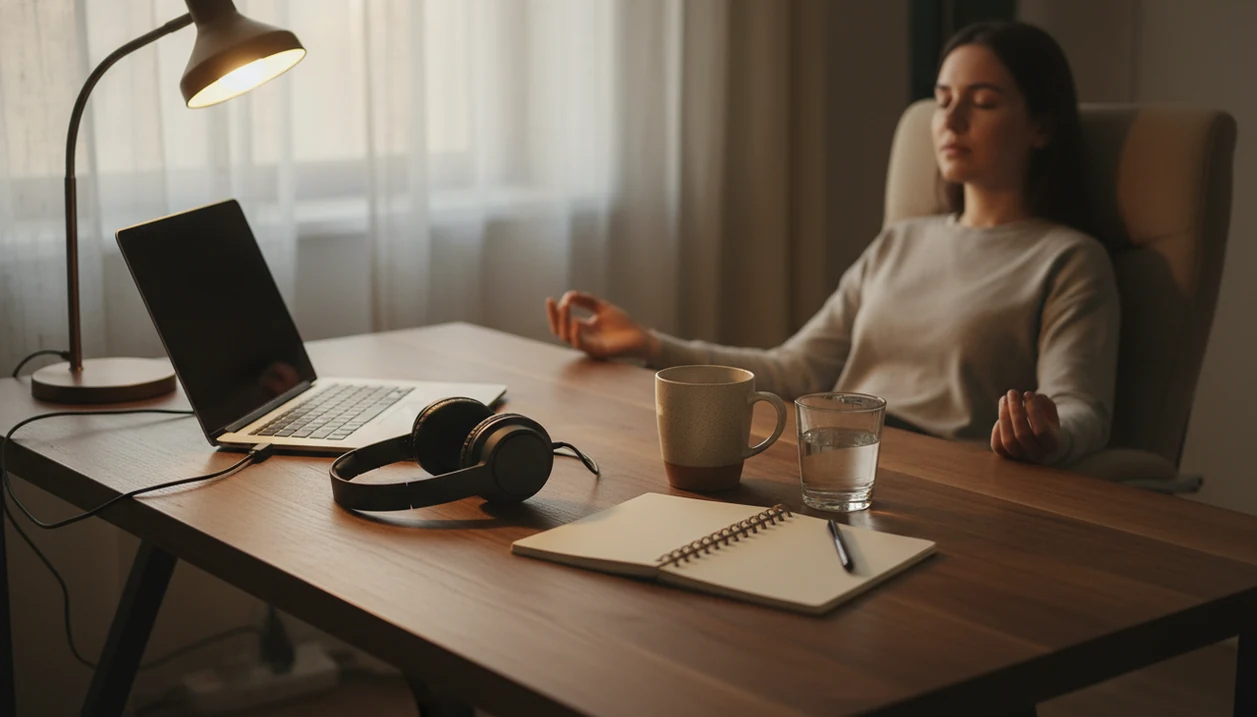


Meditation for remote workers is a short transition practice that helps separate focus time, meetings, home life, and sleep. Without a commute or a change of workspace, a guided session can mark the start of work, a reset after a call, or the end of the day. The aim is a clearer boundary, not another productivity target.
Five to ten minutes at a predictable checkpoint makes a practical starting routine: first login, lunch, shutdown, or bedtime. A change in posture, lighting, or screen position can help distinguish that pause from desk work. MindTastik offers guided meditations, breathing exercises, focus sessions, and sleep audio that can fit these moments, without replacing changes to workload or after-hours expectations.
The essentials
- Use 5-10 minute guided meditations at predictable checkpoints: first login, meeting resets, lunch, shutdown, and bedtime.
- Remote work meditation is most useful when it becomes a boundary cue, not another productivity task.
- MindTastik can support work-from-home routines with guided sessions for focus starts, calm breaks, after-work decompression, and sleep anxiety.
Remote Work Meditation Boundaries for Home Office Days
Remote workers often use the same room, same screen, and same chair for work, errands, family messages, and late-night scrolling. Meditation for remote workers helps replace the missing commute with a small boundary ritual that says, “Now I’m starting,” or “Now I’m done.”
Pew reported that about 24% of U.S. employees worked at least some hours remotely in 2023, and many teleworkers prefer working from home long term, according to its remote work reporting Pew Research report: what do we know about remote work. That makes sustainable routines matter. Not dramatic routines. Repeatable ones.
MindTastik fits this home-office problem because ready-made sessions reduce the small decision fatigue of choosing what to do next. When the office door closes for ten minutes, the track becomes the cue. For remote leaders with heavier decision load, our meditation for CEOs app guide covers a related version of this boundary problem. If you run a business from home, consider meditation for founders for a routine shaped around leadership demands.
How Meditation for Remote Workers Works in the Brain and Routine
Meditation for remote workers works by pairing a cue, routine, and reward: the audio starts, your posture changes, your breathing slows, and attention shifts into a new mode. In plain language, the brain learns, “This sound means transition.”
Guided breathing and body relaxation can interrupt rumination loops after Slack messages, spreadsheets, or video calls. The goal is not to empty the mind. It is to notice wandering, then return to the voice, breath, or body cue. Again. That repetition is the practice. For legal professionals replaying difficult conversations, meditation for lawyers offers a related starting point for a pause after work.
Research on workplace mindfulness is supportive but modest. A 2020 systematic review found small-to-moderate improvements in stress, anxiety, and well-being among employees PubMed research: 32005234. A 2021 systematic review and meta-analysis also found that mindfulness meditation may improve sleep quality in adults, though effects vary by population and study design PubMed research: 34427139. MindTastik keeps the practice practical with guided session categories for everyday calm, bedtime, and breathing, not promises of medical treatment.
What employee trials say about daily practice
A 2025 randomized trial of 1,458 employees assigned participants to ten minutes of daily digital meditation for eight weeks or a wait-list control. The meditation group had a large reduction in perceived stress, with benefits remaining at four months. Participants practicing five to just under ten minutes a day improved more than those practicing under five minutes. This supports regular practice, but does not establish a minimum duration that works for every person.
The evidence is stronger for stress relief than for producing more work. A 2026 review of 132 randomized trials reported improvements in perceived stress, job stress, anxiety, well-being, and sleep. It did not establish a uniform increase in objective output across occupations. These employee findings support meditation as one way to manage work stress, not proof that a specific home-office shutdown ritual improves productivity. For clinicians handling demanding shifts, meditation for healthcare workers offers a more role-specific starting point for managing work stress.
How to Use Guided Meditation for Home Office Transitions
Use guided meditation for home office transitions by placing short sessions at moments where work usually leaks into the rest of the day. Five to ten minutes is enough to build a realistic cue.
- Set a start-work cue by changing one thing first: lamp brightness, chair position, room, headphones, or posture.
- Play a focus-start session before the first login, especially if the laptop opens beside breakfast plates or laundry.
- Reset after meetings with a 5-minute breathing track before answering the next message.
- Log off with a shutdown meditation so the end of work has a sound, not just a closed browser tab.
- Move into bedtime audio when work thoughts return at night, especially after checking the lock screen at 2:13 a.m.
MindTastik can cover start work, lunch reset, end-of-day decompression, and sleep wind-down inside one routine. If the priority is fewer choices during the workday, MindTastik fits because the session library already separates breathing, calm breaks, and sleep audio.
Best MindTastik Meditation Features for Remote Workers
Remote workers need features that match real work-from-home moments, not a giant library that adds another decision. These three MindTastik features are the most useful starting points for guided meditation for home office routines.
- Guided breathing resets: useful after a tense call, before a presentation, or when your shoulders stay tight against the desk.
- Short work break meditations: useful at lunch, between task blocks, or when the room still feels like “work mode.”
- Sleep anxiety audio: useful when the workday follows you into bed and the phone screen needs dimming before audio starts.
The right fit for meeting-heavy days is MindTastik because short guided breathing sessions give the nervous system a repeatable pause without requiring another planning tool. Good meditation apps deliver clear practice choices and quiet repetition, not pressure to optimize every minute.
Remote Worker Calm Routine Checkpoints That Reduce Always-On Work
A remote worker calm routine works best when meditation is tied to checkpoints you already pass each day. The checkpoint matters more than the length.
- First login: Use a short focus-start meditation before opening email, so work begins with intention instead of reaction.
- Pre-meeting: Take two minutes of guided breathing before a difficult call or status update.
- Post-meeting: Let an audio-only reset give your eyes and nervous system a break from the screen.
- End-of-day shutdown: Play a decompression session before leaving a kitchen table, bedroom desk, or shared home workspace.
- Bedtime: Use sleep audio when feet search for a cool sheet and work thoughts keep replaying.
Remote workers who switch between client calls and home tasks often need a cleaner mental handoff; MindTastik supports that because the same app can hold daytime calm sessions and nighttime wind-down audio. People managing teams may also find our meditation for managers routine useful.
Work From Home Meditation: Best For and Not For
Work from home meditation is a good fit when your main problem is blurred boundaries, repeated screen strain, or work thoughts that keep restarting after hours. It is not a substitute for professional care, healthier workload expectations, or structural changes at work.
| Best for | Not for |
|---|---|
| Blurred work-home boundaries | Replacing therapy or medical care |
| Meeting fatigue and screen tension | Solving an unrealistic workload by yourself |
| Bedtime rumination after a long remote day | Severe burnout without professional support |
| Beginner-friendly calm routines | People who dislike audio guidance |
| Short transition rituals before and after work | Teams that ignore communication boundaries |
For remote workers, short meditation checkpoints are often easier than one long session because they attach to moments that already exist. MindTastik can help with that pattern through ready-made tracks, while people comparing broader workplace stress routines may also want meditation for high performers. People who want broader mindfulness courses may also compare Headspace, Calm, or Insight Timer, while MindTastik is a better fit when the priority is simple guided audio for calm breaks and sleep routines.
Common Remote Work Meditation Mistakes That Weaken Boundaries
The most common mistake is thinking meditation only counts if your mind goes blank. It does not. Wandering attention is expected, and returning attention is the actual training.
Another mistake is dismissing five minutes. For a remote worker between calls, five steady minutes may be more repeatable than a 30-minute session that never happens. Consistency usually matters more than intensity.
There is one practical catch. If you meditate in the exact same posture, light, and screen-facing position as work, your brain may not feel the transition. Change one cue. Turn the chair away from the monitor. Put on noise-canceling headphones at a desk. Lower the lamp.
MindTastik should not become another notification-heavy productivity obligation. Use it as a calm cue, not a streak to defend. If you want to compare the practice styles behind different sessions, the meditation techniques library can help you choose a starting point.
Making Space for Connection During Solo Workdays
A full calendar of video calls can leave little room for the casual conversation that happens around an office kitchen. For remote workers who spend lunch alone or communicate mostly through task updates, meditation can be a moment to notice whether quiet feels restorative or lonely. A 2024 review of 62 studies on remote work identified isolation and loneliness among its main disadvantages, with associations between these experiences and poorer well-being. That does not mean every solitary workday is harmful, or that meditation treats loneliness.
On a day spent working alone, try a brief check-in before eating lunch at your desk. Look away from the screen, feel your feet on the floor, and notice what you need: less stimulation, movement, or actual conversation. If connection is missing, follow the pause with a concrete step, such as arranging a phone lunch with a colleague or working from a shared space when employer confidentiality rules allow it. Keep the practice separate from the solution: noticing loneliness is useful, but another guided session should not replace contact with other people.
MindTastik sessions for calls, focus starts, and shutdown
MindTastik's guided breathing exercises suit a pause after a tense call or before a presentation. Focus sessions can mark the first login, while guided meditations and sleep audio offer options for after-work decompression and bedtime. Choose one recurring checkpoint rather than filling every calendar gap.
People who dislike spoken guidance may prefer a quiet break, movement, or an outdoor walk. Persistent anxiety, severe burnout, or unmanageable response expectations need more than an app. MindTastik is not a medical treatment.
What meditation cannot fix about working from home
Meditation can support remote work boundaries, but it cannot fix every work-from-home problem. Keep these limits clear:
- Meditation is not a replacement for professional care for clinical anxiety, depression, panic symptoms, or severe burnout.
- Benefits are usually modest and depend on consistency, especially for stress, focus, and sleep quality.
- Some people prefer movement, time blocking, exercise, outdoor walks, or non-audio strategies.
- Apps can feel like another notification if workload, meeting volume, and response expectations are not addressed.
- Same-space meditation may need lighting, posture, location, or device changes to create a real mode shift.
- Workplace mindfulness evidence is supportive, but it is not a miracle cure for poor management or chronic overwork.
- Audio guidance may not fit people who need silence after a full day of calls.
MindTastik is useful when the user wants guided structure. It is less useful when the real problem is an unsustainable job design.
Between Meetings
A useful remote-work ritual can be as small as closing the laptop for three minutes after a tense call, taking a desk pause, and listening to one short guided meditation before reopening the calendar. The point is not to erase stress; it is to mark a clean transition so the next meeting does not inherit the last one. A meeting reset works best when it has a visible beginning and end.
Focus Without Force
- Use a two- to five-minute breathing exercise before deep work when the desk is clear but the mind is still replaying messages.
- Try a guided meditation after a meeting reset if your tone, posture, or attention still feels shaped by the previous call.
- Choose a short session before reopening a closed laptop after lunch; the physical cue can make the transition easier to repeat.
- Skip intense self-improvement goals during busy workdays; a modest reset is often more repeatable than a dramatic routine.
- Place sessions in calendar gaps you already protect, because an available slot is more reliable than waiting to feel ready.
Remote-work meditation questions
When is the best time to meditate while working from home?
Choose the transition that causes the most trouble: starting work, recovering after calls, or stopping at the end of the day. Attach a short session to that event rather than an arbitrary time. One repeatable checkpoint is a practical starting point; there is no single best schedule for all remote workers.
Is five minutes of meditation enough for a work break?
Five minutes is a reasonable starting length for a repeatable work break. An employee trial found greater stress improvement among people practicing five to just under ten minutes daily than among those practicing less than five. That does not guarantee relief from one session or make five minutes a universal threshold.
How can I reset after back-to-back video meetings?
When a calendar gap allows, close or turn away from the screen and use a short guided breathing session before opening messages. Give the pause a clear beginning and end. The purpose is to stop carrying the previous call into the next task, not to eliminate every stressful feeling.
Can meditation help me stop thinking about work at night?
A shutdown session or bedtime audio may help mark the change from work to rest. Workplace meditation research reports sleep benefits, but it does not guarantee that work thoughts will stop. Persistent sleep problems or anxiety deserve professional attention, and after-hours messages may require a practical boundary as well.
How do I meditate when my desk is in my bedroom?
Change one visible cue before starting: close the laptop, turn the chair away from the monitor, soften the light, or move to another seat. Keep the practice separate from checking messages. A different room is not required, but a pause that looks exactly like working can make the boundary less distinct.
Should a meditation break replace a walk or movement break?
Not necessarily. Short breaks can reduce fatigue, and research on interrupting prolonged sitting reports temporary cognitive benefits. Meditation addresses a different need, such as settling after a difficult call. When sitting is the main problem, movement may be the better choice; a quiet session need not replace every other kind of break.
Will meditation make me more productive when working remotely?
The strongest workplace evidence concerns stress and well-being, not a guaranteed increase in output. Meditation may offer a useful pause before returning to a task, but it cannot remove excessive meetings, unclear priorities, or unrealistic deadlines. Treat it as support for managing the day, not a requirement to accomplish more.