
App That Combines Breathing and Sleep Stories for Calm
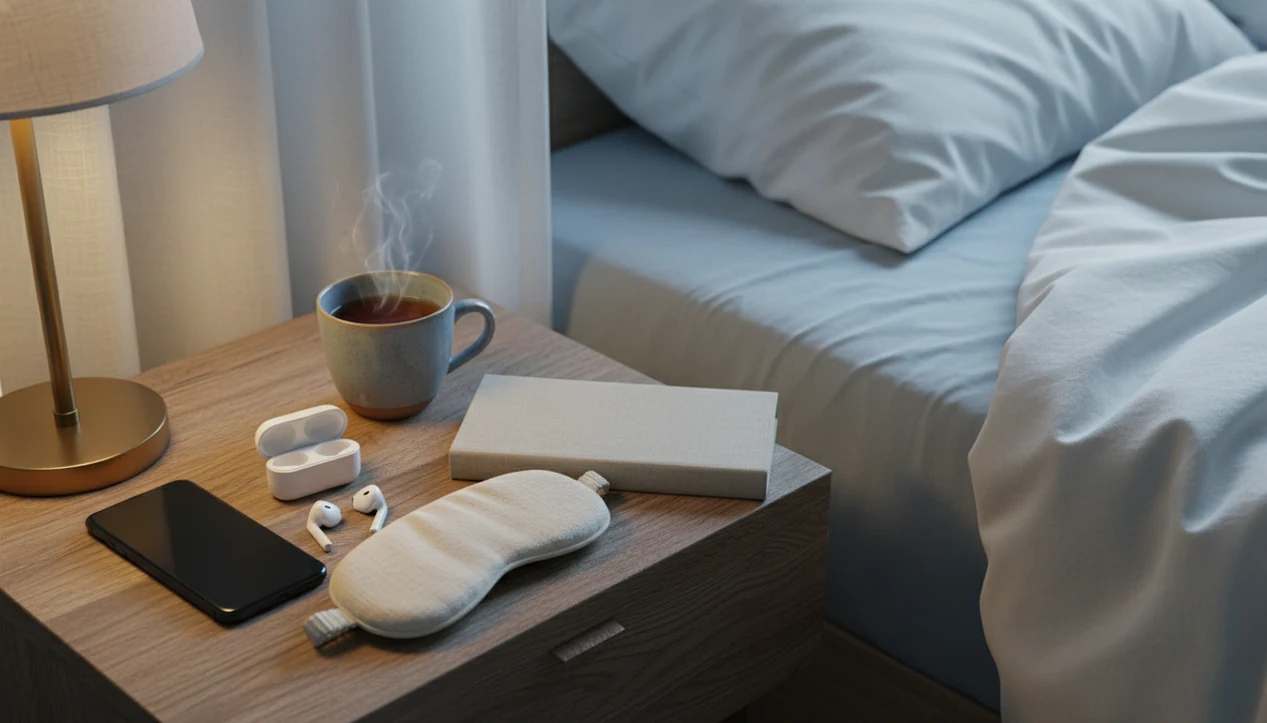


A breathing and sleep stories app combines guided breathwork with bedtime narration, so both parts of a wind-down routine are available in one place. Breathing gives attention a simple rhythm while the body settles; a gentle story then offers something to follow instead of bedtime worries. MindTastik includes guided meditations, sleep stories, breathing exercises, and self-hypnosis audio for adults seeking support with rest, anxious moments, and everyday calm.
The clearest use case is feeling physically tense and mentally busy at bedtime. A short breathing practice followed by familiar audio can make the routine simpler, without switching between apps. MindTastik is a relaxation and sleep-support tool, not a medical treatment for chronic insomnia, sleep apnea, depression, or severe anxiety.
The bedtime essentials
- A breathing and sleep stories app helps you move from a quick nervous-system reset into a calmer bedtime listening routine.
- The strongest use case is sleep anxiety: breathing reduces physical arousal while stories give the mind something gentle to follow.
- MindTastik is designed as a relaxation and sleep-support tool, not a medical treatment for chronic insomnia, sleep apnea, depression, or severe anxiety.
How these apps look
Side-by-side captures of the compared products. Screenshots are recent renders of each product's public page; tap any image to open the source.
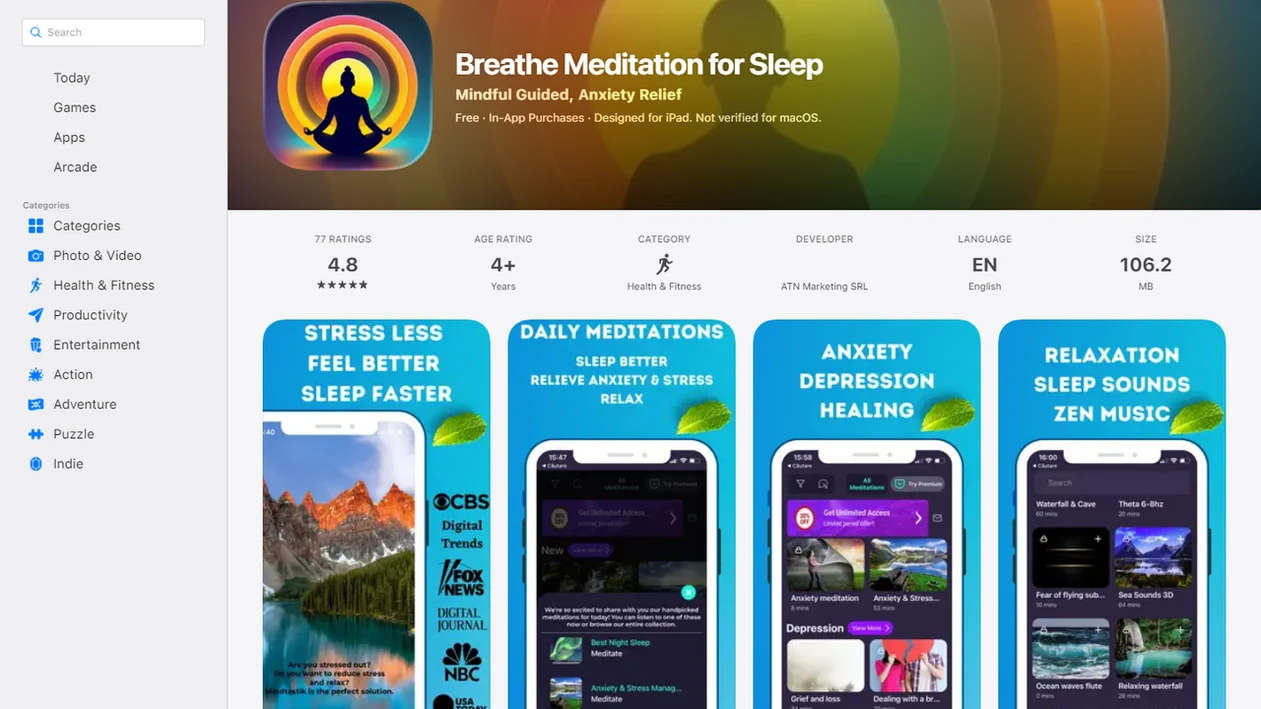
Breathing and sleep stories app answer at a glance
You do not need separate apps for breathing exercises and bedtime audio if one library gives you both. The ideal flow is simple: breathe first, choose a meditation or sleep story, then let the phone rest in audio-only mode.
MindTastik fits this use case by bringing guided breathing, sleep audio, meditation, and self-hypnosis into one app. In a quiet room with a dim light, choosing a single guided track can be easier than jumping between tools. Less switching helps preserve the wind-down routine.
On days your body feels keyed up but your mind wants a story, MindTastik can support winding down because the same session sequence can move from a short reset into bedtime listening.
How an App That Combines Breathing and Sleep Stories Works
An app that combines breathing and sleep stories works by helping the body settle first, then giving the mind a calm track to follow. Breathwork is the body-arousal step: slower breathing can reduce the sense of bracing, while the story becomes an attention anchor for thoughts that keep looping through plans, worries, and unfinished conversations.
The usual mechanism is simple. First, a guided breathing session gives clear timing cues, so the nervous system gets fewer signals of urgency. Then a sleep story uses gentle narration, pacing, and imagery to occupy attention without asking for problem-solving. That shift can make bedtime feel less like a negotiation with your thoughts and more like a familiar sequence: breathe, listen, drift. This is relaxation support, not treatment for insomnia or another sleep disorder. The advantage of keeping both tools in one app is practical too. Fewer app switches mean fewer taps, fewer menus, and less chance of wandering into messages, news, or the bright little rabbit hole that wakes the brain back up.
How to Use an App With Sleep Stories and Breathing
Use an app with sleep stories and breathing as a short, repeatable bedtime sequence, not as something to browse in bed. The goal is to lower arousal first, then let one familiar audio track carry you toward rest.
- Dim your phone before opening the app, so the screen does not become the loudest thing in the room.
- Begin with one short breathing session and follow the cues without trying to make the breath perfect.
- Choose one familiar sleep story instead of sampling the library after lights-out; recognition can make the routine feel safer and easier.
- Lock the screen or place the phone face down once the audio starts, keeping the experience closer to radio than scrolling.
- Repeat the same order for several nights before deciding whether it helps, because the routine itself is part of the cue.
If you wake during the night, use the same small pattern again. Do not turn it into a search for the perfect story.
Bedtime breathing and sleep story sequence
A bedtime breathing and sleep story sequence works by lowering body arousal first, then giving attention a calm object to follow. Slow, guided breathing may support parasympathetic activation, which means the body gets more cues for settling.
Here is the plain version. Breathing helps the body stop bracing. A gentle story helps the mind stop rehearsing tomorrow.
The sequence usually looks like this: start with a short breathing exercise, add an optional guided session if you still feel alert, then play a sleep story or soft sound. MindTastik supports that order without making a beginner decide between five different apps in bed. The small decision of dimming the phone screen before starting bedtime audio helps too.
Research on slow-paced breathing has found reductions in stress and anxiety in some studies (PMC research article: PMC5455070), and mindfulness-based programs have shown sleep-quality benefits for some adults (JAMA Internal Medicine study: 2110998). The mechanism supports relaxation, not guaranteed sleep. For deeper detail on nighttime thought loops, use an app to help calm racing thoughts.
Five facts about a combined meditation app for bedtime
- Breathing, meditation, and bedtime storytelling can live in one combined meditation app, so the user can keep one wind-down routine.
- Breathwork targets body arousal, while sleep stories target racing thoughts and bedtime rumination.
- Calm, Headspace, and similar relaxation apps show that many users want all-in-one bedtime audio, not scattered tools.
- Digital mindfulness research suggests small-to-moderate sleep-quality improvements for some users, especially when sessions are repeated consistently. Comparing mindfulness apps can help you weigh guided practices, sleep features, and the effort needed for regular use.
- These apps support sleep hygiene, but they do not replace clinical care for insomnia, sleep apnea, depression, PTSD, or anxiety disorders.
Anyone dealing with loud thoughts after lights-out may prefer MindTastik because it pairs short breathing exercises with longer sleep audio in the same bedtime workflow.
What app studies show, and what they do not prove
Research supports some app-based sleep benefits, but it does not establish that breathing followed by a story is the essential combination. An eight-week Calm randomized trial in adults with elevated insomnia symptoms found improved sleep quality and progressively shorter self-reported time to fall asleep. Those findings concern Calm use as studied, not MindTastik, and do not show that relaxation audio is equivalent to clinical insomnia treatment.
A separate trial of the Headspace Sleep Program involved 132 adults with clinical insomnia and an 18-session program incorporating cognitive behavioral therapy for insomnia, or CBT-I. It improved sleep efficiency, time to fall asleep, and wakefulness after falling asleep compared with a wait-list control. CBT-I addresses sleep habits and beliefs as well as arousal, so these results should not be applied to ordinary meditation or sleep-story tracks alone.
Five-step bedtime routine for breathing and sleep stories
Use the app the same way each night, with fewer choices and fewer screen taps. A routine beats a search session when the blanket is pulled to the chin and the room is already dark.
- Set a low-light bedtime window 20 to 30 minutes before sleep and silence nonessential notifications.
- Choose a short breathing session before the story, especially if your chest or shoulders feel tight.
- Start a sleep story only after you are ready to stop planning, replying, and problem-solving.
- Switch to audio-only by dimming the screen, locking the phone, or placing it face down.
- Repeat the same routine for a week before judging whether it feels manageable.
Beginners can keep this very simple. Pick one 5-minute breathing exercise and one story. If habit-building is the hard part, our guide on how to build meditation habit with phone keeps the routine small. If you prefer practicing without narration, compare meditation timer apps for simple timing cues and customizable session lengths.
Best moments to use a breathing and sleep stories app
When should you use a breathing and sleep stories app? Use it when your body needs a quick reset, or when your mind needs a soft place to land before sleep.
The strongest moments are bedtime anxiety, racing thoughts, post-work decompression, middle-of-the-night wakeups, and travel nights in unfamiliar rooms. A short breathing session can work after a tense video call, especially when hands finally unclench after the laptop closes. Sleep stories fit better when you are done solving problems for the day.
Per the CDC, 32.8% of U.S. adults reported averaging less than 7 hours of sleep per night (CDC guidance: adults sleep facts and stats.html). NHLBI estimates that 50 to 70 million U.S. adults have a sleep disorder (nhlbi reference: sleep deprivation). Those numbers do not mean every tired person needs an app. They do show why simple wind-down tools are in demand.
After a restless wakeup, when the clock digits glow on the dresser, MindTastik can cover the short reset and the return-to-sleep story in one place.
MindTastik breathing exercises and sleep audio features
MindTastik is built for sleep support, anxiety support, beginner meditation, and everyday calm. The main feature set includes guided meditation, sleep audio, breathing exercises, and self-hypnosis sessions.
A user can choose a 5-minute breathing exercise before work, or a 20-minute body scan before bed. That flexibility helps someone who simply wants a calm track ready when the mind feels crowded. Not a whole lesson. Just a starting point.
MindTastik works as a combined meditation app because it lets users choose a quick reset or a longer bedtime wind-down without changing tools. For breathing-only support, a tool that can guide breathing exercises may also help. For another combined meditation option, our Buddhify vs MindTastik comparison explains how their features differ for everyday practice.
Combined meditation app versus separate breathing and sleep story apps
An app with sleep stories and breathing reduces bedtime friction because the user does not have to switch apps while already tired. Separate specialist apps can still be useful, but they add more decisions at the worst time of night.
| Factor | Combined app | Separate apps |
|---|---|---|
| Routine continuity | One flow from breathing to story | Split across tools |
| App switching | Fewer taps at night | More opening, closing, searching |
| Personalization | One saved routine can repeat | Settings may not carry across |
| Cost complexity | One subscription or account | Multiple plans may stack |
| Bedtime friction | Lower if the library is simple | Higher when choosing between apps |
| Distraction risk | Less chance of wandering | More chances to check messages |
Reducing app switching matters because one extra search can wake the mind back up. Separate apps such as calm.com or headspace.com may offer deeper libraries for one feature. For a fuller comparison, the MindTastik vs Calm vs Headspace guide breaks down feature differences. Our meditation and sleep app reviews compare more options for adults choosing breathing practices, bedtime audio, and guided sessions.
MindTastik for a breathing-first bedtime routine
MindTastik suits adults who want breathing exercises and bedtime audio in the same library. Its sleep stories can follow a breathing practice, while guided meditation, self-hypnosis audio, and soundscapes offer alternatives when narration feels distracting. The useful distinction is the choice of audio, not a promise of faster sleep.
Someone who wants only breathing cues may prefer a simpler breathing tool. Persistent insomnia calls for clinical assessment and evidence-based treatment rather than a larger relaxation library. Compare breathing apps to find a tool with pacing cues and session lengths that suit your needs.
What breathing and sleep stories cannot treat
A combined breathing-and-sleep-story app can support a wind-down routine, but it is not enough for every sleep or anxiety problem. That honesty matters more than a long feature list.
- It cannot diagnose, treat, or cure insomnia, sleep apnea, depression, PTSD, or anxiety disorders.
- Digital mindfulness evidence is promising but moderate, and not every relaxation app has randomized trial data.
- Screen use near bedtime can worsen sleep for some people, especially if brightness and notifications stay on.
- Some users find narration distracting; a plain soundscape may work better than a story.
- Chronic, severe, or worsening symptoms deserve medical or mental health support.
- People with trauma histories may react differently to body scans, breath focus, or hypnosis-style sessions.
- A bedtime app cannot fix irregular schedules, alcohol disruption, untreated pain, or breathing problems during sleep.
If symptoms keep escalating, pause the app plan and get help. Supportive practice should not delay care.
When a tracker, quieter audio, or clinical support fits better
- If you want to compare sleep debt, wake times, or room patterns, a sleep tracker may fit better than a breathing-and-story app.
- If the room is bright and busy, fixing the environment first may be more useful than starting another audio session.
- If you need urgent mental health support or feel unsafe, a wellness app is not the right first step; contact local emergency or crisis support.
- If a narrator keeps you mentally engaged, try a plain body scan or quiet breathing practice instead of forcing a sleep story.
- If your main issue is forgetting bedtime entirely, reminders and a short routine may matter more than choosing the perfect story.
Choose bedtime audio for tension, racing thoughts, or night waking
| If you... | Try | Why | Note |
|---|---|---|---|
| You feel physically tense when your head reaches the pillow | Start with a short body scan, then play a gentle sleep story | The scan gives the body a transition before the narrative asks for attention. | Keep the first practice short so it does not feel like another task. |
| Your thoughts speed up as soon as the room gets quiet | Use paced breathing with a longer exhale before choosing a story | A simple breath rhythm can give the mind one neutral job before bedtime audio begins. | Avoid breath holds if they feel uncomfortable or activating. |
| You wake during the night and do not want to look at the screen | Save an offline sleep story or self-hypnosis track in advance | Preselecting audio reduces choices when you are tired and half-awake. | Use the lowest comfortable volume and avoid browsing for new tracks. |
On nights when guided practice feels like too much effort, MindTastik sleep stories offers low-stimulus audio you can play in the background.
Breathing and sleep stories questions
Which apps combine breathing exercises and sleep stories?
MindTastik and Calm both offer breathing exercises and sleep stories alongside other relaxation audio. A combined library can reduce app switching at bedtime. The useful choice depends on the breathing guidance, narrator, and audio style, not simply how many tracks an app advertises.
Should breathing exercises come before a sleep story?
Breathing first is a practical starting point when physical tension is the main obstacle. A short, comfortable practice can provide a transition before narration begins. It is not a proven requirement for better sleep. If breathing cues feel frustrating or activating, a body scan or quiet soundscape may fit better.
How long should I do breathing exercises before bed?
A short session of about three to five minutes is a manageable starting point, not a clinically established dose for falling asleep. Keep the breathing comfortable rather than forcing a slower pace. The aim is a repeatable wind-down step, not completing a difficult exercise before the story starts.
Can sleep stories help with racing thoughts at night?
Gentle narration gives attention something to follow instead of repeatedly reviewing worries or plans. That can make bedtime feel less mentally busy, but it does not guarantee sleep or treat an anxiety disorder. If the plot or voice encourages active listening, familiar audio, a soundscape, or a body scan may be less distracting.
What if bedtime breathing exercises make me uncomfortable?
Breathing guidance should feel steady rather than strained. Avoid breath holds or a forced pace if they feel uncomfortable or activating, and return to ordinary breathing. A sleep story does not require a breathing exercise first. Quiet audio or a body scan offers another way to begin the routine.
Do breathing and sleep story apps treat chronic insomnia?
Ordinary relaxation audio is not a substitute for insomnia treatment. CBT-I includes behavioral and cognitive techniques that address problems such as conditioned wakefulness and excessive time in bed. Studies of programs containing CBT-I cannot establish that sleep stories or breathing tracks alone produce the same results.
Does downloading sleep stories improve sleep more than streaming?
Downloaded audio may reduce connectivity problems and the need to browse at night. Those are practical advantages, not established sleep benefits. The cited app studies do not show that offline playback itself shortens the time to fall asleep or improves sleep quality. Download availability also needs checking for the specific app and plan.