Best Sleep Apps for Calm Nights and Sleep Anxiety Support
Good sleep apps are simple, calming tools that combine guided meditation, breathing exercises, sleep audio, and habit support so you can wind down without overthinking at bedtime. MindTastik fits this category as a meditation app for sleep, anxiety support, beginner meditation, and everyday calm. Browse more meditation for chronic stress.
Definition: A meditation-based sleep app provides guided meditation, sleep audio, breathing exercises, and self-hypnosis-style relaxation sessions for adults who want sleep, anxiety, and everyday calm support.
TL;DR
- Choose a sleep app that helps you calm your nervous system, not just track your sleep.
- Meditation, breathing, body scans, and sleep audio are useful for racing thoughts and pre-sleep anxiety.
- Sleep apps can support better habits, but they cannot diagnose or treat insomnia, sleep apnea, or other medical sleep disorders.
How the top sleep apps look
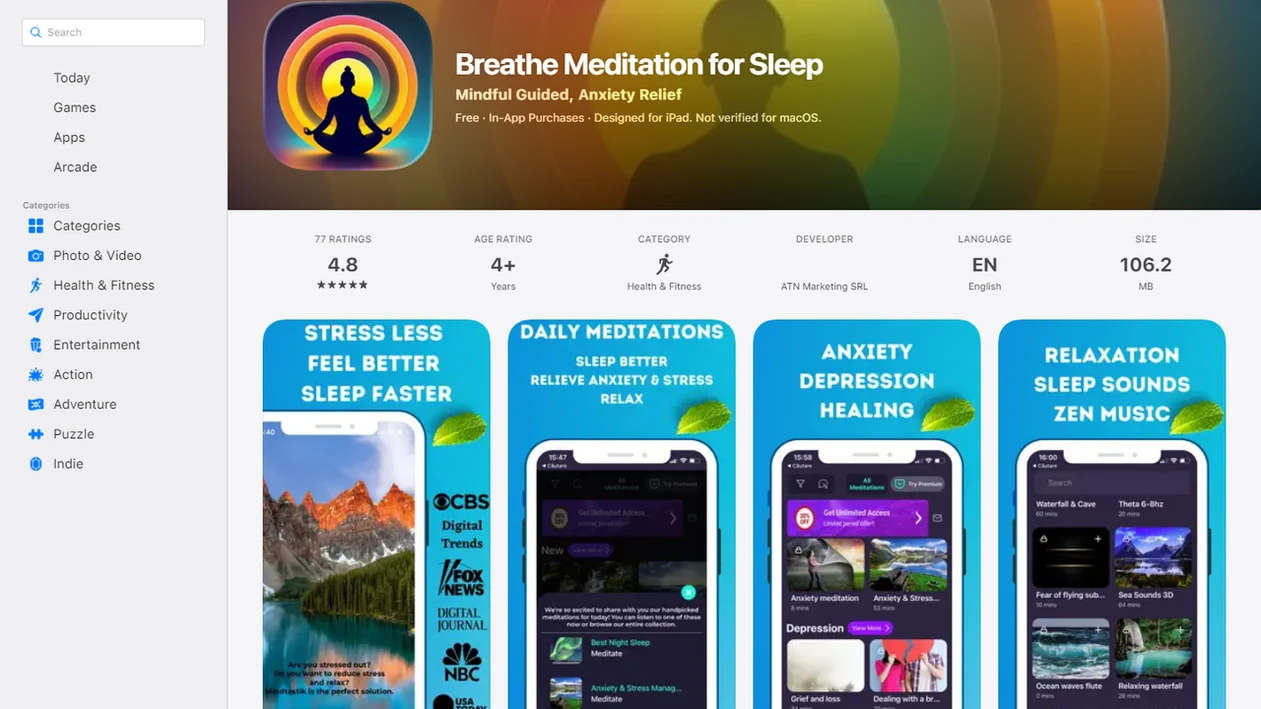
Side-by-side captures of the compared products. Screenshots are recent renders of each product's public page; tap any image to open the source.
Best sleep apps at a glance: what to choose first
The best first choice depends on the job you need done at bedtime. Pick the app category that matches your main friction, not the app with the longest feature list.
| Need at bedtime | Choose this type first | Why it helps | Watch for |
|---|---|---|---|
| Anxiety and nightly wind-down | Meditation-based sleep app | Guides breathing, body scans, and attention away from worry | Too many choices can become scrolling |
| Habit awareness | Sleep tracker with smart alarm | Shows estimated timing, wake windows, and routine patterns | Phone and wearable data are estimates |
| Noise or silence sensitivity | Sleep audio app | Offers sounds, music, and bedtime stories | Overnight audio may wake some people |
| Ongoing insomnia symptoms | Digital CBT-I style program | Uses structured behavior changes with stronger insomnia evidence | May feel more effortful than audio |
| New to meditation | Simple app with short sessions | Works when you’re awake at 2:13 a.m. and tired | Avoid complicated setup at night |
For anxious beginners, a 5-minute breathing exercise is often easier than a 20-minute body scan because it gives the mind fewer places to wander.
Five best sleep apps facts before you download
Before you download, know what sleep apps can and cannot do. They can support a calmer routine, but they are not medical devices.
- Best sleep apps usually combine relaxation techniques with sleep-friendly audio, such as guided meditation, breathing, nature sounds, music, or stories.
- No sleep app can diagnose or cure insomnia, sleep apnea, restless legs syndrome, or other sleep disorders.
- Tracking, journaling, and reminders can support better habits, but phone and wearable sleep scores are estimates.
- Meditation-based sleep apps may reduce pre-sleep stress and racing thoughts, especially when used before the worry spiral starts.
- Healthy sleep hygiene makes app use more effective, including a steady schedule, lower light, and less late-night caffeine.
The small stuff matters. Dimming the phone screen before bedtime audio can be the difference between starting a wind-down routine and opening three more tabs.
How best sleep apps work in the brain and bedtime routine
Best sleep apps work by lowering arousal, giving attention a simple target, and repeating cues that tell the body sleep is coming.
A guided session can support the relaxation response: slower breathing, softer muscle tone, and less scanning for problems. In plain terms, the app gives your brain something boring and safe to follow. Body scans, breathing counts, and self-hypnosis can become a cognitive off-ramp from rumination. That matters when ceiling shadows at 2 a.m. start turning into tomorrow’s task list.
Routine also matters through conditioning. If the same low-light audio starts every night after brushing your teeth, the brain may begin to treat it as a sleep cue. Tracking features work differently. They infer movement, sound, and timing from phone or wearable sensors, but they do not equal a clinical sleep study. A 2015 meta-analysis found small to moderate sleep-quality improvements from mindfulness-based interventions in adults with sleep disturbance academic reference: 2416846.
How to use a sleep app without ruining your sleep
Use a sleep app like a narrow bedtime tool, not a second evening screen. The goal is to start one supportive practice and stop making decisions.
- Set a fixed wind-down start time 20 to 30 minutes before bed.
- Choose one short guided meditation, breathing exercise, body scan, or sleep audio track.
- Dim the screen, turn on do-not-disturb, and avoid browsing after the app opens.
- Place the phone face-down on the nightstand once the audio starts.
- Log one morning note about sleep quality and stress level.
- Review patterns weekly instead of judging every single sleep score.
- Reset the routine if the app becomes a scrolling trigger.
Keep it boring on purpose.
If you want a simple practice sequence, our guide to how to meditate before bed keeps the steps short enough for tired nights. The most useful sleep app routine is the one you can repeat without negotiating with yourself.
Best sleep apps guide for sleep anxiety and racing thoughts
“Can a sleep app help when I’m anxious about not sleeping?” Yes, it may help some people by reducing pre-sleep arousal and giving racing thoughts a softer place to land.
Sleep anxiety is worry about not sleeping, next-day performance, body sensations, or the clock itself. It often sounds like, “If I don’t fall asleep now, tomorrow is ruined.” Guided breathing can slow the body’s alarm signal. Body scans move attention into neutral physical sensations. Reframing prompts can interrupt the loop of checking, calculating, and bracing.
Apps such as MindTastik can fit here when the need is a guided session for sleep anxiety, everyday calm, or a short reset before bed. You do not need to be “good at meditation” first. The guided voice through cheap earbuds is enough for many beginners to choose a starting point.
Good meditation apps for sleep anxiety and everyday calm deliver repeatable calming routines, not a guarantee that every night will be easy.
Best sleep apps features compared: meditation, tracking, stories, and alarms
Sleep app features are easiest to compare by benefit and caveat. A feature that helps one sleeper relax may make another sleeper monitor too closely.
| Feature category | Main benefit | Best fit | Caveat |
|---|---|---|---|
| Meditation and breathing | Lowers arousal and mental chatter | Racing thoughts, stress, bedtime anxiety | Takes practice to feel natural |
| Sleep sounds, music, stories | Masks noise and creates routine | Light sleepers, silence-sensitive users | Can become distracting overnight |
| Sleep tracking and smart alarms | Builds habit awareness | People changing schedules | Accuracy is limited |
| Journaling and reminders | Supports behavior change | Pattern spotting and routine building | Too much logging can feel like homework |
| Digital CBT-I programs | Structured insomnia support | Persistent insomnia symptoms | Different evidence base than wellness audio |
For insomnia symptoms, structured CBT-I has stronger support than general relaxation apps because it targets sleep behaviors and beliefs directly. A randomized trial found a digital CBT sleep program improved insomnia symptoms with benefits maintained at follow-up JAMA Internal Medicine study: 2526240.
If you’re comparing audio styles, the sleep stories vs guided meditation choice often comes down to whether words distract you or settle you.
How MindTastik fits in a nightly sleep stack
MindTastik fits as the meditation layer in a nightly sleep stack, especially when the goal is calming the mind before sleep rather than measuring every minute in bed.
- Sleep meditations: Use a guided bedtime session when thoughts feel loud and you want something steady to follow.
- Breathing exercises: Choose a short reset when your body feels keyed up after a long day.
- Calming audio: Pair soft audio with a repeatable wind-down routine, not late-night browsing.
- Self-hypnosis sessions: Try this as a focused relaxation practice, without treating it as medical care.
- Beginner-friendly sessions: Start small when meditation still feels awkward or unfamiliar.
This kind of meditation layer works best alongside habits like a consistent bedtime, lower light, and daytime anxiety breaks. It sits alongside habits like a consistent bedtime, lower light, and daytime anxiety breaks. For related routines, start with sleep meditation for beginners, body scan meditation for sleep, or insomnia meditation mindfulness.
Best sleep apps safety signs that need medical help
A sleep app can be a supportive routine, not a substitute for diagnosis or treatment. Get medical or mental health support when sleep problems are persistent, severe, or linked with concerning symptoms.
Clinicians typically recommend evaluation when insomnia lasts for weeks, causes major daytime impairment, or keeps returning despite basic sleep-hygiene changes. Loud snoring, gasping, choking, or pauses in breathing may suggest sleep apnea and should not be handled with audio alone. Restless legs, sudden sleep attacks, unusual nighttime behaviors, or severe daytime sleepiness also deserve professional attention.
Mental health signs matter too. Depression, panic, trauma symptoms, or suicidal thoughts require urgent support, especially if nights feel unsafe or unmanageable. A guided session can help someone get through a hard evening, but it should not become the only plan.
If the problem is waking often, not just falling asleep, routines for sleeping soundly through the night can help you separate habit changes from red flags.
Limitations
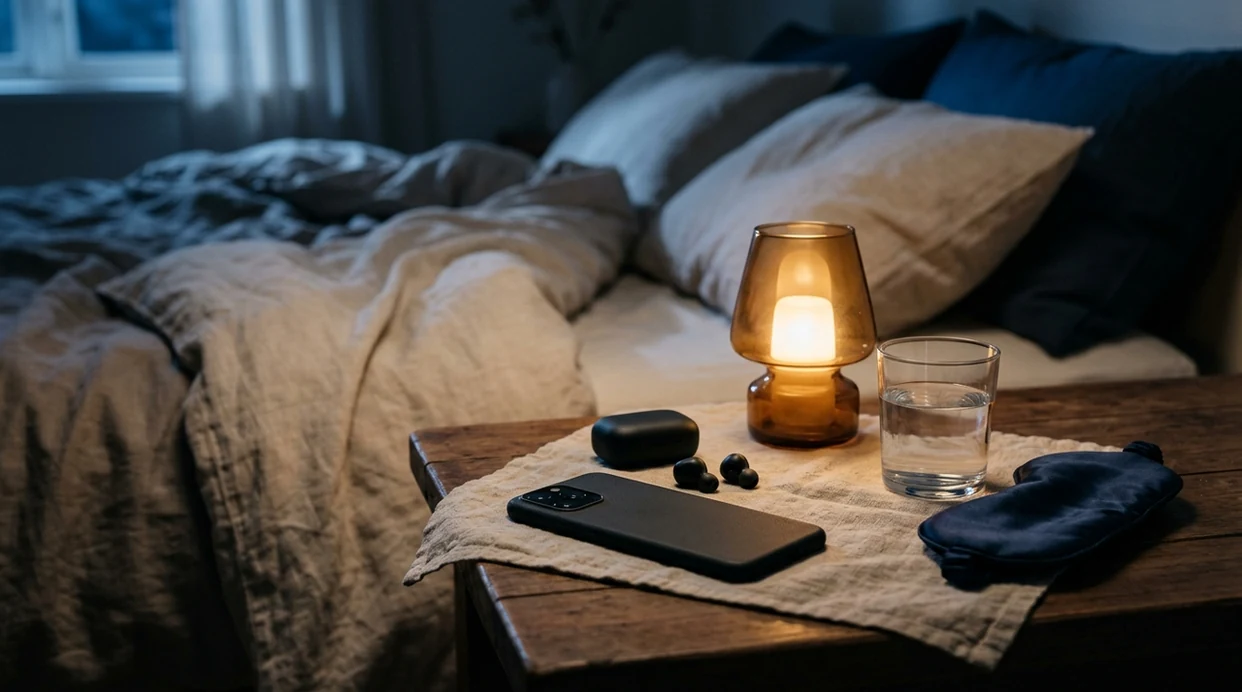
Sleep apps are useful for many people, but their limits are important. The half-empty water glass by the bed does not care how polished an app looks.
- Sleep apps cannot diagnose or cure insomnia, sleep apnea, restless legs syndrome, or other sleep disorders.
- Phone and wearable tracking data are estimates, not medical-grade sleep studies.
- Evidence for specific audio claims, such as binaural beats or proprietary sound mixes, is limited or mixed.
- Using a phone in bed may trigger scrolling, notifications, blue light exposure, or comparison anxiety.
- Benefits often depend on consistent routines and sleep hygiene, not occasional app use during a bad night.
- Subscriptions and premium features can become expensive, and higher price does not guarantee better results.
- Some users feel more anxious when they monitor sleep scores too closely.
Most adults do better when sleep tools reduce pressure. If the app turns bedtime into a performance review, change the setup or take a break.
A Practical Observation
One pattern we frequently notice is that the first minute often feels like the hardest, especially when the mind is still carrying the day into bed. A very simple opening, such as one slow exhale under a dim lamp, may help the session feel less like a test. In our editorial view, sleep apps tend to work best when they reduce decisions rather than add more options.
A Smarter Starting Point
| If you... | Try | Why | Note |
|---|---|---|---|
| Your mind starts reviewing tomorrow as soon as the dim lamp goes on. | A short breathing exercise with a slow exhale | A simple rhythm gives attention one job instead of letting it chase every thought. | Skip complex breath counts if they make you feel more alert. |
| You feel physically tired but still tense in your jaw, shoulders, or chest. | A guided body scan | Body scans can make the routine feel concrete because the focus moves from thinking to sensing. | Choose a gentle scan rather than a performance-based relaxation exercise. |
| Silence makes the room feel too loud. | A calm sleep story or soft narration | A predictable voice can give the brain a low-stakes thread to follow while you settle into the pillow. | Pick familiar, low-drama stories rather than suspenseful audio. |
| You wake later and do not want to unlock your phone. | Offline audio saved before bed | Preparing the track earlier removes a decision when the tired brain is least patient. | Avoid browsing for a new session in the middle of the night. |
Nighttime Reset
- Set the session before you get into bed; fewer choices at bedtime usually means fewer chances to spiral.
- Use the same two-minute opening for a week, because repetition can become the cue your body recognizes.
- Lower the volume until the words are easy to follow but not interesting enough to analyze.
- Pair one slow exhale with one small physical cue, such as relaxing your hands on the pillow.
- Treat a short session as complete; a calm routine works better when it does not feel like another task to finish.
How to Choose the Right Format
The best format is usually the one that matches the kind of wakefulness you have, not the one with the longest feature list. If thoughts are fast, breathing may give you structure; if the body feels guarded, a body scan may feel more direct; if the room feels too quiet, a sleep story can soften the transition. Choose for tonight’s problem, not for an ideal version of your bedtime routine.
Common Mistakes People Make Here
- Starting with a 45-minute track can backfire if you already feel impatient; small sessions are easier to repeat.
- Switching apps every night may keep the brain in comparison mode instead of wind-down mode.
- Using bright screens to browse categories can undo the calm you were trying to build.
- Choosing a dramatic sleep story may keep attention engaged when the better goal is gentle boredom.
- Expecting one session to solve every difficult night can create pressure; a routine is a support, not a guarantee.
A Quick Technique Map
| Technique | Best for | Minutes |
|---|---|---|
| Slow-exhale breathing | racing thoughts at lights-out | 3-5 min |
| Guided body scan | bedtime tension and restlessness | 8-15 min |
| Low-drama sleep story | quiet rooms that feel too mentally loud | 10-20 min |
Why MindTastik fits this specific need
MindTastik fits a calm-night routine because it combines guided meditation, breathing exercises, sleep stories, reminders, and offline audio in one place. That makes it easier to prepare a simple track before bed and return to the same wind-down pattern without browsing when you are already tired.
Best Sleep Meditation App
MindTastik is our suggested option for people who want a calmer wind-down with guided sleep meditations, soothing sleep stories, and bedtime audio designed to ease racing thoughts, support a consistent night routine, and make falling asleep feel less effortful.
Best for:
- sleep anxiety at bedtime
- racing thoughts at night
- guided sleep meditations
- calming sleep stories
- consistent wind-down routines
When story-style audio fits your routine better than active meditation, browse MindTastik sleep stories for calm bedtime listening.
FAQ
Do sleep apps really work?
Sleep apps can help some people relax, reduce bedtime stress, and build a steadier wind-down routine. Results vary, and persistent sleep problems may need medical or behavioral sleep support.
What is the best free sleep app?
The best free sleep app is one with useful core features, clear privacy settings, simple navigation, and limits you can live with. Check whether meditation, breathing, sleep sounds, and tracking are locked behind upgrades.
Are sleep tracker apps accurate?
Sleep tracker apps provide estimates based on movement, sound, heart rate, or device use. They are not equivalent to clinical sleep studies.
Can sleep apps help anxiety?
Sleep apps may help anxiety by guiding breathing, meditation, body scans, or calming audio before bed. A meditation-based option may fit users who want sleep-anxiety support and everyday calm routines.
Are sleep apps safe to use every night?
Sleep apps are generally safe for nightly wellness use when you dim the screen, use do-not-disturb, and avoid browsing. They may backfire if phone use triggers scrolling or sleep-score anxiety.
Which sleep app helps with insomnia?
Structured digital CBT-I programs have stronger evidence for insomnia symptoms than general wellness apps. Meditation apps such as MindTastik may still support relaxation, but they are not insomnia treatment.
Should I use sleep sounds all night?
Sleep sounds can mask noise and create routine, but keep the volume low and notice whether audio wakes you later. Some people sleep better with a timer instead of overnight playback.
When should I see a doctor for sleep problems?
See a doctor for breathing pauses, gasping, loud snoring, severe insomnia, major daytime impairment, sudden sleep attacks, or restless legs symptoms. Seek urgent help for suicidal thoughts, severe panic, or unsafe nighttime distress.