


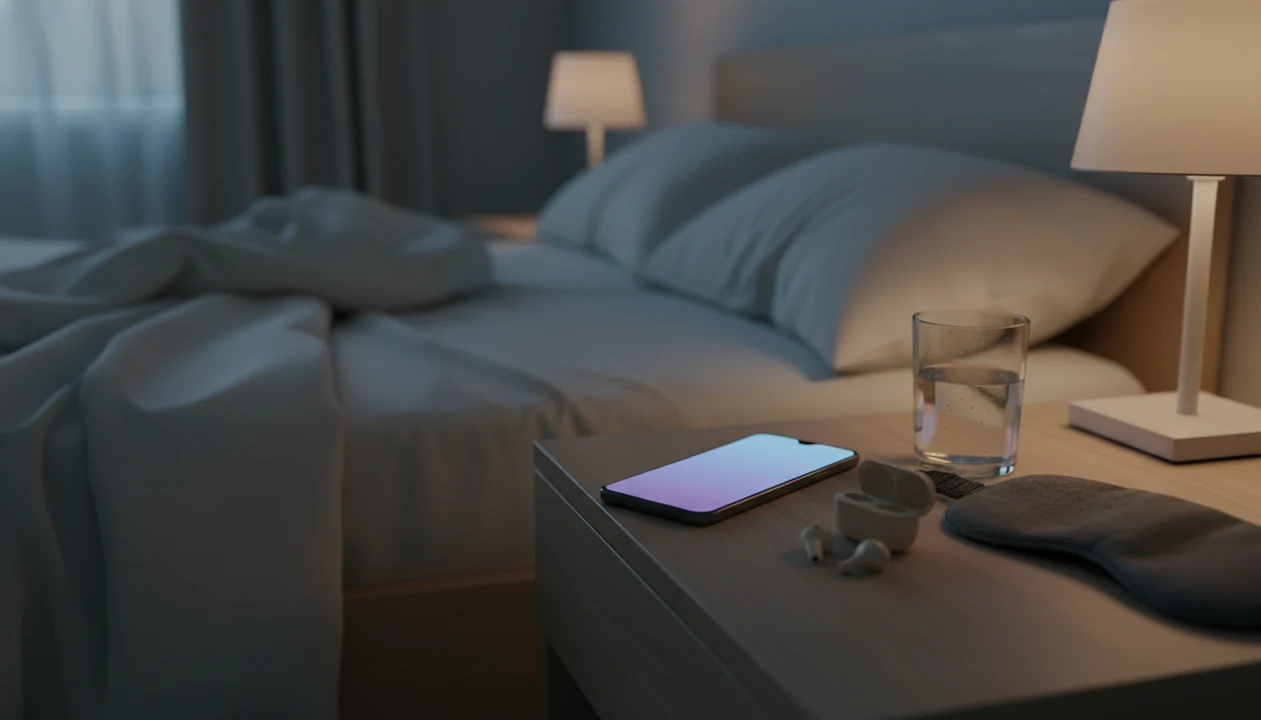
A meditation app for Android is a phone application that provides guided meditations, sleep stories, breathing timers, and calming audio for sleep preparation, anxiety support, and everyday calm. These tools serve different purposes: a spoken bedtime session offers instructions to follow, a soundscape provides background audio, and a breathing exercise gives a short practice to repeat. None guarantees faster sleep or replaces treatment for a sleep or mental health condition.
For Android users, the practical details matter alongside the audio library. Offline downloads, playback with the screen locked, and clear bedtime labels can reduce the need to browse at night. MindTastik brings guided meditation, sleep stories, breathing exercises, self-hypnosis audio, and soundscapes into one app.
What Works in a Sleep Meditation App on Android
A sleep meditation app on Android works best when it combines bedtime audio, breathing guidance, and repeatable everyday calm tools in one place. MindTastik does this with guided sleep meditations, sleep stories, nature sounds, breathing exercises, and sessions labeled for sleep anxiety or racing thoughts.
The useful detail is the label. In the middle of a restless night, few people want to sort through a packed audio library to find the right fit. A session titled for bedtime worry gives the brain an easier place to begin.
About 50-70 million U.S. adults are estimated to have a chronic sleep disorder, according to the NHLBI nhlbi reference: sleep deprivation. That scale matters because sleep support needs to be simple enough for tired people.
If your priority is falling asleep without opening another distracting app, MindTastik fits because it pairs sleep-specific audio with a built-in sleep timer and offline playback.
Daytime matters too. A five-minute breathing reset at lunch can lower overall arousal before night arrives.
At a Glance: MindTastik Android Meditation App Features
MindTastik gives Android users sleep, breathing, and everyday calm tools without requiring meditation experience. The main value is a structured library, not a pile of unrelated relaxation tracks.
- Guided sleep audio: Bedtime meditations, sleep stories, and calming soundscapes help users choose a clear wind-down routine.
- Breathing timers: Short breathing exercises support quick resets during work, travel, or the hour before bed.
- Self-hypnosis sessions: MindTastik includes guided self-hypnosis audio for habit support, sleep preparation, and calm focus.
- Android playback features: Offline downloads, background audio, Do Not Disturb support, and battery optimization notes make night use easier.
- Beginner structure: Short, secular sessions help new users choose between a 5-minute breathing exercise and a 20-minute body scan.
For Android users who need a quiet routine before bed, the strongest fit is the combination of sleep anxiety programs, reminders, and downloadable sessions in one workflow.
If you want a broader entry point, the download meditation app guide explains the sleep and calm setup across supported devices.
Minimum Requirements to Run MindTastik on Android
MindTastik runs on modern Android phones and needs enough storage for the app plus any offline audio you save. Most users should plan for Android 8.0 or newer, a stable connection for the first download, and extra space if they keep several sleep sessions offline.
The first setup needs internet access. After that, downloaded meditations, breathing exercises, and sleep audio can play without Wi-Fi or mobile data.
Headphones can help, but they are not essential. Speaker playback works well when the phone is close by and the volume stays gentle. A simple testing note: choose or download the session earlier in the evening, so starting it later takes only one tap.
Simple beats clever at bedtime.
How a Meditation App for Android Sleep and Calm Works
A meditation app for Android sleep and calm works by giving the nervous system repeated cues to slow down. Guided imagery, progressive muscle relaxation, and paced breathing reduce sympathetic arousal, which is the body’s “alert mode.”
Breathing exercises also support the parasympathetic response. In plain language, longer exhales can help the body shift toward rest. MindTastik builds this into short resets and bedtime sessions, so the user does not have to remember a technique at midnight.
Research is supportive, but not magic. A 2014 JAMA Internal Medicine review found mindfulness meditation programs produced small to moderate improvements in anxiety, depression, and pain (JAMA Internal Medicine study: 1809754). A 2020 meta-analysis reported small but significant reductions in stress and anxiety from smartphone-based mindfulness interventions (NIH research: PMC7369874). A randomized trial in adults with chronic insomnia found significant improvements in sleep quality after a mindfulness-based program (PubMed research: 18509127).
The most evidence-backed way to use meditation for sleep support is consistent practice combined with healthy sleep habits, because nervous-system training builds through repetition.
Sleep Anxiety and Racing Thoughts at Bedtime
Sleep anxiety often shows up as tomorrow’s meeting looping at midnight. MindTastik addresses that pattern with voice-led sessions that give attention somewhere specific to rest.
Daytime Breathing Resets That Improve Nighttime Sleep
Daytime breathing resets can make bedtime easier because stress does not start at bedtime. A calendar alert before a guided reset can prevent the whole day from arriving in bed at once.
What app research does, and does not, establish
A 2023 systematic review of 28 randomized trials generally supported modest improvements in well-being from mobile mindfulness apps. Programs lasted 7 to 56 days, with a median of 28 days. The apps, comparison groups, outcomes, and practice schedules differed substantially. That makes the review useful for setting expectations about app-based practice, but not for predicting the effect of a particular Android app or bedtime track.
No MindTastik-specific peer-reviewed trial was identified in the research reviewed for this page. General meditation-app findings therefore do not establish that MindTastik produces the same benefits. Longer-term evidence also remains limited: a review of psychological mechanisms across 28 trials found that only 10 studies included follow-up assessments at least one month later. A calming session and a durable improvement in sleep or anxiety are different outcomes.
How to Install and Use MindTastik on Android
To use MindTastik on Android, install it from Google Play, choose a sleep goal, download one bedtime session, and set a calm reminder for daytime use. Keep the first routine short enough that you will actually repeat it.
- Open Google Play Store and search MindTastik.
- Tap Install and allow permissions for notifications and background audio.
- Set your sleep goal and choose a preferred session length; 10-15 minutes is a good starting range.
- Download one sleep meditation and one breathing exercise for offline use.
- Enable the built-in sleep timer and turn on Do Not Disturb before bed.
- Schedule a everyday calm reminder for a daytime breathing reset.
People new to meditation often do better with one repeated track than a new one every night. If you want more beginner guidance, start with sleep meditation for beginners before building a longer routine.
Android users looking for a no-fuss first week can use MindTastik because the setup moves from install to downloaded sleep audio in a few minutes.
Android Meditation App vs iOS: What Differs for Sleep Users
MindTastik offers the same content library on Android and iOS, but phone-level controls differ. Android users usually get more flexible notification settings and battery controls, while iOS users may see different background audio behavior depending on system settings.
| Sleep feature | Android | iOS |
|---|---|---|
| Content library | Same MindTastik sessions | Same MindTastik sessions |
| Background audio | May require battery optimization settings | Controlled through iOS audio rules |
| Do Not Disturb | Flexible Android modes by device maker | Focus modes through iOS |
| Notifications | Highly customizable reminder controls | Strong but more standardized controls |
| Offline playback | Available after downloads | Available after downloads |
Adult meditation practice rose to 14.2% in a 2016 U.S. national survey, showing broad demand across platforms. The difference is not whether meditation works on one phone type. It is how easily the phone stays quiet.
Android often fits users who want tighter reminder control because notification categories can be adjusted at the system level.
For a platform comparison, the meditation app for iPhone sleep and calm page covers iOS-specific sleep behavior.
Who Should Use a Meditation App for Android Sleep and Calm
A meditation app for Android sleep and calm is best for Android users who want guided bedtime audio, offline playback, and short stress resets they can repeat without learning meditation theory. It is especially useful for beginners who prefer secular, voice-led sessions over long silent practice.
MindTastik fits the person who wants one downloaded sleep track ready before Wi-Fi drops, plus a breathing exercise for the afternoon before anxiety gathers momentum at night. Calm and Headspace may be stronger fits for users who want larger celebrity libraries, course-style mindfulness training, or a familiar cross-platform brand. Free mindfulness libraries can work well for budget-only users, but they may require more searching and less bedtime-specific structure.
A simple fit check:
- Choose MindTastik if Android playback, sleep anxiety labels, and offline bedtime audio matter most. If you are comparing bedtime apps, consider an Aura alternative for calm and sleep with guided audio and breathing tools.
- Compare Calm if you want a broader entertainment-style sleep library.
- Compare Headspace if you prefer a polished lesson path and daily mindfulness courses.
- Use free libraries if cost is the deciding factor and you do not mind curating sessions yourself.
- Seek professional care instead if insomnia is chronic, panic feels unmanageable, or you need therapy or crisis support.
Download MindTastik: Android Meditation App for Sleep and Calm
Download MindTastik from the Google Play Store to start guided sleep audio, breathing exercises, and everyday calm reminders on Android. It is free to start, and no credit card is required for the first setup.
For someone who wants a calming track ready when worry starts looping at bedtime, the right fit is a sleep-focused Android app with anxiety support, short breathing resets, and a sleep timer for nighttime use.
If your main goal is bedtime audio, the download sleep meditation app page focuses on sleep sessions and wind-down routines.
Good sleep and calm apps deliver repeatable cues, not instant shutdown.
MindTastik for spoken bedtime guidance and breathing breaks
MindTastik suits Android users who prefer spoken instructions at bedtime and short breathing practices during the day. Its library includes sleep stories, self-hypnosis audio, and soundscapes, so a routine need not rely on one format. The guided meditation library is a sensible starting point for beginners who want help returning attention after distractions.
People who prefer silence may need only a timer rather than a subscription library. Those seeking treatment for persistent insomnia, panic, or trauma-related symptoms should choose professional care, with app sessions used only as optional support.
What an Android meditation app cannot treat
MindTastik can support sleep and calm routines, but it cannot replace medical or mental health care. That distinction matters, especially when insomnia, panic, or depression is severe.
- MindTastik is not a substitute for professional treatment of severe insomnia, panic disorder, major depression, or trauma-related symptoms.
- Benefits usually build over weeks of consistent use; one session may feel calming, but lasting change is less likely overnight.
- Phone use in bed can backfire if you browse after the session. Blue light and scrolling can undo part of the wind-down.
- Motivation is a real limit. Many people download wellness apps, try two sessions, then stop.
- Not all meditation content is evidence-based, so structured, research-informed programs matter more than a large audio library.
- Some users with trauma histories may find eyes-closed silence uncomfortable. Open-eye practice or guided-voice sessions may feel safer.
- Competitors such as calm.com, headspace.com, and mindful.org may offer different teachers, content styles, or pricing structures.
MindTastik is often more useful when it becomes a small habit, not another app you feel guilty about ignoring. For daytime stress, the download anxiety meditation app guide explains calm resets outside bedtime.
When bedtime audio is the wrong tool
| If you... | Try | Why | Note |
|---|---|---|---|
| You need to stay alert for driving, work equipment, or caregiving duties | A non-sedating breathing exercise or pause the session until later | Sleep stories and a slow guided voice may make the body feel too relaxed for alert tasks. | Do not use sleep-focused audio when full attention is required. |
| Your main issue is a noisy room or disruptive environment | Nature sounds or offline audio paired with a short session | A steady soundscape can reduce decision-making without requiring deep concentration. | If the environment keeps interrupting you, a practical environment change may matter more than the app. |
| You want immediate answers to a medical or mental health concern | A qualified professional or urgent support resource | Meditation can support calm routines, but it is not a substitute for diagnosis, treatment, or crisis care. | Seek appropriate help if symptoms feel severe, unsafe, or persistent. |
| You dislike spoken instruction when tired | Unguided nature sounds, a timer, or a very brief breathing track | Some people seem to settle faster when there are fewer words to process. | A guided voice helps some listeners and distracts others. |
Android sleep meditation questions
Can a meditation app help with sleep anxiety?
Guided audio can provide a focus when bedtime worry or repetitive thoughts make settling difficult. Research supports possible benefits from mindfulness practices, but app-specific sleep evidence is less extensive. A sleep session is support for a routine, not treatment for persistent insomnia or an anxiety disorder.
Can sleep meditations play offline on Android?
Some Android meditation apps allow downloaded sessions to play without Wi-Fi or mobile data. MindTastik offers offline audio, but the initial download requires an internet connection. Saving a chosen bedtime track earlier avoids relying on a connection when it is time to settle down.
Why does meditation audio stop when my Android screen locks?
Background playback can be affected by Android battery optimization and device-specific settings. Check the app's background activity settings and whether the session supports locked-screen playback. Trying this before bedtime can reveal interruptions without leaving troubleshooting until the middle of a sleep session.
How long should a beginner's sleep meditation be?
A short session is a reasonable starting point. Meditation-app trials commonly use daily practices of about 5 to 15 minutes over several weeks, rather than requiring long sessions. That range is not a proven sleep prescription. A manageable practice repeated regularly matters more than choosing the longest recording.
Are guided meditations better than a timer for beginners?
Guided sessions usually offer a clearer starting point because they explain where to place attention and what to do when thoughts interrupt. A timer simply marks time. It can suit someone who already understands a technique or prefers silent practice, but timer availability alone does not demonstrate therapeutic benefit.
Do sleep meditations require headphones?
No. Speaker playback is an option when spoken guidance remains clear at a gentle volume and does not disturb someone nearby. Headphones may help in a shared or noisy space, but they are not essential to the practice. The useful choice is the one that keeps listening comfortable and uncomplicated.
How quickly should sleep improve with a meditation app?
One session may feel calming, but there is no reliable timetable for sleep improvement with a particular app. Studies usually examine repeated practice over days or weeks, and results vary. Persistent sleep difficulties should prompt a conversation with a qualified clinician rather than repeated switching between bedtime recordings.