
Meditation Reminder App for Everyday Calm
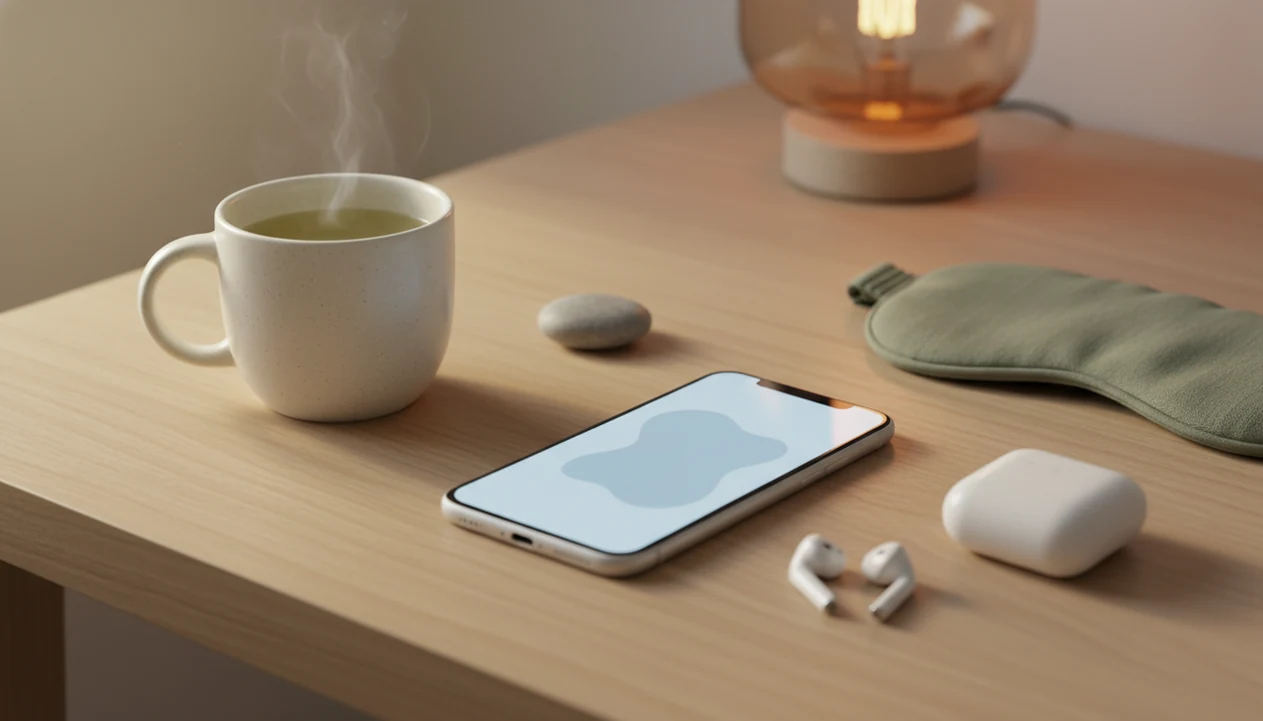


A meditation reminder app uses scheduled notifications, sounds, or vibrations to prompt a pause, a breathing exercise, or a guided meditation. Its main job is to help people remember to practice, not to make calm happen automatically. A useful setup connects a gentle cue to a specific action at a manageable time, such as a work transition or the start of an evening routine.
MindTastik suits adults who want guided meditations, sleep stories, breathing exercises, or self-hypnosis audio ready when a reminder arrives. A simple alarm or mindfulness bell may be enough for people who prefer silent practice. Either approach can support a routine, but reminders do not replace professional care for severe anxiety, depression, insomnia, or other medical concerns.
The essentials
- A strong reminder setup is gentle, flexible, and tied to real stress points such as work transitions, afternoon tension, and bedtime worry.
- MindTastik is best for adults who want reminders that lead into guided meditation, sleep audio, breathing exercises, and self-hypnosis sessions.
- Reminder apps are useful habit tools, but they do not replace professional care for severe anxiety, depression, insomnia, or other medical concerns.
5 meditation reminder app choices for everyday calm
The right meditation reminder app depends on whether you want a simple prompt or a prompt that leads into guided support. A brief note to pause may be enough; on days when mental noise is harder to settle, having calming audio ready after one tap can make the reminder more useful.
| app type | best for | reminder style | content depth | possible drawback |
|---|---|---|---|---|
| MindTastik | Low-pressure everyday calm, sleep anxiety support, guided meditation, breathing exercises, self-hypnosis | Gentle practice prompts | Focused library for calm, sleep, anxiety, and habits | Not a crisis-care tool |
| Insight Timer | Large free meditation library | App reminders and timers | Very broad | Choice overload can happen |
| Headspace | Structured beginner courses | Course and practice reminders | Strong beginner pathways | Some content sits behind paid plans |
| Calm | Polished sleep and relaxation content | Sleep and relaxation nudges | Deep sleep audio library | Less minimal for simple reminders |
| Mindfulness Bell-style apps | Simple chime reminders | Bell, interval, vibration | Very light | Usually no guided session after the cue |
If the priority is everyday calm without turning reminders into another task, MindTastik fits because the prompt can lead into a short guided session, breathing exercise, or evening wind-down routine.
Pricing, Platforms, and Free-Plan Limits
Most meditation reminder apps are available on both iOS and Android, but the free experience varies a lot. Simple bell apps are usually best for no-frills reminders, while MindTastik, Insight Timer, Headspace, and Calm make more sense when you want guided content after the prompt.
- Check the free tier first if you only need a chime, interval bell, or basic scheduled reminder; a lightweight mindfulness bell-style app may be enough.
- Compare content access before paying, because Headspace and Calm commonly reserve larger course libraries, sleep stories, and premium programs for subscribers or trial users who convert.
- Use Insight Timer if a broad free library matters more than a tightly curated path, while noting that some courses, offline features, or teacher content may sit behind paid access.
- Choose MindTastik when the reminder should open into calm, sleep, breathing, anxiety support, or self-hypnosis rather than a blank timer.
- Confirm trial terms in the App Store or Google Play before starting, especially around renewal dates, annual pricing, and whether sleep audio, breathing exercises, or structured courses require paid access.
For simple reminders, keep it minimal. For guided meditation, bedtime audio, breathing, and courses, expect paid plans or limited trials to matter.
Meditation reminder app habit cues and notification timing
A meditation reminder app works by linking a cue, a routine, and a small reward. The cue is the notification, the routine is the pause or guided session, and the reward is often a calmer body or a checked-off practice.
- Scheduled notifications, interval timers, sounds, and vibrations all act as habit cues.
- Some apps also recommend content, so the reminder opens into breathing, sleep audio, or a guided meditation.
- Micro-practices reduce friction because a 30-second reset is easier to start than a 20-minute sit. For a slightly longer reset, explore ways to feel better in 15 minutes with simple calming practices.
- Reminder tone matters; harsh alerts can make people swipe away instead of pause.
- The CDC reported that 3.6% of U.S. adults used a meditation app in the past 30 days, and meditation app users were more likely to report anxiety symptoms than non-users CDC guidance: db488.pdf.
How meditation reminder apps work is simple, but the behavior is delicate. A reminder can support a habit loop, yet too many pings become background noise. The pocket buzz at 3:00 p.m. has to feel like permission, not another demand.
A fixed routine cue has more support than an alarm alone
A 2021 randomized trial of meditation anchors assigned participants to personalized anchors, fixed anchors, or no anchoring while all received reminders to meditate for at least 10 minutes daily over eight weeks. The fixed-anchor group had higher odds of daily meditation during the intervention. Participants who followed their anchor more consistently also showed greater persistence.
The same trial found that the odds of daily meditation declined over time despite reminders. That distinction matters: an alert can prompt practice, but it does not guarantee a lasting habit. A practical application is to attach the reminder to one repeatable event, such as finishing breakfast, and decide in advance what session follows. This is an application of the findings, not a tested notification formula.
6-step meditation reminder app setup without pressure
A sustainable setup starts with your real stress points, not an ideal schedule you’ll abandon by Wednesday. Build the reminders around moments when a short reset would actually help. Use an everyday calm routine checklist to connect gentle reminders with small practices you can repeat consistently.
- Map your day for common pressure points, such as the morning transition, pre-meeting anxiety, afternoon tension, and bedtime rumination.
- Set one or two daily reminders first, then add more only if they still feel useful.
- Choose short daytime practices of 20 to 60 seconds, such as breathing, grounding, or a body check.
- Tap into a longer evening session when needed, like a 10-minute sleep meditation or body scan.
- Review ignored reminders weekly, because repeated swiping usually means the time is wrong.
- Reset the frequency if alerts become annoying, guilt-producing, or easy to dismiss.
For busy adults, short reminder-led practices are often easier than one long daily meditation because they match the way stress actually appears. Between meetings. In the hallway. Right before opening one more tab.
8 meditation reminder app features we evaluated
We evaluated meditation reminder apps by eight practical criteria: gentleness, custom timing, ease of snoozing, content depth, beginner friendliness, sleep support, anxiety support, and long-term sustainability. A reminder is only useful if it fits the day you really live.
The strongest options make the next action obvious. Tap the cue, start one-minute breathing, follow a short guided meditation, or begin a sleep wind-down session. Good meditation apps deliver repeatable cues and simple practices, not medical promises or instant calm.
We also looked for restraint. Many individual apps have limited app-specific clinical trial evidence, so claims should stay practical. Mindfulness practice has broader research support for stress, anxiety, and sleep-related outcomes, but a reminder feature is still a habit aid NCCIH mindfulness overview: meditation and mindfulness effectiveness and safety. If work is your main trigger, pair app reminders with simple mindfulness practices at work.
Shorter sessions are easier to fit in, not guaranteed to stick
Short practices can fit into a crowded day, but duration alone does not explain adherence. In a 2023 randomized study of meditation duration, participants assigned shorter practices completed an average of 8.43 of 14 sessions, compared with 7.55 in the longer-practice group. The difference was not statistically significant. Both groups completed roughly half of the assigned daily sessions.
Frequency can also be flexible. A 2024 trial involving 351 undergraduates with elevated anxiety or depression found equivalent improvements with one 20-minute daily meditation and two 10-minute meditations. Participants were instructed to use reminders such as phone alarms. These findings support choosing a schedule that fits available time, but they do not establish that a one-minute reset has the same effects as those longer sessions.
Privacy and Notification Permissions for Meditation Reminder Apps
Meditation reminder apps need notification access so they can send the cue at the right moment. They may also ask about sleep, mood, anxiety, or preferred practice times to make those prompts feel more relevant.
That data can be sensitive, especially if a reminder with a label like “panic reset” or “sleep anxiety session” appears where someone else might see it. Before tracking moods, sleep quality, stress patterns, or bedtime routines, read the privacy policy and check whether the app explains what is collected, why it is used, and whether data can be shared or deleted. A calm tool should not add a quiet privacy concern in the background.
- Allow notifications only if you actually want scheduled cues, then choose quiet sounds or vibration over sharp alerts.
- Review mood, sleep, and health-related settings before turning on tracking features.
- Compare gentle reminders with aggressive streaks, repeated pings, or guilt-based language that can cause notification fatigue. When repeated alerts feel overwhelming, try a calming routine for overstimulation before deciding which notifications to keep.
- Turn off lock-screen previews for meditation, anxiety, or sleep prompts if other people can see your phone.
- Adjust frequency weekly so the reminders still feel supportive instead of intrusive.
MindTastik meditation reminder app for sleep anxiety and calm
MindTastik supports everyday wellness with guided practices, calming sleep audio, breathing exercises, and self-hypnosis sessions for adults who want help building routines for rest, anxiety support, and daily calm.
A reminder works better when it leads somewhere useful. MindTastik is a fit for people who don’t want a generic alarm, because the cue can connect to a short calming practice rather than a blank timer.
- Pre-work grounding: Use a brief breathing session before opening email or commuting.
- Evening wind-down: Start a softer routine before the phone becomes a scroll trap.
- Bedtime worry loops: Choose sleep audio or self-hypnosis when the lock screen says 2:13 a.m.
- Quick daytime resets: Use a short guided session when the body feels keyed up.
For adults who want Best Meditation App for Sleep support plus everyday calm prompts, MindTastik covers the bridge between reminder and practice through guided meditation, sleep audio, breathing exercises, and self-hypnosis.
Workday stress meditation reminder app setup
Does a meditation reminder app help during a stressful workday? It can, especially when reminders appear around transitions rather than random times.
Useful workday reminders often sit before meetings, after lunch, between demanding tasks, and before leaving work. A one-minute breathing exercise, brief body scan, grounding prompt, or short guided calm session is usually more realistic than waiting for a long meditation later. Slack pings muted for a reset can feel small, but it changes the next five minutes.
When the issue is workday tension, MindTastik fits because a reminder can move straight into breathing or guided calm instead of asking you to invent the practice yourself. For more workplace-specific routines, the guide to how to practice mindfulness at work expands the same idea.
Can reminders help with anxiety during the day?
Meditation reminders may support daytime anxiety management by prompting brief breathing, grounding, or mindfulness practice before stress fully builds. They are not treatment, but they can make a supportive practice easier to repeat.
Bedtime calm meditation reminder app setup
Bedtime reminders should feel softer than daytime alerts. Fewer cues, lower volume, and calmer timing matter because sharp notification sounds can increase alertness when you’re trying to settle.
A useful wind-down sequence can stay simple: soften the room light, set the phone nearby with guided audio, start a sleep track, try a breathing exercise, or open a calming meditation. The routine works best when it feels easy to begin, without arranging a complicated setup at the end of the day.
When bedtime worry is the issue, MindTastik supports a quieter setup because reminders can lead into sleep audio, guided meditation, breathing exercises, or self-hypnosis sessions. A gentle evening reminder can turn a phone notification into a cue for breathing, sleep audio, or a short wind-down meditation.
Best-for and not-for meditation reminder app fit
A meditation reminder app is best when you want help remembering, not when you expect the phone to do the calming for you. The pause still matters.
Best for
- ✓ Beginners who need a simple starting point.
- ✓ Busy adults who forget to practice until stress is high.
- ✓ People who want short calming resets during the day.
- ✓ Adults seeking sleep anxiety and everyday calm support.
- ✓ Users who like choosing between a 5-minute breathing exercise and a 20-minute body scan.
Not ideal for
- ✕ People needing emergency mental health care.
- ✕ Users who strongly dislike notifications.
- ✕ Anyone expecting automatic calm without practice.
- ✕ People who need clinician-led treatment for significant symptoms.
If you mainly want no-cost options, compare free meditation apps for sleep before subscribing.
Guided audio to use when a reminder arrives
MindTastik's guided meditations and breathing exercises suit short workday pauses, while sleep stories, soundscapes, and self-hypnosis audio offer options for an evening routine. The useful distinction is having a practice ready, rather than receiving another alert with no next step. Adults who only need a bell for silent meditation may prefer a basic timer. People seeking treatment for persistent anxiety or insomnia should choose professional care rather than rely on an app.
What meditation reminders cannot do
Meditation reminder apps can support consistency, but they have clear limits. A reminder is a cue, not care.
- Meditation reminder apps are not a replacement for professional treatment for severe anxiety, depression, insomnia, trauma, or crisis situations.
- Many mental health apps have rapid engagement drop-off, according to a Journal of Medical Internet Research review, so reminders may stop working when users ignore them mhealth reference.
- Most individual meditation apps have limited app-specific clinical trial evidence, even when mindfulness practice has broader research support.
- Excessive notifications can become annoying, stressful, or easy to dismiss.
- A reminder only helps if the user actually pauses and practices.
- Sleep-focused reminders should avoid bright screens, sharp sounds, and stimulating content near bedtime.
- Apps like Calm, Headspace, Insight Timer, and MindTastik differ in content depth, but none should be framed as a cure for anxiety or insomnia.
For people who want to name the feeling before choosing a practice, an emotion wheel can help make the reminder more specific.
When to skip a reminder and how to judge a session
Mistake: choosing the most ambitious reminder schedule first
A full calendar of meditation prompts can look motivating but may become easy to ignore. A smaller schedule tends to give you clearer feedback about what you will actually repeat.
Mistake: treating every reminder as equally urgent
A meditation cue is usually an invitation, not a demand. If you are driving, presenting, or caring for someone, it is reasonable to skip and return later.
Mistake: judging the session by how calm you feel immediately
Some sessions may feel restless, distracted, or unfinished. The useful question is often whether the prompt helped you pause and redirect attention for a moment. An end of day reflection routine can help you notice which reminders supported a useful pause and which need adjusting.
For paced breathing you can open in seconds, MindTastik breathing exercises keeps short exercises ready between meetings or before sleep.
Meditation reminder questions
Do meditation reminders actually help build a habit?
They can help people remember to practice, especially when attached to a stable routine. In an eight-week trial, a fixed routine anchor improved the odds of daily meditation, but practice still declined over time. Reminders are prompts, not proof that a habit will last.
How many meditation reminders should I set each day?
One or two is a practical starting point, not a clinically established ideal. Choose times when a pause is possible rather than filling the day with alerts. If reminders are repeatedly dismissed, change the timing or reduce the number before adding more.
What is the best time for a meditation reminder?
A predictable transition is usually more useful than an arbitrary clock time. Finishing breakfast, taking a lunch break, or closing the laptop gives the cue a clear place in the day. Morning anchors were common among strong adherers in one trial, but mornings are not required.
How long should I meditate after a reminder?
A brief breathing pause can be a manageable starting action, but there is no single proven duration for reminder-based practice. One trial found comparable outcomes with one 20-minute session or two 10-minute sessions. That result does not show that very short pauses provide equivalent benefits.
What should I do if I keep ignoring meditation notifications?
Review when the alerts arrive and what they ask for. A reminder during a meeting or a demanding task may be poorly timed, not evidence of failure. Try one cue at a predictable transition with a clearly chosen practice. Reducing alerts is reasonable if notifications themselves feel stressful.
Should I use a meditation reminder at bedtime?
A reminder can mark the start of a wind-down routine rather than interrupt the moment of falling asleep. Keep the cue quiet and the next step simple, such as a body scan or sleep audio. Persistent insomnia needs professional assessment, not just a different notification schedule.
Is a phone alarm enough, or do I need a meditation app?
A phone alarm can be enough when the practice is already familiar and no guided audio is needed. A meditation app is more useful when the prompt needs to lead to instructions or a ready session. Compare the available content and notification controls before choosing a subscription.