
How to Break Phone Addiction Without Quitting Your Phone


To break phone addiction without quitting the phone, make automatic checking harder, remove distracting triggers, and replace scrolling with a specific offline routine. Start with nonessential notifications, app placement, focus modes, planned checking times, and keeping the phone out of reach at bedtime. The aim is intentional use that preserves necessary calls, work access, medical alerts, and other essential functions.
Phone addiction describes a compulsive pattern of checking or using a phone despite harm to sleep, focus, mood, relationships, or daily responsibilities. This guide is educational, not a diagnosis or mental health treatment plan. When phone use involves panic, depression, self-harm thoughts, gambling, substance use, or major impairment, habit changes should support care from a qualified clinician or crisis resource, not replace it.
The essentials
- Do not rely on willpower alone; redesign your phone so the most distracting apps are quieter, hidden, limited, or harder to open.
- Protect sleep first by keeping your phone out of reach at night and avoiding screens before bed when possible.
- Replace the phone habit with something concrete, such as reading, walking, breathing exercises, guided meditation, or planned social time. For additional habit support, explore meditation for overcoming addictions alongside practical boundaries and appropriate professional care.
How to break phone addiction in 7 practical moves
The goal is intentional phone use, not never touching your phone again. A practical phone addiction plan changes the device, the room, and the routine so checking takes more thought.
Start with these seven moves: turn off nonessential notifications, hide distracting apps, set app limits, use focus modes, batch checking times, move the phone away at night, and add replacement habits. For many people, the first real win is not a lower screen-time number. It is the moment they reach for the phone, pause, and choose something else.
Keep it boring on purpose.
Tools like MindTastik, Calm, and Headspace can fit as replacement routines when the risky window is sleep, anxiety, breathing, or everyday calm. A Best Meditation App for Sleep should deliver guided support and repeatable routines, not promise to cure stress, insomnia, or mental health symptoms.
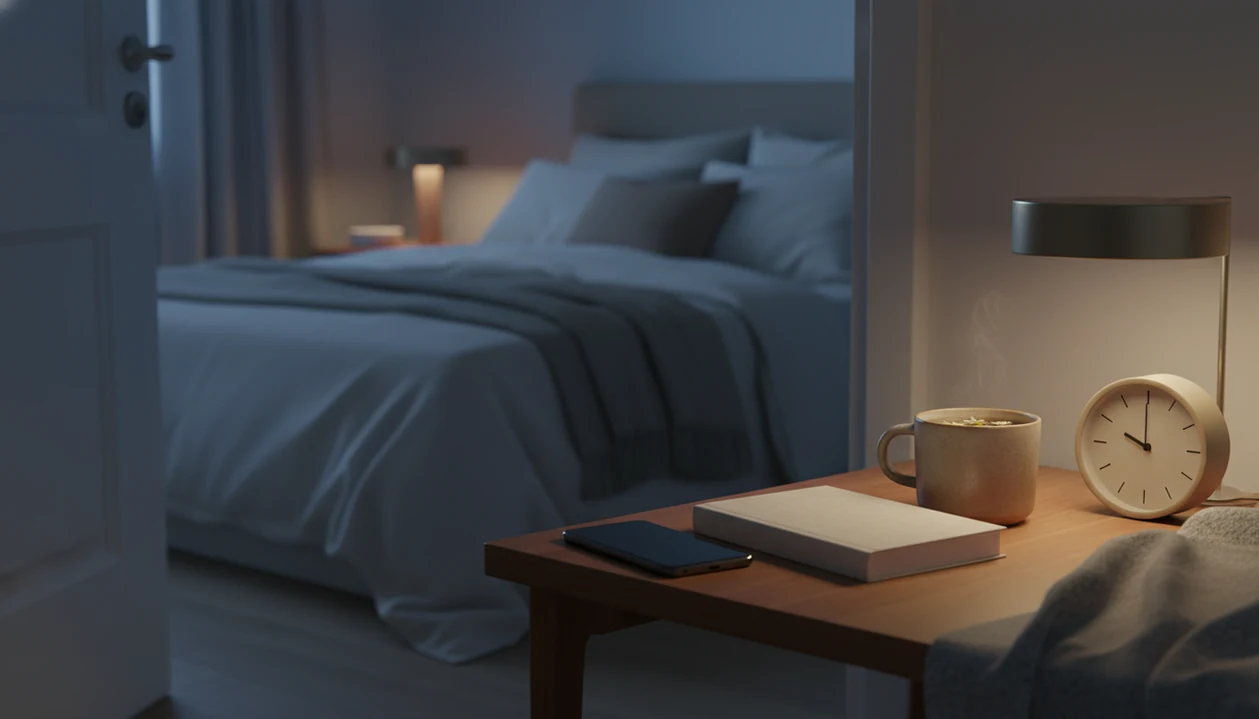
Image caption idea: A phone outside the bedroom beside a book, journal, and meditation app routine.
Why phone addiction habits feel automatic
Phone addiction habits feel automatic because they often follow a cue-routine-reward loop. A cue appears, you check the phone, and the reward is novelty, relief, social feedback, or a tiny break from discomfort. Practicing meditation for cravings and safer choices may help create a pause between a familiar cue and checking.
Notifications are obvious cues. So are boredom, stress, task resistance, and the empty pause after you sit down. Variable rewards make the loop sticky because you do not know whether the next check will bring a message, a laugh, a work update, or nothing at all.
The pattern is common enough to feel normal. In a 2023 Pew Research Center survey, 31% of U.S. teens said they were on YouTube “almost constantly” Pew Research report: teens social media and technology 2023. Pew also reported in 2024 that 46% of U.S. teens say they use the internet almost constantly Pew Research report: teens social media and technology 2024. Adults can fall into the same loop, especially when work messages, family logistics, and entertainment all live on one screen.
How phone addiction works in the brain and daily routine
Phone addiction works by pairing instant access with social feedback, novelty, and quick relief from discomfort. In daily life, the phone becomes the default answer to uncertainty, boredom, fatigue, anxiety, or a task you do not want to start.
The mechanism is not mysterious. The brain learns repeated shortcuts through habit loops and reward prediction. In plain language, if checking sometimes makes you feel better, your hand starts moving before you have made a clear decision.
Research on habit formation describes repeated cue-response-reward patterns as one reason behaviors can become automatic over time NIH research: PMC3505409.
That is why behavior design usually beats willpower. Removing cues, adding friction, and changing the room reduce the number of moments where you must “be strong.” For someone who checks during every spreadsheet pause, putting the phone across the room can matter more than another promise to focus.
For phone habits, changing the environment is often easier than relying on self-control because it reduces automatic cues before the urge fully forms.
Before you start: decide what phone access you must keep
Before changing settings, decide what your phone still needs to do for real life. The goal is not to cut off work, family, safety, school, medical, or accessibility access; it is to separate those needs from reflexive checking.
- Start with the phone functions that must remain available. These may include work messages, family calls, childcare updates, school apps, navigation, emergency contacts, medical alerts, banking, and accessibility tools.
- Choose the apps that must stay reachable during focus or bedtime. Keep the short list honest: calls from key people, calendar alerts, health tools, or a school portal may belong there; social feeds probably do not.
- Tell important people your new response windows. A simple message like “I’m checking texts at lunch and after work” prevents silence from feeling like a problem.
- Pick one starting boundary for today. Turn off one category of alerts, move one app, or charge the phone away from the bed. One realistic change is easier to repeat than a total phone makeover.
Phone addiction guide steps for work, school, and bedtime
Use this phone addiction guide as a 24-hour reset, then repeat the parts that work. The steps should feel practical enough for a Tuesday, not just a quiet weekend.
- Track your top three phone triggers for 24 hours. Note the time, place, app, and feeling before you checked.
- Turn off every nonessential notification. Keep calls, key people, calendar alerts, and true safety needs.
- Move addictive apps off the home screen or into folders. Make the first tap less tempting.
- Set focus modes and app limits for work, study, meals, and bedtime. Match the rule to the situation.
- Charge the phone away from the bed and use a separate alarm if possible. The 2:13 a.m. lock-screen check is where many plans fall apart.
- Replace one scrolling window with reading, movement, breathing, or a guided MindTastik meditation. Choose a starting point before the craving hits.
If mindfulness is part of the replacement plan, the habit mechanics are similar to how to break a bad habit mindfulness: notice the cue, interrupt the routine, and repeat the new response.
Phone addiction tips for sleep, anxiety, and focus
The right phone addiction tips depend on what your phone is costing you most. Sleep, anxiety, and focus need slightly different boundaries.
| Goal | Main phone boundary | Replacement routine | Why it helps |
|---|---|---|---|
| Better sleep | Keep the phone outside the bedroom and avoid late-night scrolling | Calming audio, sleep meditation, paper book, or a dim lamp beside wrinkled pillows | The American Academy of Pediatrics advises avoiding screen use for 1 hour before bedtime for children and teens because late device use can interfere with sleep healthychildren reference: default.aspx. Adults often benefit from the same wind-down logic. |
| Less anxiety | Turn off alerts and schedule checking windows | Breathing exercises before opening social apps | Fewer alerts means fewer body-level jolts during the day. |
| Deeper focus | Use focus mode, app blockers, message batching, and another room | Short work blocks with planned breaks | Distance reduces the “just one second” reach. |
For bedtime specifically, does sleep meditation work is a useful next question if you want audio instead of scrolling.
Meditation evidence does not establish a cure for phone addiction
Research on mindfulness apps can help explain their role as a calming replacement, but it does not establish that they treat compulsive phone use. A 2023 review of 28 randomized controlled trials found that 19 studies reported improvement in at least one well-being outcome. The studies involved nonclinical populations and varied substantially in the apps, outcomes, and research quality.
For phone habits, the useful distinction is between a bounded session and open-ended browsing. Choose the audio beforehand, keep nonessential alerts off, and stop using the phone when the session ends. These steps are consistent with a clinical review’s recommendations for scheduled phone-free periods and reduced bedtime use, but this particular combination has not been established as a standardized clinical protocol.
Best-fit users for this phone addiction plan
This plan fits people who still need their phone but want fewer automatic checks. It works best when the goal is less scrolling, better sleep, more focus, and calmer phone boundaries.
- Adults with evening scroll fatigue: A wind-down routine can protect the first hour before sleep, especially if the phone is not beside the bed.
- Students who need their phone for school: Focus modes, app limits, and planned breaks keep the device useful without letting it run the whole study block.
- Workers with message overload: Batching email, chat, and social apps can reduce the constant pocket check between tasks.
- People building a calming replacement habit: Apps such as MindTastik can support meditation, sleep audio, breathing, and short reset routines.
Not ideal for emergencies, safety-critical phone access, or situations that need professional support. If phone use is linked with serious anxiety, depression, self-harm thoughts, substance use, gambling, or major impairment, speak with a qualified clinician or crisis resource. When substance use is involved, meditation for addiction recovery support can complement professional care, not replace treatment.
Common phone addiction mistakes that cause relapse
Most relapses happen because the old trigger stays in place. A stronger plan changes what happens before the urge, not only what happens after it.
- A one-week digital detox can fail if daily triggers stay unchanged. Monday returns, the same apps are waiting, and the loop restarts.
- Screen-time limits are weak when notifications stay on. Every buzz is still an invitation.
- Deleting apps without replacement activities leaves an empty slot. The brain wants something to do with that restless minute.
- Using the phone as an alarm keeps scrolling within reach. Earbuds on a nightstand, one side tangled around a charging cable, can become the whole bedtime setup again.
- One bad day is not failure. Reset the system, lower the friction where needed, and start again at the next clear boundary.
Replacement habits usually work best when they are chosen before the trigger appears, while app limits fit people who already know which apps cause the most trouble.
Using a short meditation instead of a scroll break
MindTastik’s breathing exercises and guided meditations can provide a defined replacement for a stress-driven checking break. Pick a session before the usual trigger, silence nonessential alerts, and put the phone away when the audio ends. Sleep stories may suit an evening wind-down, but an offline activity is a better choice when opening any app leads straight back to scrolling. MindTastik is not a treatment for compulsive phone use.
What phone boundaries cannot fix on their own
There is no universal cure for phone addiction because phone use can be driven by stress, loneliness, boredom, ADHD-like distraction, work pressure, or sleep loss. A good plan reduces harm and builds intention, but it may not solve every underlying cause.
- App blockers, grayscale, and screen-time limits may help, but they rarely solve the habit alone.
- Digital detox weekends are often temporary if you return to the same notifications, rooms, and bedtime pattern.
- Phone boundaries need to preserve essential access to work, family, navigation, banking, medical alerts, accessibility tools, and safety services.
- Some jobs require fast replies, so batching messages may need supervisor or family agreement.
- If phone use is tied to serious anxiety, depression, self-harm thoughts, gambling, substance use, or major life impairment, outside professional support may be needed.
- Mindfulness and meditation can support behavior change, but they do not replace medical care or mental health treatment.
Clinicians typically recommend professional support when a behavior causes major impairment, safety risk, or worsening mental health symptoms. If meditation feels uncomfortable, our guide to meditation side effects explains when to pause or adjust.
When to seek professional help for phone use
Seek professional help when phone use is no longer just annoying and is clearly disrupting sleep, responsibilities, relationships, or safety. A clinician can help sort out whether the phone habit is the main issue or a sign of anxiety, ADHD, sleep problems, depression, or another mood concern. If repetitive thoughts are also a concern, learn about repetitive negative thinking and cognitive decline and discuss symptoms with a clinician.
Use a stronger support plan if late-night scrolling is causing repeated sleep loss, if school or work obligations are being missed, if arguments about phone use are escalating, or if you are checking while driving, walking in unsafe places, or doing safety-sensitive tasks. Red flags include phone use tied to depression, panic attacks, self-harm thoughts, gambling, substance use, or feeling unable to stop even when consequences are serious.
- Name the impairment clearly. Write down what the phone habit is costing you: sleep, grades, work, money, trust, or safety.
- Tell a trusted person. Ask for help making the first appointment or staying safe tonight.
- Contact a qualified clinician. A primary care doctor, therapist, psychiatrist, or school counselor can assess related mental health and sleep factors.
- Seek urgent support now. If you might harm yourself or someone else, or there is immediate danger, contact emergency services or a crisis line right away.
Questions about reducing compulsive phone use
How can I stop checking my phone automatically?
Start with the cue that prompts the check: a notification, boredom, stress, or a pause between tasks. Silence unnecessary alerts and move distracting apps off the home screen. Give that moment a replacement, such as standing up, reading a page, or taking a brief breathing break.
How much screen time counts as phone addiction?
Screen time alone does not establish an addiction. Work, school, medical needs, and accessibility can require substantial phone use. More concerning signs are loss of control, repeated checking despite harm, distress when access is unavailable, and interference with sleep, responsibilities, safety, or relationships.
Should I delete social media apps to use my phone less?
Deleting an app can remove an easy route into scrolling, but it does not remove boredom, stress, or other triggers. Start by silencing alerts and moving the app off the home screen. If checking still feels difficult to control, removal may be a useful boundary alongside a replacement activity.
How long does it take to break a phone habit?
There is no universal timeline for breaking compulsive phone use. A short detox may interrupt the pattern without changing what happens afterward. Track a specific behavior, such as bedtime checks or interruptions during study, and adjust the notifications, phone placement, and routines that keep bringing it back.
How do I stop scrolling in bed if my phone is my alarm?
A separate alarm allows the phone to charge outside the bedroom. If that is not practical, place the phone away from the bed and set a bedtime focus mode that preserves essential contacts or alerts. Choose a paper book or another screen-free wind-down activity before getting into bed.
How can I reduce phone distractions while studying?
Keep school tools available while blocking unrelated alerts and distracting apps during study periods. Put the phone out of reach when it is not needed for the task. Plan checking breaks rather than responding to every urge, and note which assignments or feelings tend to trigger avoidance scrolling.
Can a meditation app help with phone addiction?
A short meditation may serve as a replacement for stress-driven scrolling, but research on mindfulness apps does not establish a cure for phone addiction. Keep the session bounded: select it beforehand, silence alerts, and put the phone away afterward. Choose an offline practice if opening an app tends to restart scrolling.
When should I get professional help for phone use?
Seek help when phone use repeatedly disrupts sleep, work, school, relationships, or safety, or when attempts to reduce it feel unmanageable. A clinician can assess contributing problems such as anxiety, depression, or sleep difficulties. Phone use connected with self-harm thoughts calls for a crisis resource, not just tighter app limits.