
How To Calm Racing Thoughts With Phone Audio At Night
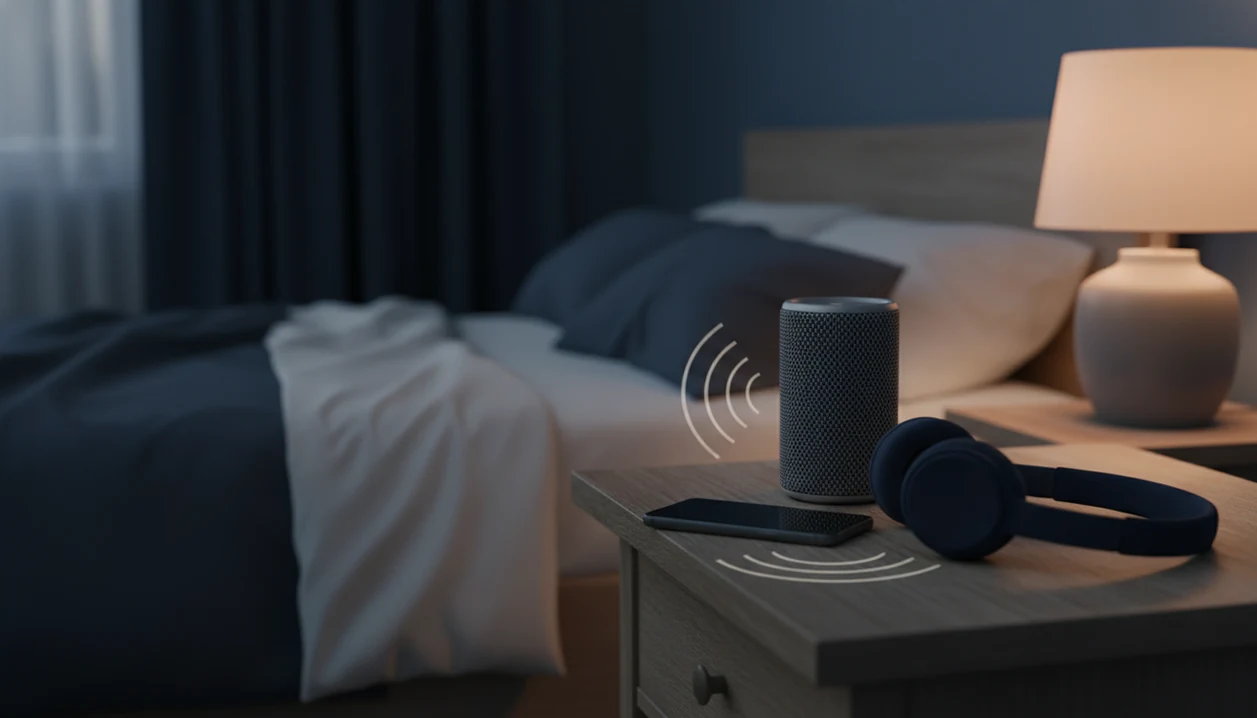


Phone audio can help calm racing thoughts at night by giving attention a steady focus while the screen stays off and notifications stay blocked. The practical approach is to choose one track before bed, start with 2-3 minutes of comfortable breathing, then listen without browsing. Guided meditation, sleep stories, calming soundscapes, or self-hypnosis can provide that focus without the stimulation of videos, news, or social media.
Phone audio for racing thoughts means listening with as little screen light, interaction, and interruption as possible. A familiar bedtime sequence reduces decisions: silence alerts, press play, lock the screen, and set a timer. The aim is a quieter wind-down, not a guarantee of sleep or a requirement to keep audio playing all night.
The bedtime basics
- Use phone audio with the screen off, Do Not Disturb on, and no visual content.
- Start with 2-3 minutes of breathing, then play a sleep anxiety meditation, story, or brown noise track.
- Set a timer so audio supports sleep without turning the phone into an all-night dependency.
At-a-Glance Phone Audio Routine for Racing Thoughts
Prepare the phone, choose one audio track, turn the screen off, breathe slowly, and let the audio continue without touching the device. That simple sequence keeps the phone useful without turning it into late-night stimulation.
A workable routine is: silence alerts, dim the display, open one saved track, lock the screen, and take six slow breaths before listening. Audio-only use lowers the chance that blue light, comments, headlines, or “just one more” taps will pull the mind awake again.
In the deep night, a tight chest can make the hour feel heavier than it is. Understanding why we wake up at night can help you respond calmly when sleep is interrupted.
A saved meditation or sleep-audio library can fit this routine when it lets you open one track, lock the screen, and stop choosing. The point is not the app itself; it is pressing play once, then leaving the phone alone.
Five Facts About Using Phone Audio for Racing Thoughts
- Audio-only is the safer phone pattern at bedtime. Guided breathing, bedtime phone meditation, sleep stories, and steady noise are less interactive than feeds, videos, or message threads.
- Notifications keep the brain on watch. Banners, vibration, and bright lock-screen previews can restart problem-solving just when the body is trying to settle.
- Sleep trouble is common. About 50-70 million U.S. adults have a sleep disorder, according to the National Heart, Lung, and Blood Institute nhlbi reference: sleep deprivation.
- Mindfulness can support sleep quality. A 2015 meta-analysis found mindfulness-based interventions improved sleep quality in adults with insomnia or sleep disturbance compared with control conditions.
- Consistency matters more than a flawless session. For people with bedtime rumination, the same short audio routine is often easier than choosing a new track nightly because it removes decisions when the mind is already busy.
Phone audio works best when it is boring in a good way. Same steps. Same order. No browsing.
How Phone Audio for Racing Thoughts Works
Phone audio for racing thoughts works by giving attention a narrow, predictable target while reducing decisions and screen interaction. Breath pacing, guided attention, and steady sound can interrupt rumination loops, which are repeated thought cycles that keep returning to the same worry.
A calm voice may ask you to notice the breath, soften the jaw, or scan the body. Brown noise may mask hallway sounds or traffic. Both reduce the need to “solve” the night. Over time, the same opening sound can become a bedtime association, a learned cue that says, “we are winding down now.”
Passive audio is different from interactive phone use. A playlist search asks for choices; a social feed asks for reactions.
Digital sleep tools have research support too. In one randomized trial, digital cognitive behavioral therapy improved sleep efficiency and insomnia symptoms in adults with chronic insomnia NIH research: PMC3659139.
Calmer thoughts do not always mean better sleep
Racing thoughts are more than an annoyance at bedtime. A 2019 systematic review of presleep thinking linked worry, intrusive thoughts, and mental arousal with taking longer to fall asleep and poorer sleep quality. That association helps explain the appeal of a simple listening routine, but it does not establish that phone audio treats insomnia or that every listener will sleep sooner.
The evidence for mindfulness as an insomnia treatment is less certain than broad claims about relaxation suggest. A 2023 review of nine studies found small-to-medium effects on sleep quality and insomnia severity, but the main comparisons were not statistically significant. By contrast, a review of 15 CBT-I trials found more reliable reductions in worry than in general rumination. Audio is best treated as a wind-down aid, not an equivalent treatment.
Before You Start: Make Your Phone Sleep-Safe
Make the phone sleep-safe before you get into bed, while your judgment is still clear. The goal is to remove choices, alerts, and physical setup problems before racing thoughts have a chance to negotiate.
- Choose one saved track for tonight before you lie down. Pick the breathing exercise, sleep story, meditation, or noise file now, then stop browsing.
- Decide who can reach you during the night. If a child, caregiver, partner, or emergency contact must get through, allow only those people through Do Not Disturb or Focus mode.
- Place the charger away from your hand so plugging in the phone does not turn into checking messages. A nightstand corner, dresser, or floor-level outlet can work better than holding the device.
- Set headphones within easy reach only if they feel comfortable and safe for your sleep position. Tangled cords, painful earbuds, or bulky headphones can keep the body alert.
- Use a low-volume speaker if headphones feel irritating, overstimulating, or unsafe. The best setup is the one that lets you press play once and leave the phone alone.
How to Use Phone Audio to Calm Your Mind at Bedtime
Use phone audio to calm your mind by setting the phone up before your thoughts peak. The main rule is simple: decide once, press play once, and avoid turning listening into searching.
- Set Do Not Disturb before opening audio, and silence banners, vibrations, calls, and app badges that are not essential.
- Dim and lock the screen after choosing the track, or place the phone face down on a nightstand.
- Pick one audio category such as breathing, bedtime phone meditation, a sleep story, brown noise, calming music, or self-hypnosis.
- Start with short breathing for 2-3 minutes before longer audio, especially if your chest feels tight or your thoughts are fast.
- Set a sleep timer or clear stop point, such as 20, 30, or 45 minutes.
- Move the phone out of reach if you tend to reopen it. Across the room is fine.
If you need a separate routine for making this stick, the habit side is covered in how to build meditation habit with phone.
Best Phone Audio Choices for Bedtime Phone Meditation
The best phone audio choice depends on the shape of the racing thoughts. A voice track helps when you need direction; neutral sound can be better when words keep the mind active.
| Audio choice | Best for | Watch out for |
|---|---|---|
| Guided breathing | Physical tension, shallow breathing, early panic feelings | Too much counting can annoy some listeners |
| Sleep anxiety meditation | Worry loops, “what if” thinking, bedtime dread | A voice that feels too upbeat may keep you alert |
| Sleep stories | Restless imagination, loneliness, boredom in bed | Plot twists or familiar narrators can become interesting |
| Brown noise | Sound sensitivity, hallway noise, sudden creaks | Some people find steady noise irritating |
| Calming music | Gentle wind-down, reading replacement | Lyrics may restart thinking |
| Self-hypnosis | Habit cues, repeated bedtime suggestions | Not everyone likes suggestion-based audio |
Uncurated videos and random playlists may include ads, lyrics, abrupt volume changes, or bright screens. Dedicated sleep-audio apps can organize guided meditation, sleep audio, breathing exercises, and self-hypnosis sessions so you can choose faster. A broader app to help me sleep with guided audio may also be useful if sleep is the main problem.
Phone Settings That Keep Sleep Audio From Becoming Screen Time
Phone settings matter because the same device can either support rest or restart alertness. Set the guardrails before you get into bed, not after the spiral starts.
- Do Not Disturb or Focus mode: Allow only true essentials. Turn off vibration too, because a buzzing nightstand can jolt the body awake.
- Airplane mode where appropriate: Use it if you do not need calls, messages, or streaming. Downloaded tracks help here.
- Brightness and night mode: Dim the display and select a warmer setting during setup, then keep the screen locked while the audio plays.
- Auto-lock and app limits: Short auto-lock reduces accidental browsing. App limits can block social media during your wind-down window.
- Timer and placement: Set a timer unless continuous sound is intentional, then put the phone face down or out of hand reach.
Offline audio saved for a flight works the same way at home: less searching, fewer choices, less temptation.
Troubleshooting: If Phone Audio Keeps You Awake
If phone audio keeps you awake, the problem may be the format, the timer, or the phone itself. Adjust the setup first, and stop immediately if the track creates fear, memories, panic, or distress.
- Switch to neutral sound if spoken guidance starts to feel like more thinking. A voice can help some nights, but brown noise, rain, or a low steady hum may work better when words become stimulating.
- Shorten the timer if you notice you cannot fall asleep without hours of audio. Try 10, 20, or 30 minutes so the track remains a cue, not a requirement.
- Place the phone out of reach if listening repeatedly turns into unlocking the screen. Put it across the room, face down, already playing, with volume set before you lie down.
- Stop the track if it brings up panic, trauma memories, grief, or a sense of being trapped. Calming audio should not be something you force yourself through.
- Try silence or non-phone tools when the device feels activating. A fan, sound machine, paper book, dim lamp, or simple breathing without audio may be the better boundary tonight.
When to leave bed or seek help
If listening turns into lying awake and becoming increasingly distressed, changing tracks may prolong the struggle. NHS Scotland sleep guidance recommends getting up when unable to sleep, spending about 20 minutes in another room doing a quiet activity, then returning to bed. This is a different response from continuing to browse for audio that will finally make sleep happen.
Persistent sleep difficulty deserves attention beyond the phone setup, especially when it affects daytime functioning. NHS inform’s insomnia guidance advises contacting a GP when changes to sleep habits do not help. CBT-I is recommended as a first-line treatment for chronic insomnia. It addresses thoughts and behaviors that maintain sleep problems rather than relying only on relaxation at bedtime.
Some symptoms call for urgent care rather than another bedtime exercise. Seek local emergency or crisis help for suicidal thoughts, intent to self-harm, inability to stay safe, severe agitation, hallucinations, or several nights of little or no sleep with unusually high energy or impulsivity. The NHS Scotland guidance directs people in immediate danger to emergency services. Meditation and sound tracks are not crisis support.
Common Myths About Using a Phone to Calm Mind Chatter
Not every phone use is calming. Some content feels soothing for thirty seconds, then quietly raises alertness through light, novelty, comments, or emotional hooks.
Myth one: any phone content is relaxing if you use it in bed. In practice, social media, news, shopping, games, and message threads keep the brain evaluating. Myth two: relaxing videos and random playlists are always safe for sleep. Ads, lyrics, volume jumps, and bright thumbnails can undo the whole point.
Myth three: notifications do not matter if the audio is calming. They do. A single banner can send the mind back into tomorrow’s meeting or yesterday’s argument. Myth four: a meditation app alone cures anxiety or insomnia. It may support a wind-down routine, but persistent symptoms deserve proper care.
Clinicians typically recommend pairing digital tools with sleep hygiene, regular timing, a dark room, and professional support when anxiety, insomnia, or distress is ongoing.
A Repeatable Night Routine for Sleep Anxiety
A repeatable night routine for sleep anxiety works best when the app stays in the background. Use one saved breathing track, one sleep anxiety meditation, and one neutral sound so you are not browsing while tired.
A simple order is 3 minutes of breathing, 10 minutes of sleep anxiety meditation, then brown noise or a sleep story. The same order trains predictability. You are not asking your tired brain to browse a library, compare voices, or decide whether a 5-minute breathing exercise or a 20-minute body scan is “right.”
Keep it simple.
If you already use MindTastik, keep it as one optional audio source; it does not replace therapy, diagnosis, medication, emergency care, or advice from a qualified health professional. If you are comparing app styles, the Calm and Headspace comparison guide can help you compare your options.
MindTastik sessions for a screen-off wind-down
MindTastik’s breathing exercises suit a short opening routine when physical tension accompanies bedtime worry. Its guided meditations and sleep stories offer a spoken focus for listeners who find silence unhelpful, while soundscapes offer an alternative when words keep the mind busy. Choose a session before bed rather than comparing tracks while trying to sleep. People who repeatedly reopen their phone may do better with a non-phone routine. Persistent insomnia needs assessment, not just a different audio track.
What bedtime audio cannot resolve
Phone audio may support calm, but it has real limits. The phone is both the tool and the temptation, so boundaries matter.
- Phone audio is not a substitute for medical care, therapy, psychological treatment, or crisis support.
- Having the phone in bed can trigger checking, scrolling, shopping, replying, or searching for “better” audio.
- Guided voices do not work for everyone. Some people relax faster with brown noise, rain sounds, or silence.
- One session may feel helpful, but entrenched sleep anxiety usually needs repetition and broader routine changes.
- Digital tools work better with sleep hygiene: a regular bedtime, dark room, cooler temperature, and fewer late stimulants.
- People with chronic insomnia, severe anxiety, depression, panic attacks, trauma symptoms, or safety concerns should seek professional support.
- If headphones feel uncomfortable or unsafe, use a low-volume speaker instead.
Someone looking for a calm voice to steady them through a restless night may need simple audio now and broader support over time. Both needs can exist together.
When you need practice that works without a live connection, offline meditation downloads in MindTastik walks through offline meditation downloads.
Racing thoughts and bedtime audio questions
Can phone audio stop racing thoughts at night?
It may give attention a predictable focus and make worry less consuming, but it cannot guarantee that thoughts stop or sleep follows. Use one familiar track with the screen off. If listening becomes frustrating or leads to repeated searching, a quiet activity away from the phone may be a better choice.
What should I listen to when I cannot stop overthinking?
Match the format to what is keeping the mind active. Short guided breathing can suit physical tension; a simple meditation can provide direction during worry loops. If spoken instructions trigger more analysis, try steady sound instead. Avoid dramatic stories, volume changes, and content that makes listening feel like another task.
How long should sleep audio play?
A timer of 10, 20, or 30 minutes is a practical starting point, not a medically established dose. Begin with 2-3 minutes of comfortable breathing if helpful. The aim is to support settling without repeatedly checking the time or feeling that hours of audio are necessary for sleep.
Does brown noise help with nighttime anxiety?
Brown noise can mask hallway sounds, traffic, or sudden creaks and may be less mentally demanding than a voice track. That does not establish it as a treatment for anxiety or insomnia. Keep it only if it feels unobtrusive; rain sounds, another steady sound, or silence may suit the night better.
Can I use my phone for sleep audio without making sleep worse?
Reduce the parts of phone use that invite interaction: choose the track before bed, silence nonessential alerts, and lock the screen once it starts. Allow essential contacts through Do Not Disturb if needed. If the phone still prompts checking or scrolling, move it out of reach or try a non-phone routine.
What if guided meditation makes my thoughts louder?
Spoken guidance does not suit everyone. Counting, instructions, or a narrator’s voice can become another thing to analyze. Switch to neutral sound or stop listening rather than forcing the session. Stop immediately if a track brings on fear, distressing memories, or panic; calming audio should not become an exercise in enduring discomfort.
Should I keep listening if I am still awake and anxious?
Not if listening has become a struggle. NHS Scotland guidance recommends getting up when unable to sleep, doing a quiet activity in another room for about 20 minutes, then returning to bed. Repeatedly choosing new tracks can keep the phone active without addressing the distress of lying awake.
When do racing thoughts at night need medical help?
Seek assessment when sleep-habit changes do not help or symptoms persist and impair daily life. Seek urgent local help for suicidal thoughts, inability to stay safe, hallucinations, severe agitation, or several nights with little sleep and unusually high energy or impulsivity. These situations need more than meditation or bedtime audio.