
App To Help Me Sleep With Guided Audio And Bedtime Calm


An app to help with sleep uses guided meditation, breathing exercises, body scans, stories, or calming sounds to support a bedtime routine. The best fit depends on what keeps someone awake: racing thoughts, physical tension, or a preference for background sound rather than a voice. Useful audio should be easy to start without turning bedtime into another round of browsing.
MindTastik offers guided meditation, sleep audio, breathing exercises, and self-hypnosis for adults seeking sleep and everyday calm support. A familiar session can become part of a simple nightly routine, but guided audio is not a one-night fix or a medical treatment. Persistent insomnia, suspected sleep apnea, or severe anxiety calls for professional care, not just a different track.
The essentials
- Choose a sleep help app with guided meditations, breathing exercises, sleep stories, body scans, and calming sounds.
- Guided audio for sleep works best when used consistently as part of a simple bedtime routine, not as a one-night fix.
- Use sleep apps as support for relaxation and routine; persistent insomnia, suspected sleep apnea, or severe anxiety needs professional care.
How these apps look
Side-by-side captures of the compared products. Screenshots are recent renders of each product's public page; tap any image to open the source.
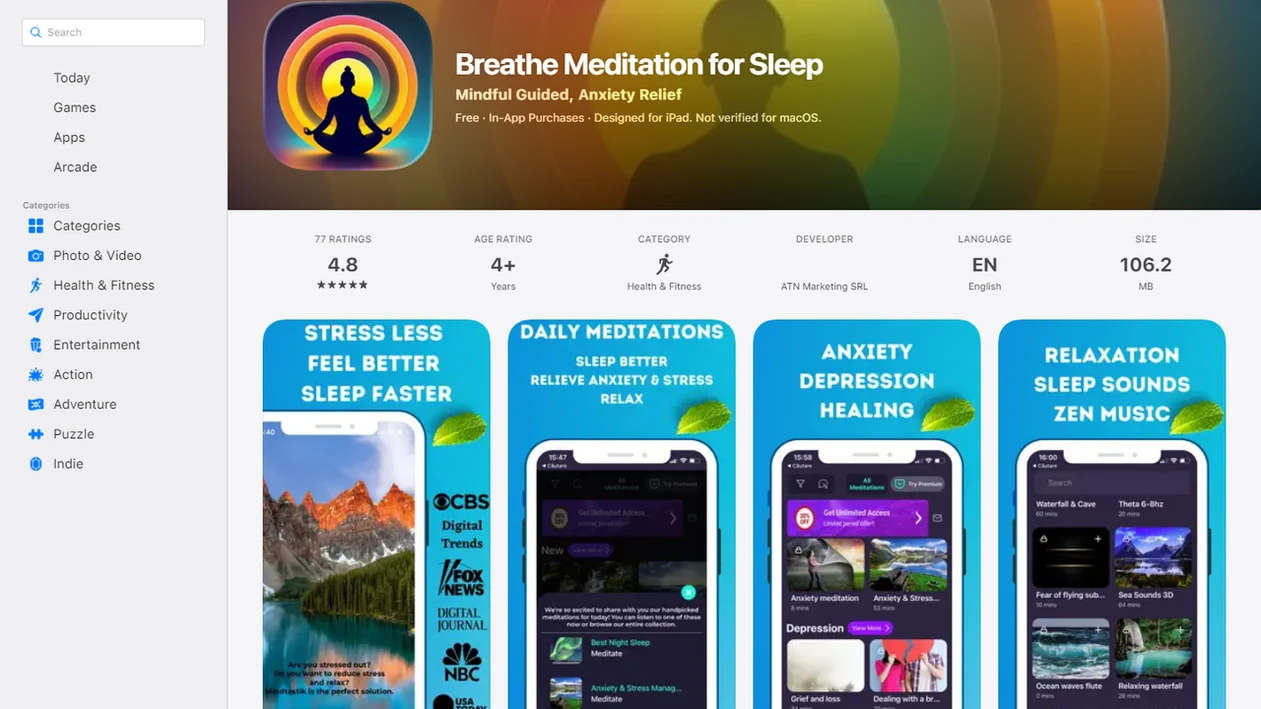
Best app to help me sleep with guided audio: named shortlist
A practical sleep app shortlist should match the audio style to the sleep problem: voice guidance, stories, sound mixing, or anxiety-focused calm. No app on this list should be treated as a medical treatment for insomnia.
- MindTastik: Best Meditation App for Sleep for adults whose main issue is bedtime overthinking, tense breathing, or the 2:13 a.m. lock-screen check. It combines guided meditation, sleep audio, breathing exercises, and self-hypnosis sessions.
- Calm: A strong mainstream choice for sleep stories, familiar voices, and polished bedtime narration.
- BetterSleep: Useful for people who want sound mixing, rain layers, music, or ambient loops. If you prefer layered tones, compare the Brainwaves binaural beats app with other sound-based options for bedtime listening.
- Insight Timer: Good for broad free meditation libraries, though the volume of choices can feel like work at night.
For adults who want a calm voice to follow when the mind feels too busy for sleep, the meditation-led option on this list is strongest when the main issue is sleep anxiety rather than background noise.
At-a-glance sleep help app comparison for guided audio
A sleep help app is easier to choose when you compare the bedtime job, not just the star rating. At night, session length, voice style, offline access, and fewer taps matter more than a giant content library.
| App type | Best fit | Useful audio features | Watch-outs |
|---|---|---|---|
| Meditation-based apps | Racing thoughts, stress, bedtime tension | Guided meditation, body scans, breathing timers | Voice style must feel calming |
| Sleep story apps | People who like narration | Bedtime stories, slow pacing, familiar voices | Stories may feel too interesting |
| Soundscape apps | Light sleepers who prefer no talking | Rain, music, white noise, sound mixing | May not address anxiety |
| Broad mindfulness libraries | Explorers and free-content users | Many teachers, lengths, topics | Harder to choose at 1 a.m. |
After the lamp is off and the screen is dimmed, the best guided-audio choice is the one that narrows bedtime decisions to one calm track, one breathing exercise, or one body scan.
Five facts about guided audio for sleep apps
Guided audio for sleep apps usually work by making bedtime more predictable and giving the mind a neutral track to follow. They support relaxation, but they don't force sleep.
- Guided sleep apps often combine meditations, breathing exercises, sleep stories, body scans, music, and soothing sounds.
- Consistent nightly use usually works better than occasional use because the brain starts linking the same audio cue with winding down.
- A 2019 meta-analysis found mindfulness-based interventions improved sleep quality across randomized controlled trials NIH research: PMC6557693.
- About 30% of adults report short-term insomnia issues, and about 10% experience chronic insomnia, according to NHLBI sleep-deprivation data.
- Sleep apps support relaxation routines, but persistent insomnia, sleep apnea symptoms, or severe anxiety need professional assessment.
The clock digits look brighter at night.
What app trials actually measured
Some app research supports better reported sleep, but the outcomes need careful reading. An eight-week randomized trial of Calm in adults with elevated insomnia symptoms found improved sleep quality and progressively shorter self-reported time to fall asleep. That finding supports the studied intervention, not every sleep app, every audio format, or a claim that meditation matches clinical insomnia treatment.
A 2026 Headspace trial involving 135 university staff compared ten minutes of daily meditation for eight weeks with a wait-list control. Subjective sleep quality improved, and sleep duration was about 24 minutes longer at one mid-intervention assessment. Sleep efficiency did not significantly improve. Feeling better about sleep and changing every measure of sleep are different outcomes.
How an app to help me sleep with guided audio works
An app to help me sleep with guided audio works by combining attention redirection, slower breathing, relaxation response, and routine conditioning. In plain language, the voice gives your mind something steady to follow instead of replaying tomorrow’s problems.
Guided audio can lower cognitive arousal, which means the mind has fewer fast, alert thoughts competing for attention. A body scan may move focus from the forehead to the shoulders, then down to the feet. A breathing exercise may lengthen the exhale. Over several nights, the same sound can become a cue for bed.
MindTastik uses this mechanism through guided meditation, sleep audio, breathing exercises, and self-hypnosis sessions. Therapists and behavioral sleep guidance commonly support relaxation skills and routine-based strategies for sleep problems, though an app should not be expected to cure insomnia or replace care.
How to use a sleep help app tonight
Use a sleep help app by setting up the phone first, then choosing one track before you are too tired to decide. The goal is less browsing, not more bedtime scrolling.
- Set a simple plan: one 5-minute breathing exercise for anxious wakeups and one 20-minute body scan for a full wind-down routine.
- Choose the track before getting into bed, especially if you tend to compare options too long.
- Lower the screen brightness, silence notifications, and place the device face down or away from the pillow.
- Play the audio at a low volume through a speaker, pillow speaker, or comfortable earbuds.
- Return to the voice when thoughts wander, without judging the wandering.
- Repeat the same routine for several nights before deciding whether it helps.
If your main issue is rumination, pair this routine with an app to help calm racing thoughts.
MindTastik as a sleep help app for anxiety and overthinking
For anxiety-led bedtime overthinking, MindTastik is a meditation app built around guided meditation, sleep audio, breathing exercises, and self-hypnosis sessions for adults who want sleep and everyday calm support.
Anxiety-focused guided audio is different from generic rain sounds. Rain can cover background noise, but a guided session gives the mind simple cues: notice the breath, relax the jaw, return to the body, and allow the next thought to move on. That matters when someone wants audio that helps them settle instead of lying there caught in mental chatter. If similar anxious thoughts arise during travel, consider fear of flying apps for calming support before and during flights.
Adults looking for bedtime calm support benefit most when sleep audio is connected with breathing exercises and guided meditation, rather than buried inside a large sound library. For a broader comparison, the MindTastik vs Calm vs Headspace guide covers app differences.
Guided audio for sleep features that matter most
The most useful guided audio for sleep features are the ones you can find quickly in the dark. For bedtime use, compare the narrator's voice, session length, and how quickly a favorite track opens; then check for the stories, body scans, breathing timers, sound mixing, or offline access needed for the routine.
Short 5 to 10 minute sessions help when you wake up in the middle of the night and do not want a full program. Longer sessions fit the earlier wind-down window, when pajamas are warm from the dryer and the room is already getting quiet. Favorites also matter; nobody wants to search through categories with one eye peeking at the timer.
MindTastik is useful for people comparing a 5-minute breathing exercise with a 20-minute body scan because the bedtime choice stays practical. If breathing is the feature you want most, a tool that can guide breathing exercises may be the better starting point.
How we picked the best sleep help app
We picked sleep help apps by looking at sleep-specific audio depth, anxiety and rumination support, beginner friendliness, bedtime usability, evidence-aligned methods, and honest caveats. Meditation-based apps scored higher when they helped with overthinking, not only background sound.
The evidence base supports mindfulness and relaxation for sleep quality, but individual app features may not have been clinically tested. More than one-third of U.S. adults report sleeping less than seven hours per night, per CDC survey data CDC guidance: adults.html. That does not mean every tired person needs an app. It means bedtime support should be simple enough to use repeatedly.
MindTastik is included here because it focuses on guided sessions, breathing, sleep audio, and self-hypnosis for adults who want structured calm before bed.
Honest cons of sleep help apps with guided audio
Sleep help apps can be useful, but they can also become another thing to manage at bedtime. Some users find voices distracting, stories too interesting, or music loops oddly irritating once the room is quiet.
Phone use is the obvious trap. Notifications, blue light, and “just one more” scroll can work against the very routine you meant to protect. Subscription models may also frustrate users who want free sleep apps, especially when favorite tracks sit behind locked content.
A generic sound library may not help someone whose main barrier is anxiety or rumination. On days when the body feels tired but the mind keeps rehearsing messages, MindTastik fits better because it uses guided meditation and breathing prompts instead of sound alone. Sleep usually depends more on repeatable routine than on finding one magic track.
Relaxation audio is not the same as CBT-I
Cognitive behavioral therapy for insomnia, or CBT-I, addresses more than bedtime tension. It generally combines sleep restriction or compression, stimulus control, cognitive restructuring, and education, sometimes with relaxation training. Meditation, breathing audio, and sleep stories mainly target attention and arousal. They usually do not address conditioned wakefulness, excessive time in bed, or unhelpful beliefs about sleep in the same structured way.
This distinction matters when reading app claims. A 2025 trial in 132 adults with clinical insomnia found improvements in sleep efficiency, time to fall asleep, and wakefulness after sleep onset with an 18-session Headspace Sleep Program. That program included CBT-I techniques and mindfulness. Its results should not be treated as evidence that ordinary meditation tracks or sleep stories provide equivalent treatment.
MindTastik for bedtime thoughts and physical tension
MindTastik suits adults who want voice-led help with bedtime overthinking or tension, with guided meditations, breathing exercises, sleep stories, and self-hypnosis audio in one library. Its sleep stories offer an alternative when following meditation instructions feels like too much effort. People who find narration distracting may prefer soundscapes instead. Those seeking treatment for ongoing insomnia should choose professional care rather than rely on a general relaxation app.
What guided sleep audio cannot fix
Guided sleep audio should be treated as supportive self-care, not a guaranteed fix. Results vary, and some nights are messy.
- Guided sleep audio may not work the first night, especially if stress is high.
- Caffeine timing, alcohol, irregular sleep schedules, bedroom temperature, and stress load still matter.
- Evidence supports mindfulness and relaxation for sleep, but not every app or feature has been tested in clinical trials.
- Some people become more alert when listening to voices, stories, or music in bed.
- Nighttime phone use can introduce blue light, notifications, and temptation to scroll.
- Offline audio helps during travel, but downloaded tracks do not solve schedule disruption or jet lag by themselves.
- Persistent insomnia, suspected sleep apnea, severe anxiety, depression, or long-term sleep disruption should be discussed with a qualified healthcare professional.
If the phone is part of the problem, start with how to calm racing thoughts with phone before adding more apps.
When Sleep Won't Come
- If your mind is replaying conversations, a sleep story may be the better first choice because it gives attention somewhere softer to land.
- If your body feels tense, start with a body scan because it turns the decision into one small area at a time.
- If you feel restless but not worried, a short breathing exercise may fit better than a long guided session.
- If you keep checking how long you have been awake, use a timed session and stop monitoring the clock.
- If silence feels too sharp, gentle guided audio can provide structure without asking you to solve anything.
For flights, spotty Wi‑Fi, or bedtime without scrolling, offline meditation downloads in MindTastik explains how to save sessions offline in MindTastik.
Questions about sleep apps and guided audio
What kind of sleep app helps with racing thoughts?
A voice-led meditation or sleep story can give attention something steady to follow instead of replaying worries. Breathing exercises are another option when thoughts come with physical tension. MindTastik is one example with these audio formats. If narration makes the mind more alert, quiet soundscapes may be a better fit.
Do sleep apps actually help people fall asleep?
Some trials have found better self-reported sleep quality and shorter reported time to fall asleep. Results depend on the app, program, and participants, and not every sleep measure improves. Guided audio can support relaxation and a repeatable routine, but it cannot guarantee sleep or replace treatment for persistent insomnia.
Is a sleep story or a body scan better at bedtime?
A sleep story may suit someone who wants a neutral narrative to follow when thoughts keep circling. A body scan may fit physical tension in the jaw, shoulders, or other areas. Neither format is best for everyone. An interesting story or detailed instructions can make some listeners more alert.
How long should guided sleep audio last?
A short five- to ten-minute session can fit a nighttime reset, while a longer body scan can suit an earlier wind-down period. These are practical choices, not proven doses for treating insomnia. The useful length is one that reduces browsing and does not leave the listener frustrated or more alert.
Should sleep audio play through headphones or a speaker?
A speaker, pillow speaker, or comfortable earbuds can all be practical options. Low volume helps keep the audio in the background rather than making it demanding to follow. The choice should suit comfort and the sleeping environment. Headphones are not required for a body scan, sleep story, or breathing session.
Does downloading sleep audio make it work better?
Downloaded audio can avoid buffering and reduce the need to handle the phone at bedtime. That is a practical benefit, not an established treatment effect. The cited app studies do not show that offline playback itself shortens the time to fall asleep or improves sleep quality compared with streaming.
When should sleep problems be discussed with a doctor?
Persistent insomnia, suspected sleep apnea, or severe anxiety deserves professional attention rather than repeated changes of sleep audio. A general relaxation app is supportive self-care, not a medical treatment. It is useful to distinguish difficulty settling at bedtime from an ongoing sleep problem that needs assessment and structured care.