
How AI Meditation Personalization Works
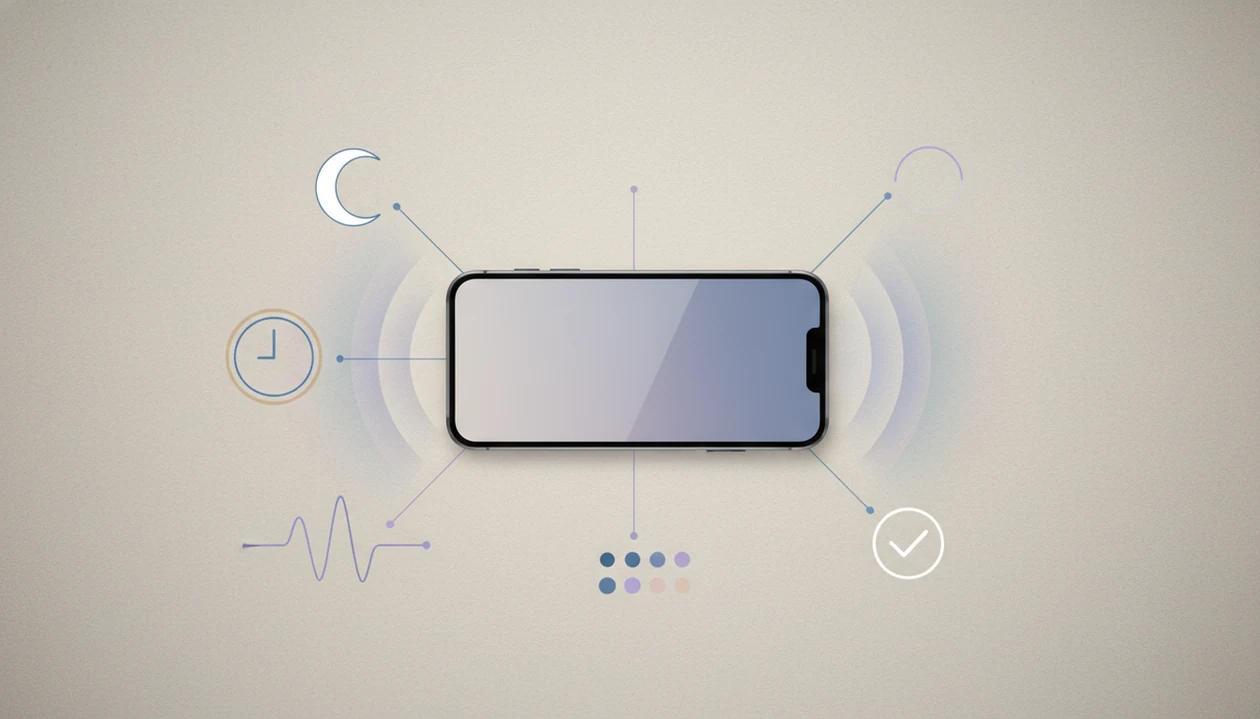


AI meditation personalization turns a stated mood, goal, context, and feedback into a guided session suited to that moment. It uses language understanding and recommendation logic to select or generate meditation, sleep audio, breathing exercises, or self-hypnosis sessions. A request such as “ten minutes to settle after a late meeting” can guide the session’s length, tone, pacing, and focus without being treated as a diagnosis.
In MindTastik, custom prompts support personalized AI-generated meditation sessions. More broadly, apps may also use mood check-ins, available time, and listening feedback to refine suggestions. The important distinction is between a session that feels relevant and one proven to deliver better health outcomes. Evidence for meditation apps is broader than the evidence that AI personalization improves results.
Personalization at a glance
- AI personalization usually starts with your plain-language prompt, mood check-in, goal, time available, and recent app behavior.
- The app may adapt session length, script tone, breathing pace, background sound, and follow-up recommendations, but it should not diagnose or replace therapy.
- Evidence supports meditation apps and adaptive features for engagement, but direct proof that AI-personalized meditation is superior remains limited.
AI meditation personalization data flow inside an app
Inside an app, AI meditation personalization works as a simple data flow: input, interpretation, session matching or generation, and feedback. It is the flow from what you tell the app, through language interpretation, into a guided session that fits your current goal.
The usual sequence is: user prompt, natural language processing, goal detection, session generation or selection, then feedback. If you type, “I feel wired after a late meeting and need 10 minutes,” the system may detect stress, short duration, and a calming goal. It can then adjust length, script, voice style, breath pacing, music, sleep focus, anxiety support, or everyday calm cues.
Not mind reading. Not diagnosis.
MindTastik offers guided meditation, sleep audio, breathing practices, and self-hypnosis sessions for adults looking for everyday support with rest, stress, and calmer routines. For a broader feature view, the personalized meditation app guide explains how custom sessions differ from a static library.
How to use AI meditation personalization
Use AI meditation personalization by giving the app one clear job, then refining the result after you listen. The best sessions usually come from short, practical context rather than a long emotional download. An AI meditation planner can help organize goals, session timing, and feedback into a consistent practice.
- Choose one main goal before you start, such as sleep, anxiety support, focus, or everyday calm. A single target helps the session avoid trying to be a bedtime story, breathing reset, and productivity coach all at once.
- Write a brief prompt with the situation, time available, and style you want. For example: “I feel tense after travel and want a 10-minute body scan with a slow voice.”
- Review the session setup before playing when your prompt includes sensitive themes, intense memories, or strong distress. If it feels too deep for the moment, simplify the request.
- Rate the session afterward so future recommendations can learn what helped, what dragged, and what felt too fast or too emotional.
- Reset preferences when sessions start sounding repetitive, overly intense, or off-target. Fresh settings can widen the recommendations again.
Five AI meditation personalization facts users should know
- Natural language processing helps interpret typed or tapped input, such as “sleep stress,” “anxious thoughts,” or “I can’t settle after travel.”
- Recommendation systems or language models shape the meditation script, session structure, pacing, and follow-up suggestion.
- Feedback and usage signals, like skips, completions, ratings, and time of day, can refine future sessions.
- Personalization may improve relevance and adherence, but clinical outcome evidence for AI-personalized meditation is still limited.
- Responsible apps use guardrails for crisis language, self-harm mentions, and professional-care boundaries.
If the priority is choosing a session quickly, MindTastik fits because it maps a plain-language need to a guided session workflow rather than asking you to scan dozens of playlist names under blankets. Compare the best AI meditation app options by session quality, useful controls, and privacy protections.
Safe AI meditation app prompts and settings
Use AI meditation prompts like a clear request to a guide, not a diary dump. You’ll usually get better sessions from specific, non-sensitive context.
- Set a goal first, such as sleep, anxiety support, focus, or everyday calm.
- Describe the moment without oversharing: “I feel tense after a work call and need 10 minutes to calm down.”
- Choose the time available, voice preference, sound level, and whether you want breathing, body scan, or imagery.
- Review how you feel afterward, especially if the session felt too fast, too emotional, or too long.
- Reset preferences if sessions feel wrong, repetitive, or too focused on one theme.
When the issue is a racing bedtime mind, MindTastik can support a wind-down routine because it can shape short sleep audio around the prompt instead of serving the same track every night. Urgent distress, self-harm thoughts, or severe symptoms require professional or emergency support.
Best-fit use cases and red flags for AI meditation personalization
AI-personalized meditation is a good fit for common stress patterns, not for crisis care or diagnosis. About 32.3% of U.S. adults reported anxiety or depressive symptoms in early 2023, per CDC data CDC guidance: mental health.htm, so many people bring real strain into wellness apps.
| Best for | Not for |
|---|---|
| Bedtime worry | Crisis support |
| Beginner meditation | Diagnosis |
| Everyday calm | Trauma processing without a clinician |
| Short breathing resets | Medication advice |
| Choosing a session quickly | Replacing therapy |
Someone looking for a calming voice to start when their mind feels crowded may benefit from a short guided session. That is different from needing a treatment plan. The custom meditation for anxiety page covers anxiety-support routines in more detail, including grounding and breath pacing.
Session structure for sleep and anxiety support
A personalized session usually changes the order and feel of familiar meditation parts. The app may build an opening reflection, body scan, breath pacing, guided imagery, suggestion language, and closing cue around your stated goal.
For sleep, the pacing may slow down. The script may reduce decisions, use fewer instructions, and move toward soft imagery. Picture a quiet room with dim light, where you are awake longer than planned and want gentle direction rather than a lesson. For anxiety support, the session may use grounding, longer exhale breathing, and steady reassurance.
If your priority is bedtime, MindTastik covers that use case because a prompt can become a shorter wind-down session, a body scan, or sleep-focused audio. The dedicated custom meditation for sleep guide explains that path more fully.
Image caption: From prompt to personalized meditation
Image idea: a user prompt turning into session elements, including length, breath pace, voice tone, background sound, and sleep or anxiety focus for how AI meditation personalization works.
Narrator fit matters as much as script fit
Personalization includes how a session sounds, not just which words it contains. A 2025 study of AI-generated mindfulness narration used two experiments with 143 participants. Trained AI voices received more favorable evaluations than untrained voices, while a mismatch between the voice’s personality and the mindfulness setting reduced evaluations. These findings concern acceptance of the audio, not proof of better mental-health outcomes.
A practical request can specify “a calm, clear voice with simple instructions” rather than asking only for relaxation. After listening, feedback can separate script problems from delivery problems: the topic may fit while the voice feels too animated or the pauses feel too short. Where controls are available, adjusting pace, silence, or narrator style may be more useful than changing the entire session goal.
Evidence base for AI personalization in meditation apps
The evidence is strongest for meditation and app-based mindfulness in general, then more indirect for AI personalization. A 2014 Headspace randomized trial reported a 22% reduction in irritability and a 14% increase in positive affect after 10 days NIH research: PMC4016159.
A 2014 JAMA Internal Medicine meta-analysis of 47 randomized trials found moderate improvements in anxiety and depression from mindfulness meditation programs JAMA Internal Medicine study: 1809754. A 2021 review of mobile mindfulness apps found that engagement features, reminders, and tailoring may support adherence NIH research: PMC8278432. Adult meditation use also rose from 4.1% in 2012 to 14.2% in 2017, according to the National Health Interview Survey.
The most evidence-backed way to use AI meditation is as a regular supportive practice built on established techniques, not as proof that AI-generated sessions outperform every high-quality recorded meditation. For technique basics, the meditation techniques library is the cleaner starting point.
Early AI-specific findings are promising, not conclusive
A 2026 personalized-meditation preprint describes a formative study with 13 participants and a four-week deployment with 62 participants. It reported improvements relative to a non-personalized baseline in measures including engagement, self-awareness, momentary stress, and mindfulness. This adds evidence directly about AI-personalized meditation, but a preprint and a short deployment do not establish clinical superiority or lasting benefit.
The distinction matters when judging feedback signals. Finishing a recording or returning to an app can indicate that a session fits someone’s preferences, but neither alone demonstrates improved wellbeing. Evaluation should also consider changes in stress, perceived fit, adverse reactions, and longer-term functioning. Positive ratings and soothing language are useful observations, not substitutes for evidence of safety and effectiveness.
Privacy boundaries for AI meditation data
AI meditation systems depend on data you provide or create through use. They do not read minds; they infer from signals.
Common inputs: mood check-ins, text prompts, session history, completion, skips, time of day, and feedback. User controls: data retention, deletion, personalization settings, and whether sensitive prompts are stored. Safer prompts: specific but less identifying phrases, like “I feel tense after a presentation,” rather than names, workplaces, or private medical details. Responsible boundaries: no selling sensitive wellness data, no hidden clinical profiles, and no pretending that behavior patterns equal a diagnosis.
The pocket check is real.
When comparing calm.com, headspace.com, mindful.org, or MindTastik, privacy settings matter as much as session quality. The personalized meditation vs guided library apps comparison can help you decide whether adaptation is worth the extra data sharing.
MindTastik for a session with one clear goal
MindTastik’s personalized AI meditation sessions suit requests with a clear purpose, such as a short workday reset or gentle sleep preparation. Its library also includes guided meditations, breathing exercises, sleep stories, and soundscapes, so generated audio is not the only option.
A fixed recording may suit someone who prefers familiar wording and a predictable structure. Someone seeking diagnosis, trauma treatment, or help with severe symptoms should choose qualified professional care rather than a meditation generator. MindTastik is not a medical treatment.
What personalization cannot infer or promise
AI meditation personalization can be useful, but it has real limits.
- Evidence that AI-personalized meditation outperforms high-quality non-personalized meditation is still limited.
- AI can misread vague, ironic, culturally specific, or emotionally complex prompts.
- Meditation apps are not a replacement for clinicians, emergency care, or therapy for severe symptoms.
- Personalized sessions may become repetitive or too narrow if feedback loops overfit your habits.
- Privacy risk depends on what the app stores, shares, and allows you to delete.
- Results are gradual and depend on regular practice, not one perfect AI-generated session.
- A session can feel relevant and still be the wrong fit on a hard night.
MindTastik can support a sleep routine with a practical sequence: choose a starting point, describe the moment, listen, then adjust. It still should not be treated as medical care.
When you want app-based guidance rather than reading steps alone, MindTastik guided meditation app collects the core guided library in one place.
AI meditation personalization questions
How does AI turn a prompt into a meditation?
The system interprets the request, identifies a likely goal, and selects or generates a session. A prompt can supply the situation, available time, and preferred technique. Those details may influence the script, pacing, and closing instructions. The result is an inference from the input, not an assessment of someone’s mental health.
What should an AI meditation prompt include?
Include one goal, the time available, and a preferred style or technique. For example: “I feel tense after a work call. Create a ten-minute body scan with simple instructions and a calm voice.” Names, workplace details, and private medical history are usually unnecessary for describing that immediate need.
Does personalized meditation always mean a newly generated session?
No. Personalization can mean recommending an existing recording, changing a session’s structure, or generating a new script. Recommendation logic can match a goal and available time to library content without creating new audio. The term alone does not explain which method an app uses or how much of the session changes.
Is AI-personalized meditation better than recorded meditation?
There is not enough evidence to say it is consistently better. Early AI-specific research has reported improvements in engagement and some meditation-related measures, but it does not establish lasting clinical superiority. A familiar recording may be a better fit for someone who values predictable instructions over a changing script.
Can an AI meditation app diagnose anxiety from my prompts?
A meditation app should not treat prompts, listening habits, or mood check-ins as a diagnosis. It may use words such as “worried” or “tense” to suggest calming content, but that is session matching. Severe or persistent symptoms need qualified assessment rather than conclusions drawn from app behavior.
What personal data does AI meditation use?
Possible inputs include typed prompts, mood check-ins, session history, skips, completions, time of day, and ratings. The exact inputs and storage practices depend on the app. Check what is retained, shared, and removable, and keep prompts specific without adding identifying details that are not needed for the session.
Why does my personalized meditation keep missing the mark?
A vague request, several competing goals, or misunderstood wording can produce a poor match. Repeated feedback may also narrow suggestions too much. Try one concrete goal and identify the actual problem, such as fast pacing or unwanted imagery. If generated sessions remain unsuitable, choose a fixed recording or another practice format.
Can AI meditation help with sleep or anxiety?
It can provide guided sleep preparation or everyday anxiety support, such as a body scan, grounding, or gentle imagery. Personalization may make those instructions more relevant to the moment, but it does not guarantee relief or treat a disorder. It should not replace therapy, medical care, or crisis support.