
Screen-Free Bedtime Meditation Routine
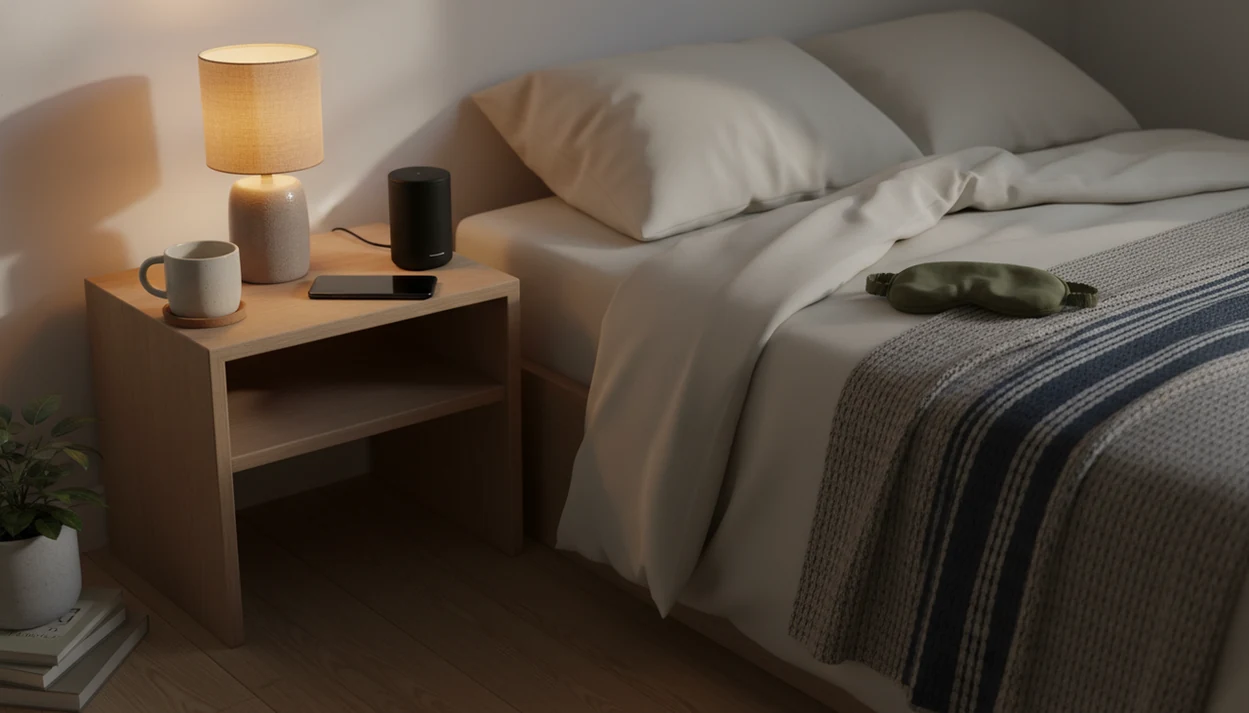


A screen-free bedtime meditation routine uses calming audio while keeping the phone screen dark and browsing out of bed. Guided meditation, breathing, sleep sounds, or self-hypnosis can provide the audio. Choose the session before bedtime, start playback, turn the screen off, and place the phone out of reach. The phone supplies the sound without becoming the evening’s activity.
The useful work happens before lying down: finish choosing the track, silence unwanted alerts, and decide when playback should stop. Pair the audio with dim lights and a consistent wind-down time. Screen-free does not have to mean device-free, but it does mean avoiding messages, feeds, and repeated track searches once the routine begins. Meditation is one part of preparing for sleep, not a treatment for persistent sleep problems.
The bedtime setup
- Choose your meditation audio before you get into bed, then keep the screen dark.
- Use airplane mode, Do Not Disturb, sleep timers, and offline downloads to prevent late-night scrolling.
- Pair audio meditation before bed with dim lights, a fixed wind-down time, and simple breathing cues for better consistency.
Screen-Free Bedtime Meditation Setup at a Glance
A screen-free bedtime meditation setup means using phone audio without using the phone for browsing. The app can play, but the screen, notifications, and decision-making stay out of the bed.
Choose the track 30 to 60 minutes before sleep, during the same stretch when lights go low and stimulating apps are done for the night. That timing helps because your brain is still reading cues from brightness, notifications, and small decisions. Picking between a 5-minute breathing practice and a 20-minute body scan after you wake can make it harder to settle again.
Keep it boring on purpose.
Meditation apps such as Calm and Headspace can fit this routine when you choose sleep audio early, start playback, lock the screen, and place the phone outside arm’s reach. Sleep meditation apps should deliver guided sleep, anxiety support, and everyday calm cues, not a promise to fix every sleep problem overnight.
Sleep Timing Effects of Audio-Only Bedtime Meditation
Audio-only bedtime meditation works by reducing visual stimulation while adding a predictable cue for rest. The mechanism is partly circadian timing, which means your body’s internal clock, and partly habit conditioning, which means the brain learns repeated bedtime signals.
- Evening light from devices can suppress melatonin and delay sleep timing. In a PNAS experiment, light-emitting e-readers suppressed evening melatonin by about 55% and delayed onset by more than 1.5 hours compared with printed books pnas reference: pnas.1418490112.
- Phone engagement can be as disruptive as light. A CDC-linked survey found 90% of adults used electronic devices within 1 hour of bedtime, and 35% used them in bed CDC guidance: 13 0313.htm.
- Predictable guided audio reduces bedtime decisions, especially when thoughts get loud in a quiet room.
- Repeated breathing cues can become a learned wind-down association.
- For many adults, audio meditation before bed is easier than silent meditation because the voice gives the mind one simple place to return.
Clinicians typically recommend behavioral sleep changes first for many sleep complaints, especially consistent timing, reduced stimulation, and a calmer pre-sleep routine. Persistent insomnia needs assessment and evidence-based treatment such as cognitive behavioral therapy for insomnia; NHS sleep guidance includes meditation as a wind-down activity, not a substitute for treatment.
What screen-reduction research does and does not show
A 2025 cross-sectional study of U.S. adults associated daily pre-sleep screen use with about eight fewer minutes of sleep on workdays, bedtimes roughly 19 minutes later, and a 33% higher prevalence of poor sleep quality. These are associations, not proof that screens caused each difference. The study also does not establish that replacing browsing with meditation audio produces an equivalent improvement.
A 2025 randomized pilot trial targeting bedtime procrastination and evening device use provides more direct evidence for changing the habit. Participants assigned to the intervention reduced daily pre-sleep device use by an average of 23.4 minutes and increased daily sleep duration by 12.7 minutes after the intervention. It tested a behavioral intervention, not audio-only meditation. For this routine, the supported target is less device use before sleep, rather than a particular meditation track.
Best Fits and Red Flags for a Phone-Free Bedtime Routine
A phone-free bedtime routine fits people who like guided audio but get pulled into scrolling. It is not the right stand-alone plan for symptoms that need medical or mental health evaluation.
Best for
| Fit | Why it helps |
|---|---|
| Guided-audio sleepers | A voice or soundscape gives the mind a track to follow. |
| Mild sleep anxiety | Predictable wording can soften racing thoughts before bed. |
| Inconsistent wind-down habits | The same audio becomes a repeatable cue. |
| Late-night scrollers | The phone stays useful without becoming the activity. |
Not for
| Red flag | Better next step |
|---|---|
| Loud snoring or gasping | Ask a clinician about possible sleep apnea. |
| Severe insomnia | Get professional guidance, especially if it persists. |
| Crisis-level anxiety | Seek urgent support or qualified mental health care. |
| Expecting a one-night cure | Build consistency across weeks, not one attempt. |
For chronic sleep difficulty, meditation can support a bedtime routine for adults, but it does not replace care.
Requirements for a No-Screen Bedtime Routine
A no-screen bedtime routine works best when the setup is finished before you are sleepy. Finish choosing the audio and adjusting playback settings before the lights go low, so there is no need to reopen the phone in bed.
- Meditation app: Choose one with sleep audio, breathing exercises, sleep sounds, or self-hypnosis sessions.
- Pre-selected track: Download or queue one session before bed, so you are not searching while tired.
- Phone placement: Put the charger across the room, on a dresser, or anywhere outside arm’s reach.
- Phone settings: Turn on Do Not Disturb, airplane mode, screen dimming, a sleep timer, and offline mode if available.
- Playback device: Use a small speaker, smart speaker, or comfortable earbuds if they do not bother you.
A folded blanket, a dim lamp, and the right sleep story already queued can make the routine feel easier. Set those pieces in place before the room feels fully quiet.
If the whole evening feels scattered, start with a broader nighttime wind-down routine.
7 Steps to Use Audio Meditation Before Bed
Use audio meditation before bed by setting the session early, removing phone triggers, and repeating the same cue each night. The most common sustainable way to make it screen-free is to make the phone boring before you get into bed.
- Choose your track before entering bed, such as breathwork, a body scan, sleep sounds, or gentle hypnosis.
- Dim the lights 30 to 60 minutes before sleep and close stimulating apps.
- Turn on Do Not Disturb or airplane mode, depending on whether you need calls available.
- Place the phone face down across the room, beside a speaker, or on a charger away from the bed.
- Start the audio and use lock-screen controls only if you must pause or lower volume.
- Follow one simple cue, such as slow exhales, relaxing the jaw, or noticing the mattress under your back.
- Repeat the routine for several weeks before judging it.
For beginners, a short guided session usually works better than a long silent practice because it gives tired attention a clear rail to follow.
Bedtime App Audio Settings That Prevent Scrolling
How do you use bedtime app audio without falling into scrolling? Set up the app so playback continues while everything else becomes harder to reach.
Download the bedtime app audio before the evening routine, especially if Wi-Fi is unreliable in the bedroom. Create a dedicated sleep playlist with only calming tracks. No interviews, no dramatic stories, no “one more episode” queue.
Small settings matter here.
Use a sleep timer if all-night audio bothers you or wakes your partner. Disable badges and notifications from messaging, email, and social apps before the wind-down window. Then rely on lock-screen playback controls instead of reopening the app. If you are still choosing content in bed, a meditation before sleep checklist can help you make the decision earlier.
For people who wake easily, low volume through a speaker may feel less intrusive than earbuds. For others, earbuds block hallway noise under a closed door.
MindTastik Sleep Audio in a Screen-Free Bedtime Meditation Routine
MindTastik offers wellness-focused audio for adults, including guided practices, sleep support, breathing sessions, and self-hypnosis tracks for everyday calm, rest, and anxiety support.
In a screen-free bedtime meditation routine, the useful part is not opening an app in bed. It is choosing a starting point earlier in the evening, locking the screen, and letting the audio carry the routine. Someone might pick a breathing session after brushing teeth, place the phone on a dresser, and listen from the pillow without touching the screen again.
MindTastik can also work for people who want bedtime audio organized around sleep and calm. It should not be used as a claim that an app cures insomnia, anxiety disorders, or medical sleep problems.
5 Common Screen-Free Bedtime Meditation Mistakes
Most failed screen-free routines fail at the setup stage, not the meditation stage. The phone is still too available, or the content is chosen too late.
- Searching for the ideal track while already tired turns the routine into browsing.
- Using YouTube or social apps invites comments, thumbnails, recommendations, and more light.
- Keeping the phone in hand after the audio starts makes “just checking” too easy.
- Choosing intense stories, emotional talks, or loud music can feel activating instead of calming.
- Expecting immediate results from one night misses how bedtime cues build through repetition.
The pocket check is real.
If your main question is content choice, start with plain categories like breath, body scan, soft music, or rain sounds. Our guide to what to listen to before bed goes deeper on matching audio to the night you are having.
7-14 Day Screen-Free Bedtime Meditation Progress Checks
Check progress for 7 to 14 days by watching behavior, not by obsessing over perfect sleep. A screen-free routine is helping if bedtime feels calmer and the phone stays out of your hands more often.
Track three simple notes: how long sleep seemed to take, whether you checked the phone overnight, and how calm the morning felt. Use paper or make a morning-only app entry. Do not check sleep data in bed, especially when clock digits are glowing on the dresser.
Look for fewer scrolling episodes, less arguing with yourself, and a more predictable wind-down. That is enough data for the first two weeks.
Digital sleep research supports structured digital CBT-I more directly than generic sleep audio: in a randomized trial, an online CBT-I program improved insomnia outcomes compared with placebo over a 6-week program academic reference: 2558913. That does not prove every branded sleep audio track has the same effect.
MindTastik audio that can play without browsing
MindTastik’s guided meditations, sleep stories, breathing exercises, and soundscapes offer several starting points for an audio-only wind-down. A familiar session from the breathing exercise library can keep the routine simple: select it before bed, start playback, and put the screen away.
People who find spoken guidance distracting may prefer soundscapes or silence. Those who repeatedly return to browsing may need a playback device without a feed or browser. Persistent insomnia or suspected sleep apnea calls for assessment, not another audio selection.
What screen-free bedtime audio cannot fix
Screen-free bedtime meditation can support sleep habits, but it has real limits. Treat it as a supportive practice, not a medical fix.
- It is not a replacement for professional evaluation of chronic insomnia, sleep apnea, depression, or severe anxiety.
- Phone use can still backfire if you check messages, social feeds, email, or sleep data after starting the audio.
- Some meditation scripts may feel too quiet, too body-focused, or too intense for trauma-sensitive users.
- Silence gaps can make racing thoughts louder for some listeners.
- Benefits depend on regular practice over time; one calm night does not prove the routine is solved.
- Evidence for specific branded apps is less direct than evidence for broader digital mindfulness and CBT-I programs.
- Snoring, gasping, dangerous daytime sleepiness, or persistent insomnia should prompt medical advice.
- If bedtime becomes a nightly battle, simplify the routine instead of adding more steps.
For people with racing thoughts, a calming night routine for racing thoughts may be more useful than audio alone.
Before Bed
- Choose the audio while the dim lamp is still on, then treat the selection as final. The fewer choices you leave for the pillow, the easier the routine is to repeat. A future self bedtime routine makes tonight’s small preparations a kindness to the person who wakes tomorrow.
- Pick one anchor for the week: a body scan, a sleep story, or a slow exhale practice. Changing the format every night can make bedtime feel like browsing again.
- Set the volume low enough that you can stop listening for details. Bedtime audio works best when it becomes a soft cue, not another task to complete.
- Place the phone somewhere that requires sitting up to reach it. A screen-free routine depends less on willpower when the room is arranged to make scrolling inconvenient. Try a future self bedtime trick: place the phone farther away now so your tired self has fewer temptations later.
- After seven nights, judge the routine by friction, not perfection. If starting feels easier than it did on night one, the setup is doing useful work.
If you want narration instead of instruction at bedtime, MindTastik sleep stories is a practical place to start inside MindTastik.
Screen-free bedtime meditation questions
Does meditation count as screen-free if the audio plays from a phone?
Yes, if playback continues with the screen off and the phone is not being used for browsing. Select the session before bed, silence unwanted alerts, and place the device out of reach. The distinction is between listening to audio and continuing to interact with the screen.
How long should a bedtime meditation session last?
There is no single required length for this routine. A five-minute breathing practice or a 20-minute body scan can both serve as a bedtime cue. Choose a length that does not push bedtime later or feel like a task to finish. Consistency matters more than completing a long session.
Should I use airplane mode or Do Not Disturb for sleep meditation?
The choice depends on whether calls need to remain available and how the audio plays. Airplane mode suits audio already available without a connection. Do Not Disturb is the more practical choice when selected calls must come through. Check playback and alert settings before bed rather than troubleshooting in the dark.
Is it better to use headphones or a speaker for bedtime meditation?
Use the option that is comfortable and least likely to require adjustments in bed. A small speaker allows listening without wearing anything, but it may disturb a partner. Headphones keep the audio more private, but discomfort can interrupt the routine. Keep the volume low and consider a sleep timer.
What should I do if I wake up and want to restart the meditation?
Decide on an overnight option before bedtime, such as one familiar track with simple playback controls. Avoid opening the library, checking messages, or reading sleep data while awake. If restarting requires several screen interactions, leaving the phone alone may better preserve the screen-free routine.
Does turning off the screen remove all the ways a phone can disrupt sleep?
No. A dark screen removes visual exposure, but alerts, stimulating content, and repeated decisions can still keep the routine active. Set up quiet playback before bed and avoid queues that encourage another episode. Audio that becomes absorbing or irritating may be less useful than a simpler track or silence.
Can screen-free bedtime meditation treat chronic insomnia?
It can support a calmer wind-down, but it is not a replacement for insomnia assessment or treatment. Persistent sleep difficulties may need cognitive behavioral therapy for insomnia or other care. Loud snoring or gasping also warrants clinical attention. Improving the phone setup does not address every cause of poor sleep.